Good Anvils
Repair and customize equipment with persistent anvil storage, cost previews and a dedicated name editor.
截图
介绍
What is Good Anvils?
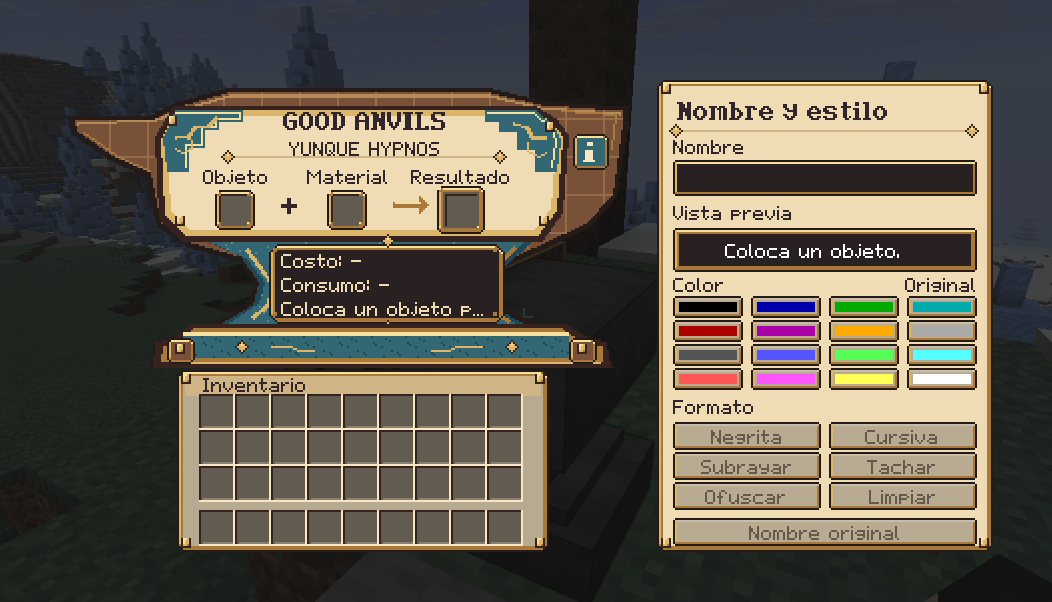
Good Anvils turns existing Minecraft anvils into persistent equipment workstations. Repair items, apply enchantments and edit names while seeing the required materials, level cost and result before committing an operation.
Features
- Two persistent input slots: leave the workstation and return to the items stored in that anvil.
- Repair using supported materials or a matching item, and transfer compatible enchantments from enchanted books.
- Additional material repairs for nine vanilla items, including bows and fishing rods with string, brushes with feathers, crossbows with tripwire hooks, and tridents with prismarine shards or nautilus shells.
- A durability preview, material consumption display and an information window explaining costs and enchantment benefits.
- A dedicated name editor with colors, bold, italic, underline, strikethrough and obfuscated text. Optional formatting codes include
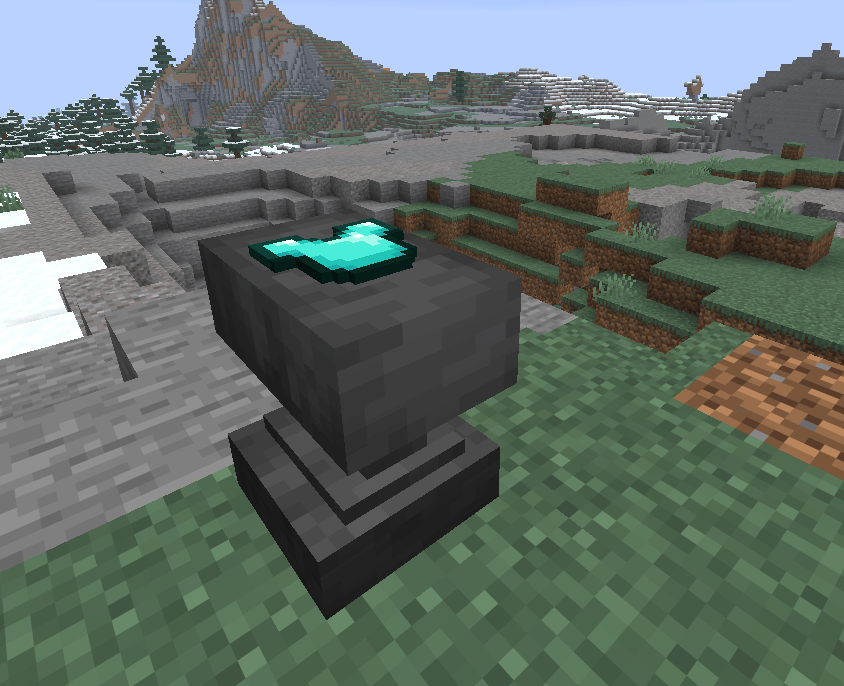
&6,&l,&rand&#RRGGBB. - A visible stored-item display on top of the anvil, with local rendering preferences.
- A custom work-history cost model instead of the vanilla exponential prior-work penalty on results produced by this workstation. Operations can still require experience levels.
Getting started
Use a normal, chipped or damaged Minecraft anvil; no new anvil recipe is required. Right-click it normally to open Good Anvils while the persistent prototype is enabled. Put the item in the first input and the repair material, matching item or enchanted book in the second. Review the preview and take the result to complete the operation.
For example, put a damaged bow in the first input and string in the second. Each consumed string restores up to half of the bow’s maximum durability. The preview shows the actual recovery and level cost; enchantments and work history can affect the price.
Closing the interface leaves the two inputs stored in that particular anvil. The result is a preview until it is taken. The name editor and the i information button are part of the interface.
With Good Spells
Good Spells is an optional companion. When both mods are installed, Good Anvils reads its enchantment limits, supported equipment, special compatibility rules and upgrade prices through Hypnos API. It also provides the material-based mastery route for supported advanced books. Good Spells is not required for ordinary Good Anvils repairs and renaming.
Installation and requirements
This build targets Minecraft Java 26.3, NeoForge 26.3.0.95 and Java 25. Install good_anvils-0.19.3-dev.jar and Hypnos API 0.19.3-dev in the instance’s mods folder. For multiplayer, install matching versions on the server and every client. This is a NeoForge mod; this build does not declare Forge or Fabric support.
Configuration
config/good-anvils-prototype.toml controls enablePersistentPrototype (default true), renameLevelCost (default 0), maxNameLength (default 100 visible characters), allowNameColors and allowNameStyles (both default true).
config/good-anvils-client.toml controls showStoredItem (default true) and storedItemRenderDistance (default 48 blocks). Close the game or server before editing these files.
Development-build limits
Version 0.19.3-dev is a development build. Its source documentation records local checks, but a dedicated-server or multiplayer gameplay validation for this exact build is not documented. Test it in a copy of your world before using it for an ongoing playthrough.
This version does not provide repair of the anvil block itself or a completed block-wear system for the custom workstation. Other mods replacing anvil screens, repair rules or enchantment data may need compatibility testing.
FAQ
Where is it installed, and does every player need it? In mods on the client and server, together with the exact required Hypnos API build. Every player joining a server using it needs the matching installation.
Does it work on a dedicated server? The implementation includes server-managed storage and operations. Dedicated-server and multiplayer gameplay results for this exact build are not documented; multiplayer is not being presented as verified.
Can I add it to an existing world? It operates on existing anvil blocks and adds no new anvil crafting recipe. A complete install-and-remove cycle on an established world is not documented for this build; use a backup copy first.
What happens if I disable or uninstall it? Empty every anvil’s stored inputs before disabling the persistent prototype or removing the mod. Removal also removes access to its custom workstation and stored-data handling.
Is it configurable? Yes; see the two files above. The nine additional material-repair rules are bundled resources, not automatically reloaded datapack settings.
May I use it in a modpack? This build declares All Rights Reserved. Check the author’s permission and the hosting platform’s applicable modpack settings before redistributing it; no blanket redistribution permission is stated here.
Bug reports
Include the exact mod, Minecraft, NeoForge and Java versions, the relevant log, the operation and ingredients used, the expected result, and whether the issue occurs in singleplayer or multiplayer. Include a screenshot for interface problems.
Credits and license
Created and developed by Wasagen. Part of the Hypnos ecosystem. The build declares All Rights Reserved. Minecraft and third-party components retain their respective ownership and terms.
常见问题
Good Anvils 支持哪些 Minecraft 版本?
Good Anvils 支持 Minecraft Java 版 26.3,可用的加载器:NeoForge。下载时注意选择和你游戏版本一致的文件。
Good Anvils 怎么安装?
先用 PCL2 或 HMCL 启动器安装对应版本的 NeoForge,再把下载的 .jar 文件放进游戏目录的 mods 文件夹,重新启动游戏即可。开启了版本隔离的,mods 文件夹在 versions/版本名 下面。
Wasagen 的其他作品
查看全部 →
Hypnos Coins
This mod adds custom coins inspired by the most iconic materials in the game, each with its own unique value and style.
Good Spells
Expand enchantment progression with four original enchantments, advanced levels and a craftable grimoire.
Hypnos API
A shared library providing enchantment contracts, inventory revisions and Hypnos interface resources.
评论
登录后评论和评分