介绍
# Scientific Stacks
## English
**Bring scientific notation into Minecraft!**
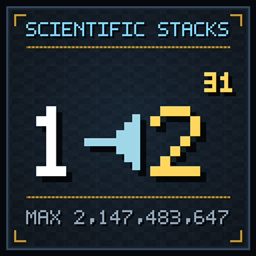
Scientific Stacks raises the maximum stack size of stackable items to 2,147,483,647 (2³¹ − 1) and shows huge counts in clean scientific notation. A full stack appears as 2.15×10⁹, while hovering reveals the exact amount.
**Stacking**
– Every vanilla item that stacks above one is raised to Integer.MAX_VALUE.
– Tools, armor, potions, shulker boxes and other unstackable items keep vanilla behavior.
– Chests, barrels, hoppers, droppers, the player inventory and other standard containers use the higher limit.
– Overflow-prone paths such as `/give`, item merging, quick moving and allay transport are hardened for huge counts.
**Display**
– Inventory and hotbar counts use scientific notation with `×` and Unicode superscripts.
– Counts of 1,000+ show an exact tooltip with thousands separators.
– The largest count is shown accurately as 2.15×10⁹; trailing zeroes stay compact.
– Items from other mods use the same display logic in standard inventory screens.
**Creative and crafting**
– Creative take, copy, clone, drag, drop and cursor preview are capped at 1,000 items.
– The crafting-grid limit is configurable in the config or an in-game screen: 1,000 by default, 100,000,000 maximum.
– Shift-clicking the output of a crafting table, player 2×2 grid, stonecutter, smithing table or loom extracts all complete results in one calculation, subject to recipe remainders.
– Take-half and recipe-book placement no longer overflow; the recipe book fills to the grid limit.
**Access**
– The “Scientific Notation” key binding defaults to F8 and can be changed under Options → Controls → Key Binds.
– Press it in-game to open the config screen. Saving applies immediately in single-player; multiplayer servers require a server-side config edit and restart.
**Requirements:** Minecraft 26.3, Fabric Loader 0.20.1+, Fabric API 0.165.0+26.3, Java 25. Install on client and server for stacking and display. Counts are Java `int`, so 2³¹ − 1 is the hard maximum.
Licensed under MIT.
## 中文翻译
**让科学记数法进入 Minecraft!**
Scientific Stacks 将可堆叠物品的上限提升到 2,147,483,647(2³¹ − 1),并用简洁的科学记数法显示超大数量。满堆显示为 2.15×10⁹,鼠标悬停即可查看精确数量。
**堆叠**
– 所有最大堆叠数大于 1 的原版物品都提升到 `Integer.MAX_VALUE`。
– 工具、盔甲、药水、潜影盒等不可堆叠物品保持原版行为。
– 箱子、木桶、漏斗、发射器、玩家背包和其它标准容器都使用更高上限。
– `/give`、掉落物合并、快速移动、悦灵运输等容易溢出的路径已针对超大数量加固。
**显示**
– 物品栏和快捷栏数量使用带 `×` 和 Unicode 上标的科学记数法。
– 数量达到 1,000 及以上时,提示框显示带千位分隔符的精确数量。
– 最大数量会准确显示为 2.15×10⁹,末尾多余的 0 会省略。
– 其它模组的物品在标准容器界面中也使用同一套显示逻辑。
**创造模式与合成**
– 创造模式拿取、复制、克隆、拖拽、丢弃和光标预览每次最多 1,000 个。
– 合成格单格上限可通过配置文件或游戏内界面调整,默认 1,000,最大 100,000,000。
– 当配方没有剩余物时,Shift 点击工作台、玩家 2×2、切石机、锻造台或织布机的输出槽,可一次计算并取出全部可完成结果。
– 修复右键取半和配方书摆放的整数溢出,配方书会按合成格上限填充。
**打开方式**
– 「科学计数法」按键绑定默认为 F8,可在「选项 → 按键控制 → 按键绑定」中修改。
– 进入世界后按下即可打开配置界面。单人游戏中保存立即生效;多人服务器需要修改服务端配置并重启。
**运行要求:** Minecraft 26.3、Fabric Loader 0.20.1+、Fabric API 0.165.0+26.3、Java 25。建议客户端和服务端都安装,以获得堆叠与显示功能。计数使用 Java `int`,因此 2³¹ − 1 是硬上限。
采用 MIT 许可证。
常见问题
Scientific-Stacks 支持哪些 Minecraft 版本?
Scientific-Stacks 支持 Minecraft Java 版 26.3,可用的加载器:Fabric。下载时注意选择和你游戏版本一致的文件。
Scientific-Stacks 怎么安装?
先用 PCL2 或 HMCL 启动器安装对应版本的 Fabric,再把下载的 .jar 文件放进游戏目录的 mods 文件夹,重新启动游戏即可。开启了版本隔离的,mods 文件夹在 versions/版本名 下面。
评论
登录后评论和评分