
Custom Markup Language
作者:DNFneca
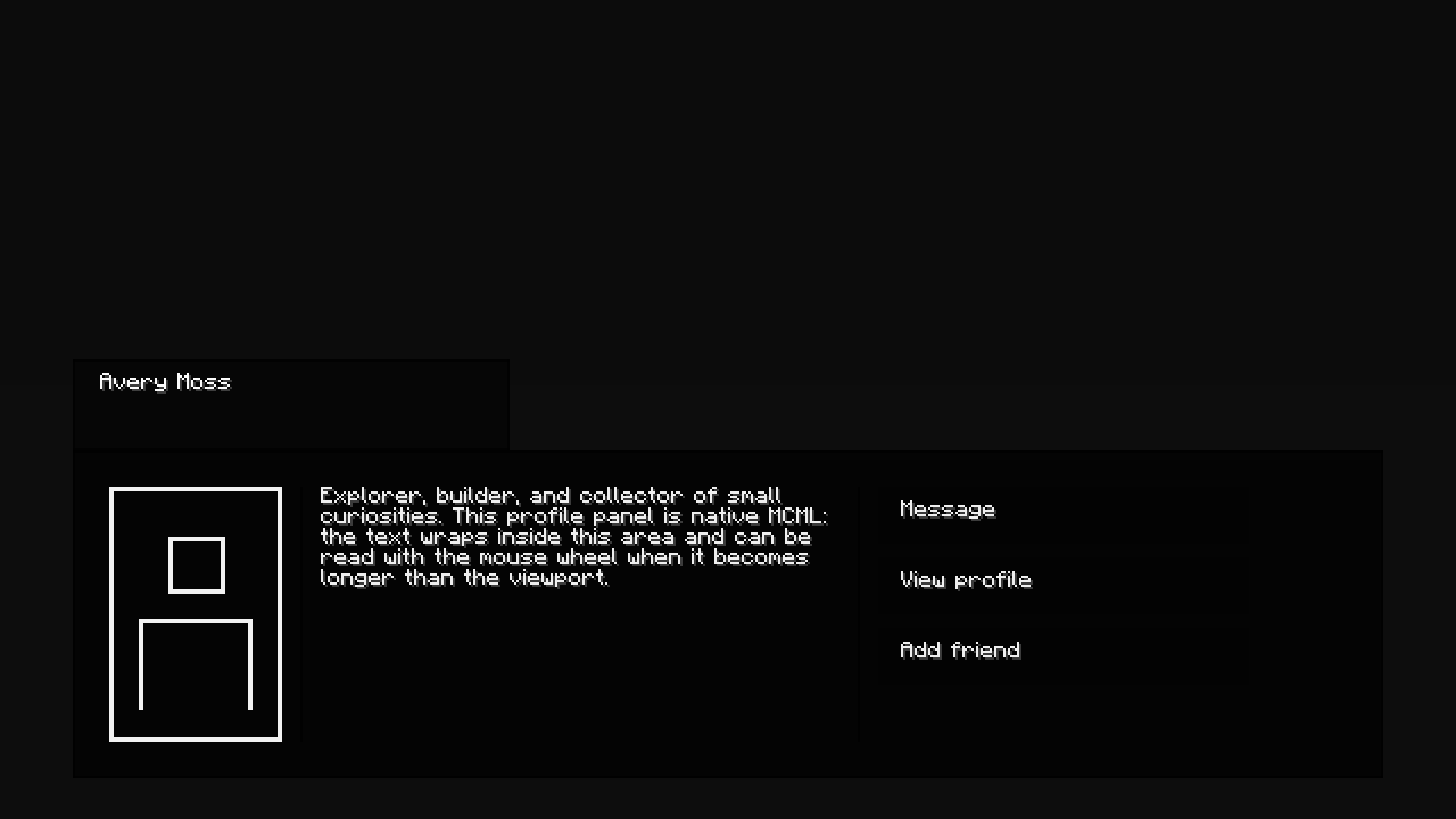
This mod is an easy way to create, animate and use your custom UI's by using close to if not no Java, it uses it's custom format called .mcml here is the sample on how the code works
截图
介绍
中文介绍正在准备中,下面暂时显示原文。
# MCML
This mod is an easy way to create, animate and use your custom UI’s by using close to if not no Java, it uses it’s custom format called .mcml here is the sample on how the code works.
1.20.1 Fabric only for now!
expect change very soon!
<box style="color=@transparent; width=100%; height=100%; animation=fade-in 300 ease-out;">
    <box style="color=@transparent; height=44%;" />

    <box style="color=@transparent; width=100%; height=11%; direction=row;">
        <box style="color=@transparent; width=5%; height=100%;" />
        <box style="color=@headerColor; borderColor=@panelBorderColor; borderWidth=1; width=30%; height=100%; padding=6 12 6 12;">
            <text style="color=@nameColor">@name</text>
        </box>
    </box>

    <box style="animation=fade-in 250 ease-out; color=@transparent; width=100%; height=40%; direction=row;">
        <box style="color=@transparent; width=5%; height=100%;" />
        <box style="color=@panelColor; borderColor=@panelBorderColor; borderWidth=1; width=90%; height=100%; padding=16 16 16 16; direction=row;">
            <avatar style="color=@avatarColor; width=14%; height=100%;" />

            <box style="color=@dividerColor; width=1; height=100%; margin=0 8 0 8;" />

            <box style="color=@transparent; width=42%; height=100%;">
                @subtitle
            </box>

            <box style="color=@dividerColor; width=1; height=100%; margin=0 8 0 8;" />

            <box style="color=@transparent; width=30%; height=100%;">
                <button id="message" style="color=@rowColor; width=100%; height=22%; resize=grow-only; margin=0 0 6 0; padding=6 10 6 10;">
                    <text style="color=@rowTextColor">@actionOne</text>
                </button>
                <button link="profile" style="color=@rowColor; width=100%; height=22%; resize=grow-only; margin=0 0 6 0; padding=6 10 6 10;">
                    <text style="color=@rowTextColor">@actionTwo</text>
                </button>
                <button id="add_friend" style="color=@rowColor; width=100%; height=22%; resize=grow-only; padding=6 10 6 10;">
                    <text style="color=@rowTextColor">@actionThree</text>
                </button>
            </box>
        </box>
    </box>
</box>
常见问题
Custom Markup Language 支持哪些 Minecraft 版本?
Custom Markup Language 支持 Minecraft Java 版 1.20.1,可用的加载器:Fabric。下载时注意选择和你游戏版本一致的文件。
Custom Markup Language 怎么安装?
先用 PCL2 或 HMCL 启动器安装对应版本的 Fabric,再把下载的 .jar 文件放进游戏目录的 mods 文件夹,重新启动游戏即可。开启了版本隔离的,mods 文件夹在 versions/版本名 下面。
评论
登录后评论和评分