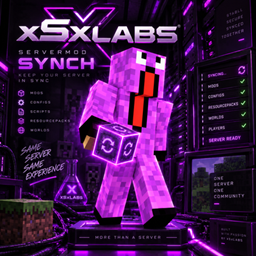
xSxLabs Servermod Synch
Join your modded server with just one mod installed. Servermod Synch automatically downloads missing server-required mods and restarts Minecraft when needed.
介绍
📦 Server-Side Sync Folder
When xSxLabs Servermod Synch is installed on the server, it creates a dedicated synchronization folder.
Server administrators simply place the mods that should be distributed to players inside this folder.
When a client connects, Servermod Synch compares the required files with the client’s installation.
Any required mods from the server’s sync folder that are missing on the client are automatically transferred, installed into the client’s mod setup, and prepared for the next launch.
If new mods were installed, Minecraft automatically restarts so they can be loaded correctly.
For Server Admins
1. Install Servermod Synch on the server
The mod creates its dedicated synchronization folder.
2. Put the required client mods into the sync folder
You decide exactly which mods Servermod Synch should distribute.
3. Players install only Servermod Synch
Before their first connection, players only need the Servermod Synch mod itself.
4. Player connects
The server checks the client’s synchronized mod setup.
5. Missing mods are transferred automatically
Required mods from the server’s sync folder are sent to the client and installed automatically.
6. Minecraft restarts
The newly installed mods can now be loaded.
7. Reconnect & Play
The whole idea in one line
SERVER: Put required mods into the sync folder
→ CLIENT: Install Servermod Synch
→ JOIN: Missing mods are transferred
→ INSTALL: Automatically installed
→ RESTART: Minecraft reloads
→ PLAY: Client and server are ready
常见问题
xSxLabs Servermod Synch 支持哪些 Minecraft 版本?
xSxLabs Servermod Synch 支持 Minecraft Java 版 26.1.2,可用的加载器:NeoForge。下载时注意选择和你游戏版本一致的文件。
xSxLabs Servermod Synch 怎么安装?
先用 PCL2 或 HMCL 启动器安装对应版本的 NeoForge,再把下载的 .jar 文件放进游戏目录的 mods 文件夹,重新启动游戏即可。开启了版本隔离的,mods 文件夹在 versions/版本名 下面。
xSxLabs 的其他作品
查看全部 →
Tacz Display Compat
Allows TaCZ guns to be placed in supported modded item frames, display stands and display cases, with configurable support for additional blocks.
TaCZ Bandits Bulletproof Glass
Prevents TaCZ Bandits from destroying glass and FramedBlocks when shooting, without changing normal TaCZ player weapon behavior.
Pipez Sable Compat
Compatibility patch for Pipez and Sable, fixing wrench extraction mode on Sable sublevels for Minecraft 1.21.1 NeoForge.
Sable Door Compat
Compatibility patch for Sable and Malisis Doors, fixing physics-related door issues on Minecraft 1.21.1 NeoForge.
评论
登录后评论和评分