InvSee Counter
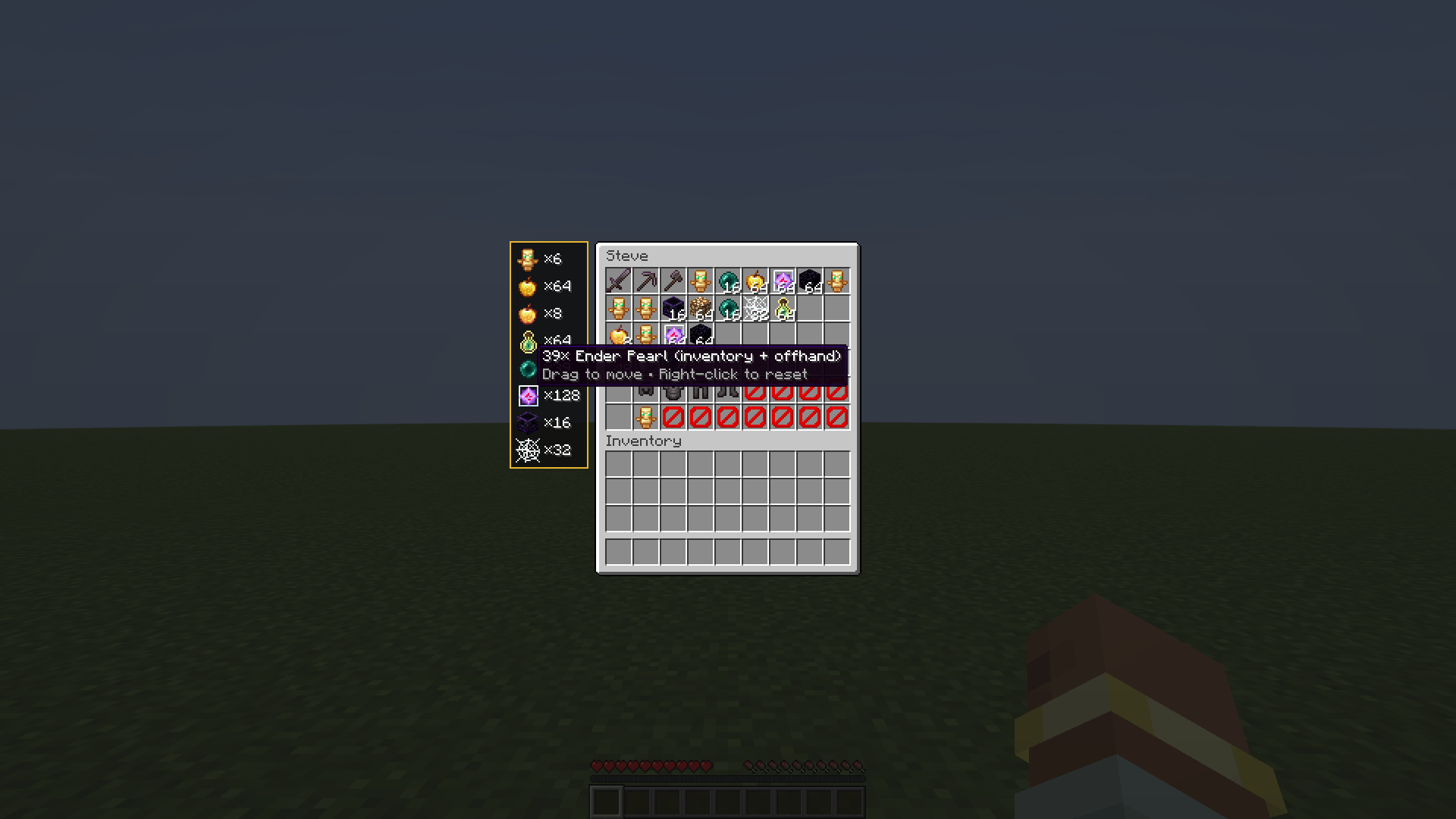
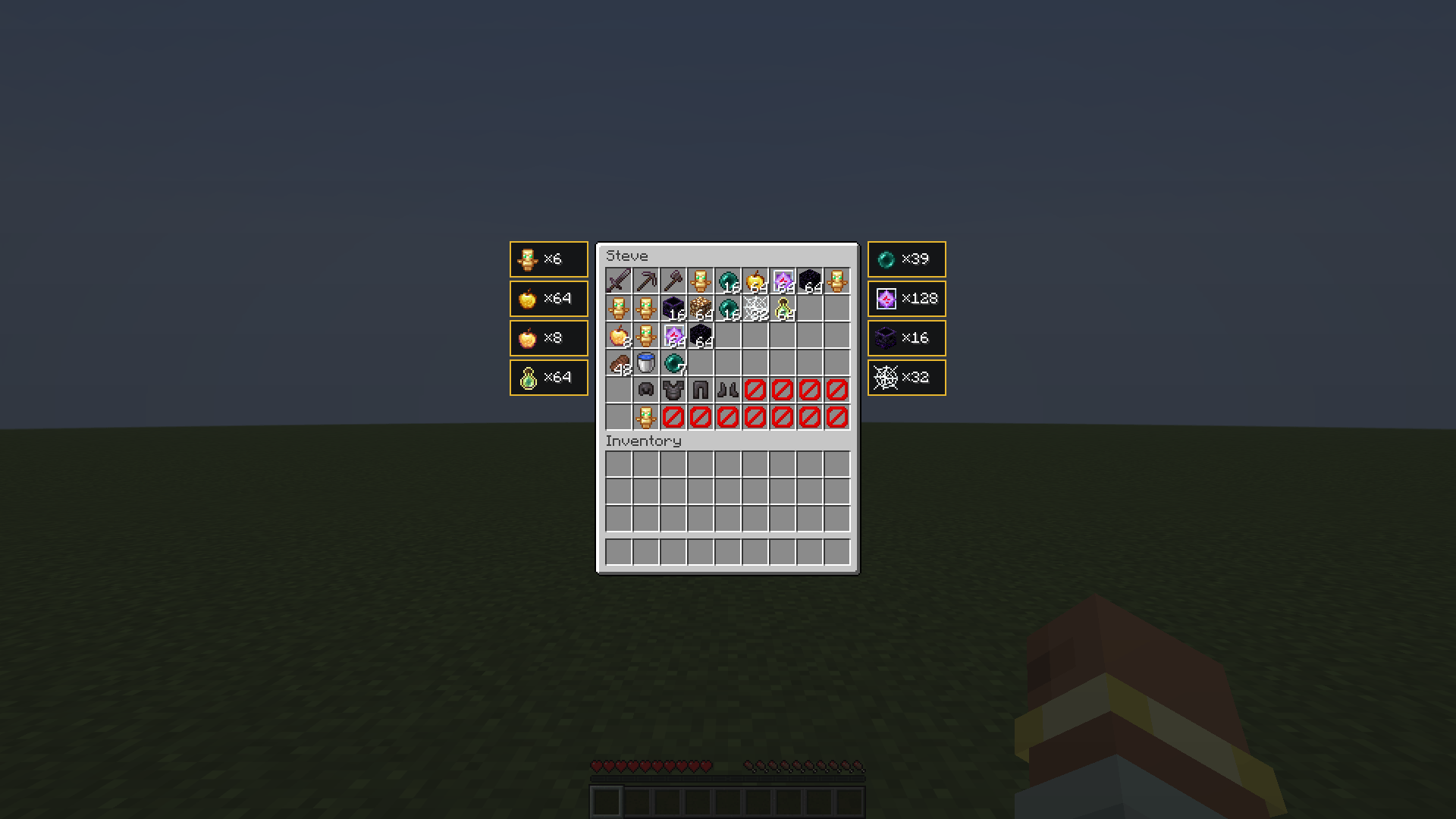
Made for HugoSMP: counts totems and your chosen items in the inventory you open with /invsee and shows them right next to the window – as one list or as separately movable boxes. Client-side, Fabric, 1.21.11–26.2.
截图
介绍
🧮 InvSee Counter
Made for HugoSMP. Check a player with /invsee and instantly see how many totems – and any other items you care about – they are carrying. Right next to the window, no counting by hand.
✨ Features
- 🛡️ Totem counter – whole inventory + offhand, red border at 0 totems
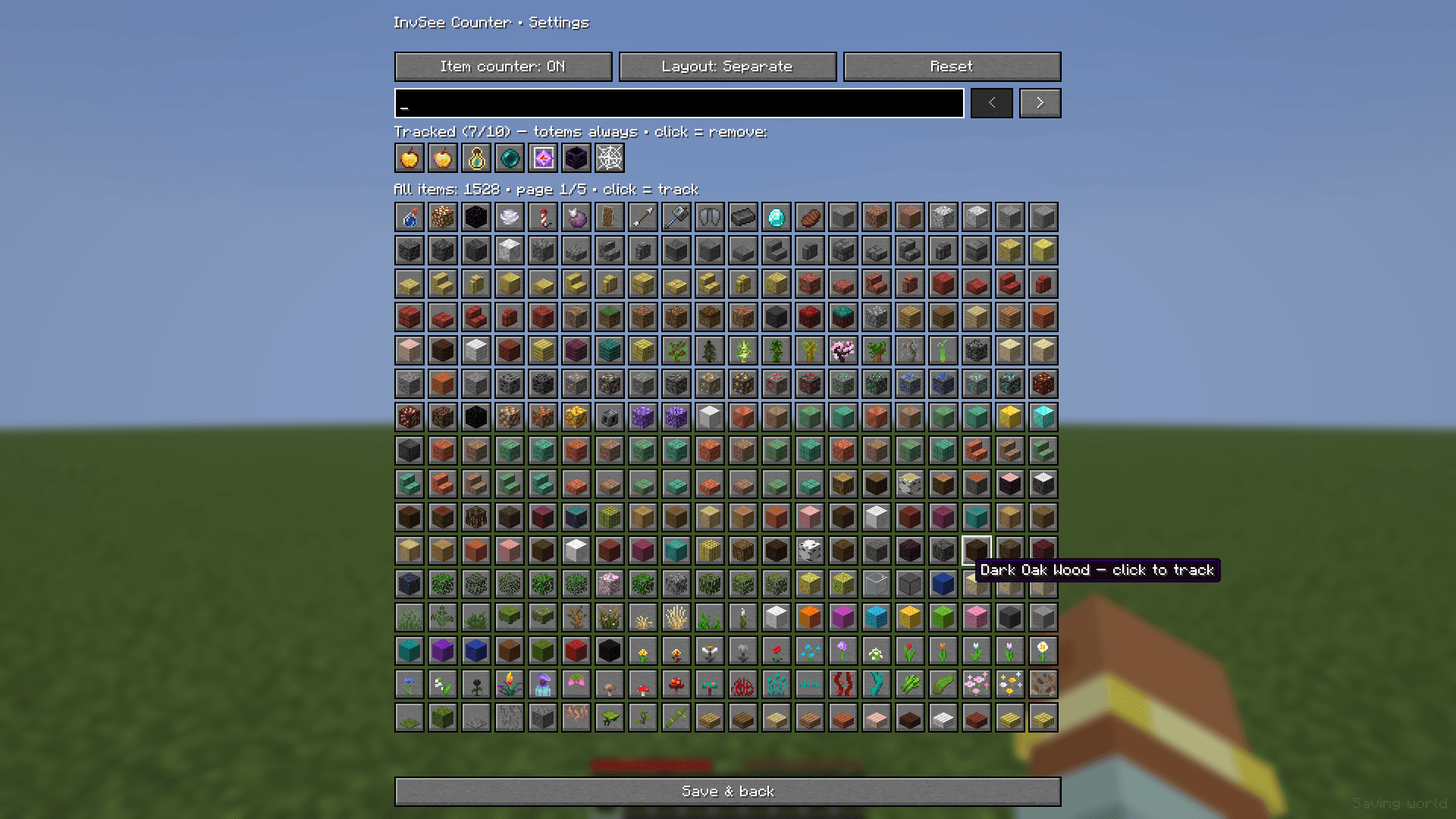
- 🎯 Track up to 10 extra items – pearls, gapples, crystals, anchors … you choose
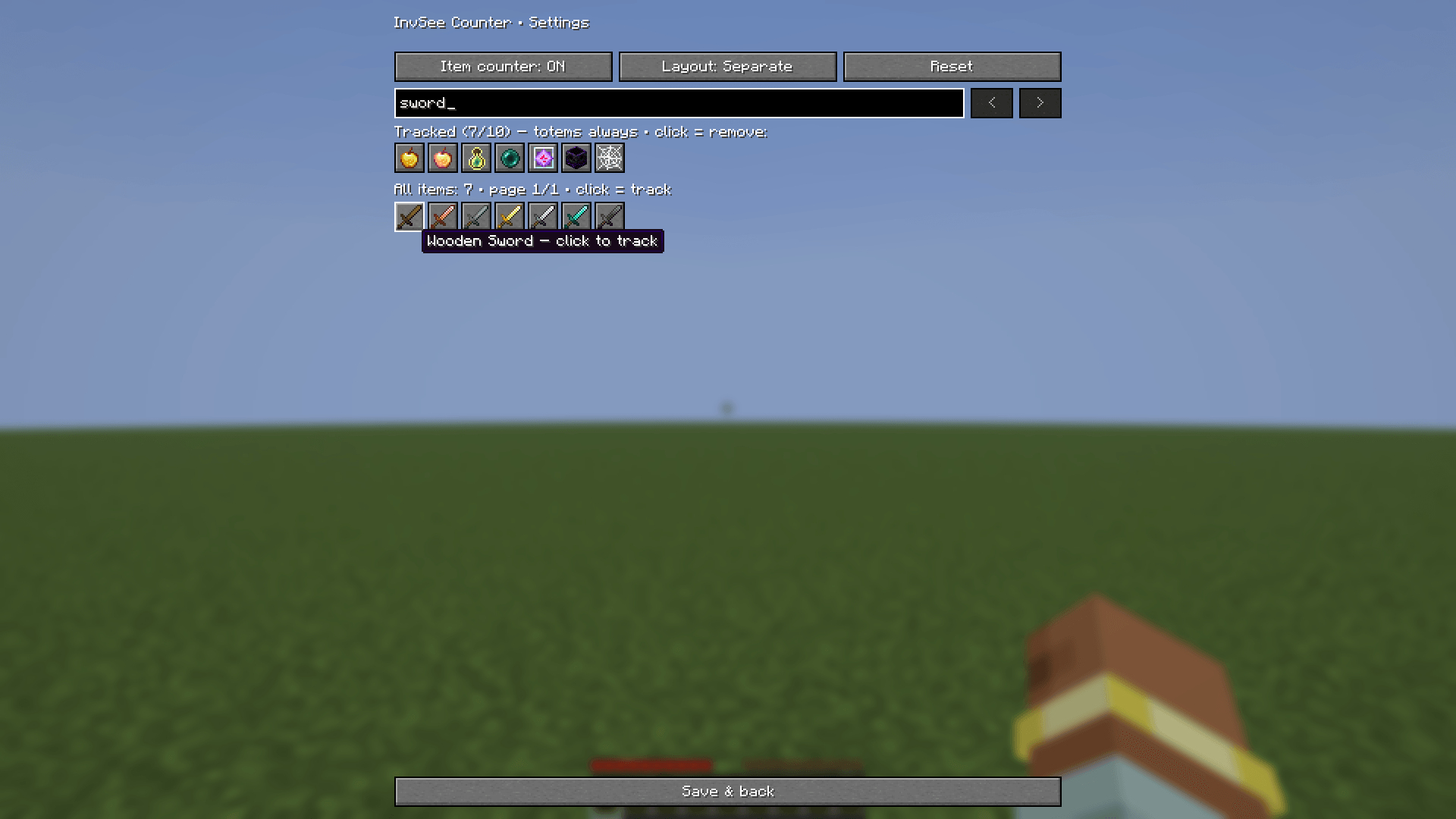
- 🔍 Every Minecraft item in the picker, with search (English/German name or ID)
- 📋 Two layouts – one list, or a separate box for every item
- 🖱️ Drag & drop – place the boxes anywhere, positions are saved (right-click = reset)
- 👀 Only shows up on your
/invseewindow – normal chests stay untouched
✅ Safe & simple
The mod only reads and counts the window the server already shows you. No hotkey, no chat automation, no commands sent – you type /invsee yourself, the mod just counts. You still need the server’s /invsee permission.
📦 Download & install
- One file for Minecraft 1.21.11, 26.1, 26.1.1, 26.1.2 and 26.2
- Client-side only – works on any server with
/invseeor/openinv
Required:
- Fabric Loader – 0.19.5 or newer
- Fabric API
Optional:
- Mod Menu – to open the settings
🇩🇪 Deutsch
Für HugoSMP gemacht. Zeigt beim /invsee direkt neben dem Fenster, wie viele Totems und bis zu 10 selbst gewählte Items der Spieler hat (Inventar + Offhand) – als Liste oder einzeln verschiebbar. Kein Hotkey, keine Chat-Automatik: du tippst /invsee selbst, die Mod zählt nur.
Benötigt: Fabric Loader und Fabric API · Einstellungen über Mod Menu (optional)
Fan-made for the HugoSMP community – not an official HugoSMP project and not affiliated with the server team.
常见问题
InvSee Counter 支持哪些 Minecraft 版本?
InvSee Counter 支持 Minecraft Java 版 1.21.11–26.2,共 5 个版本,可用的加载器:Fabric。下载时注意选择和你游戏版本一致的文件。
InvSee Counter 怎么安装?
先用 PCL2 或 HMCL 启动器安装对应版本的 Fabric,再把下载的 .jar 文件放进游戏目录的 mods 文件夹,重新启动游戏即可。开启了版本隔离的,mods 文件夹在 versions/版本名 下面。
评论
登录后评论和评分