
Dig Chart
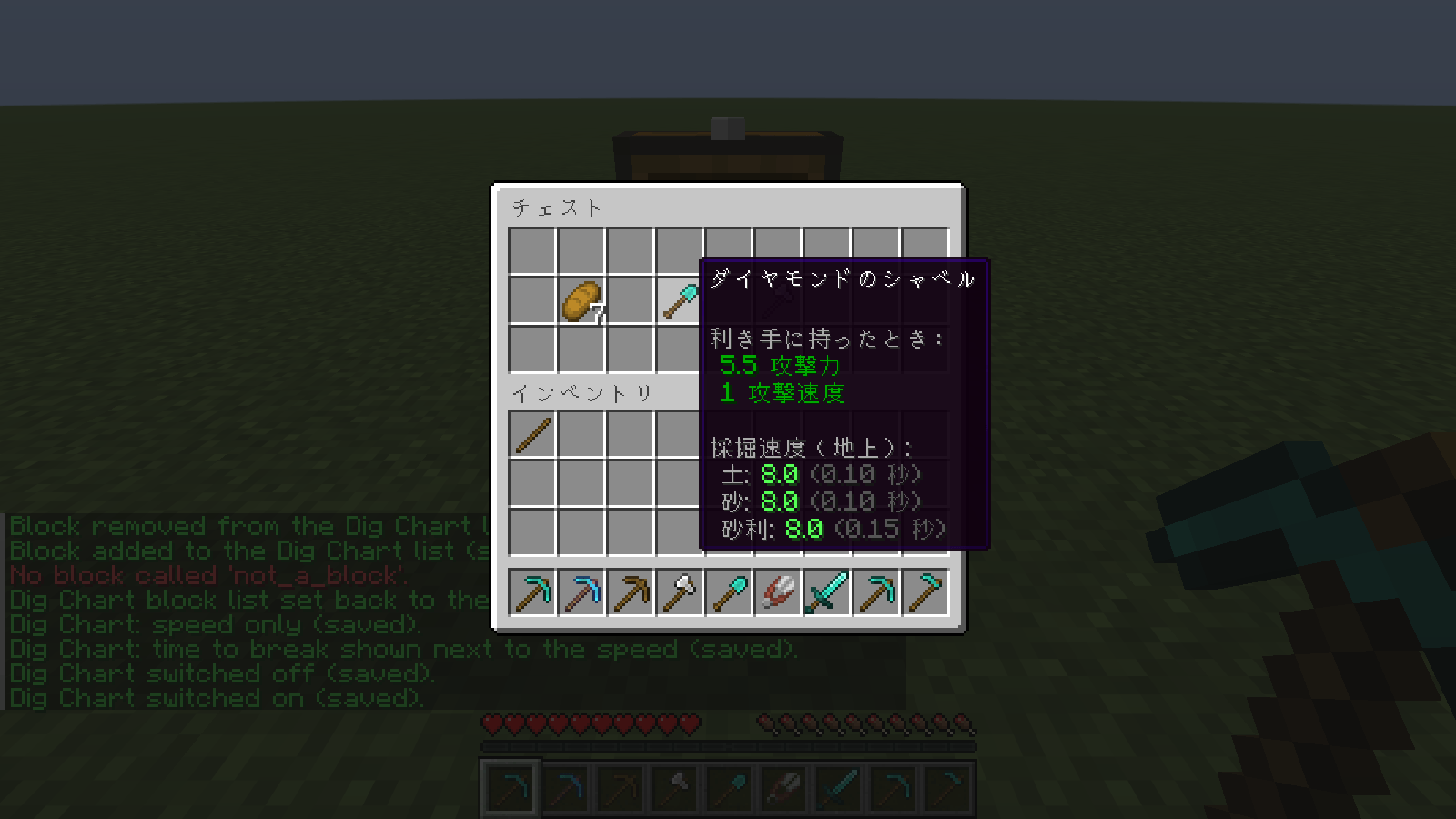
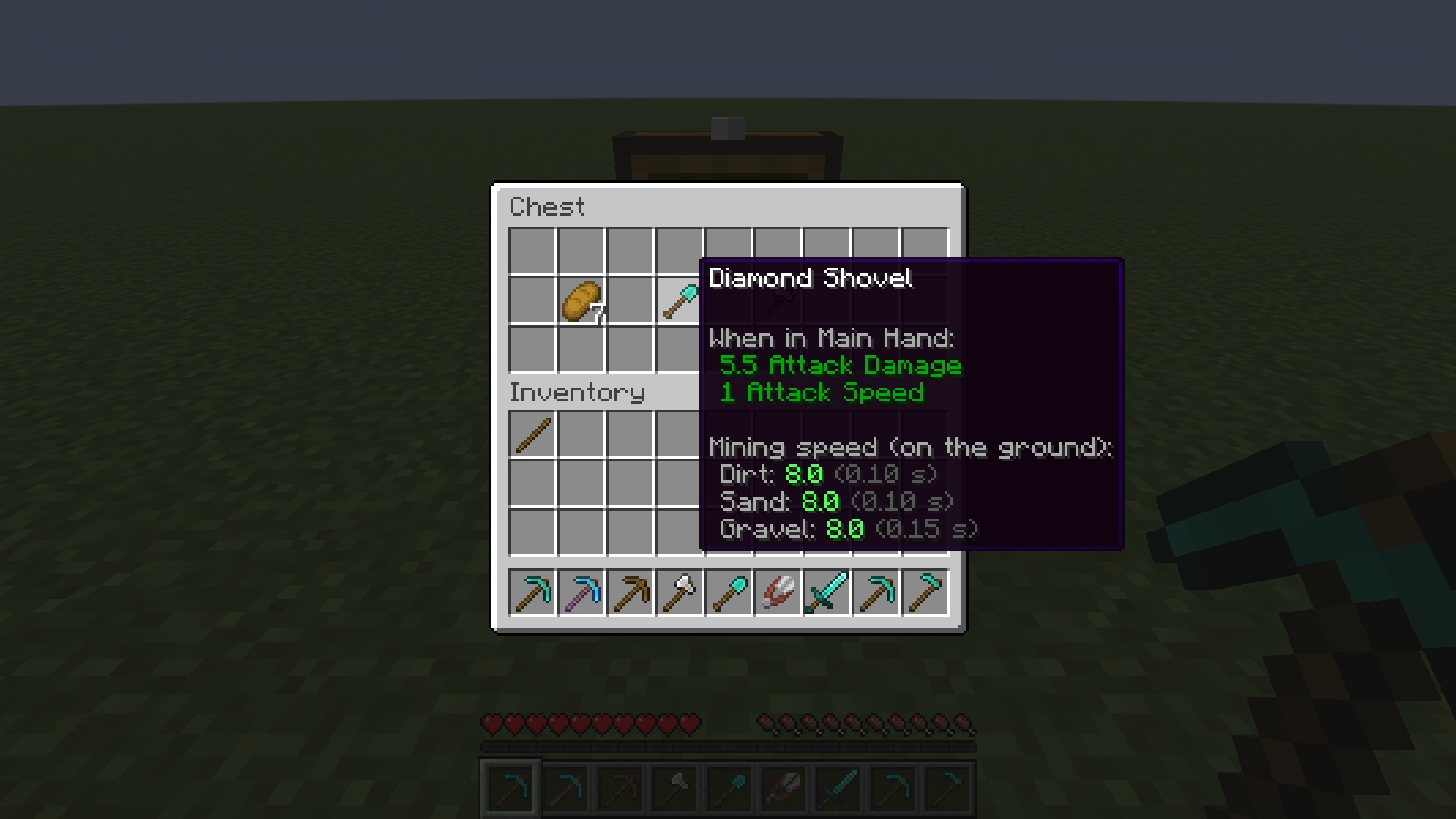
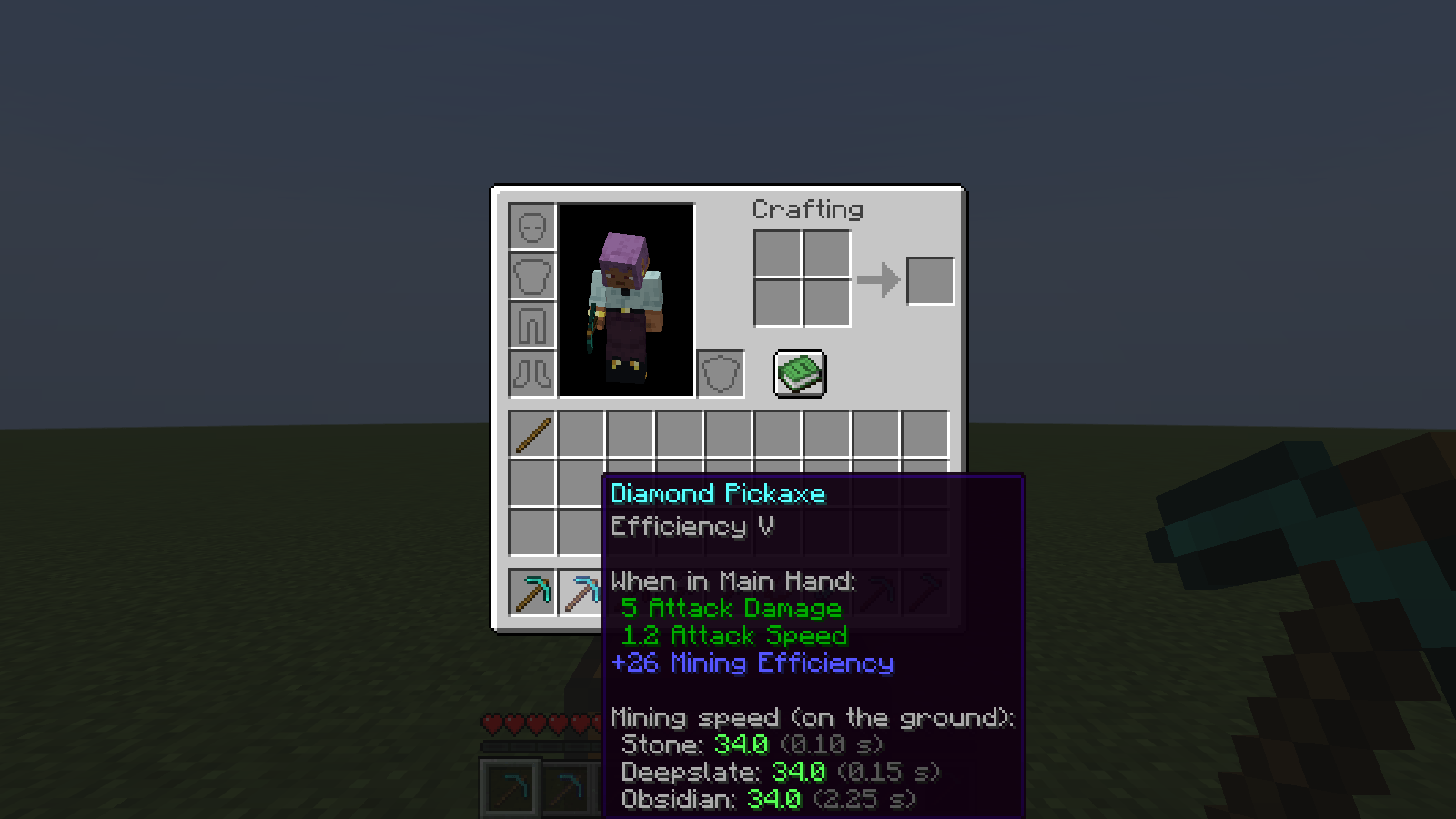
Hover a pickaxe, axe or shovel: the tooltip lists how fast and how long it breaks the blocks you pick.
截图
介绍
You have a stone pickaxe, an iron one and a diamond one with Efficiency III, and you are about to dig through a lot of deepslate. Which is worth the trip back to the enchanting table? The game’s tooltip shows the tool’s attack numbers and a "+26 Mining Efficiency" line, but never what that means for the blocks you are actually about to break.
Where: at the bottom of a tool’s item tooltip, in your inventory, in chests, anywhere the game shows an item’s tooltip.
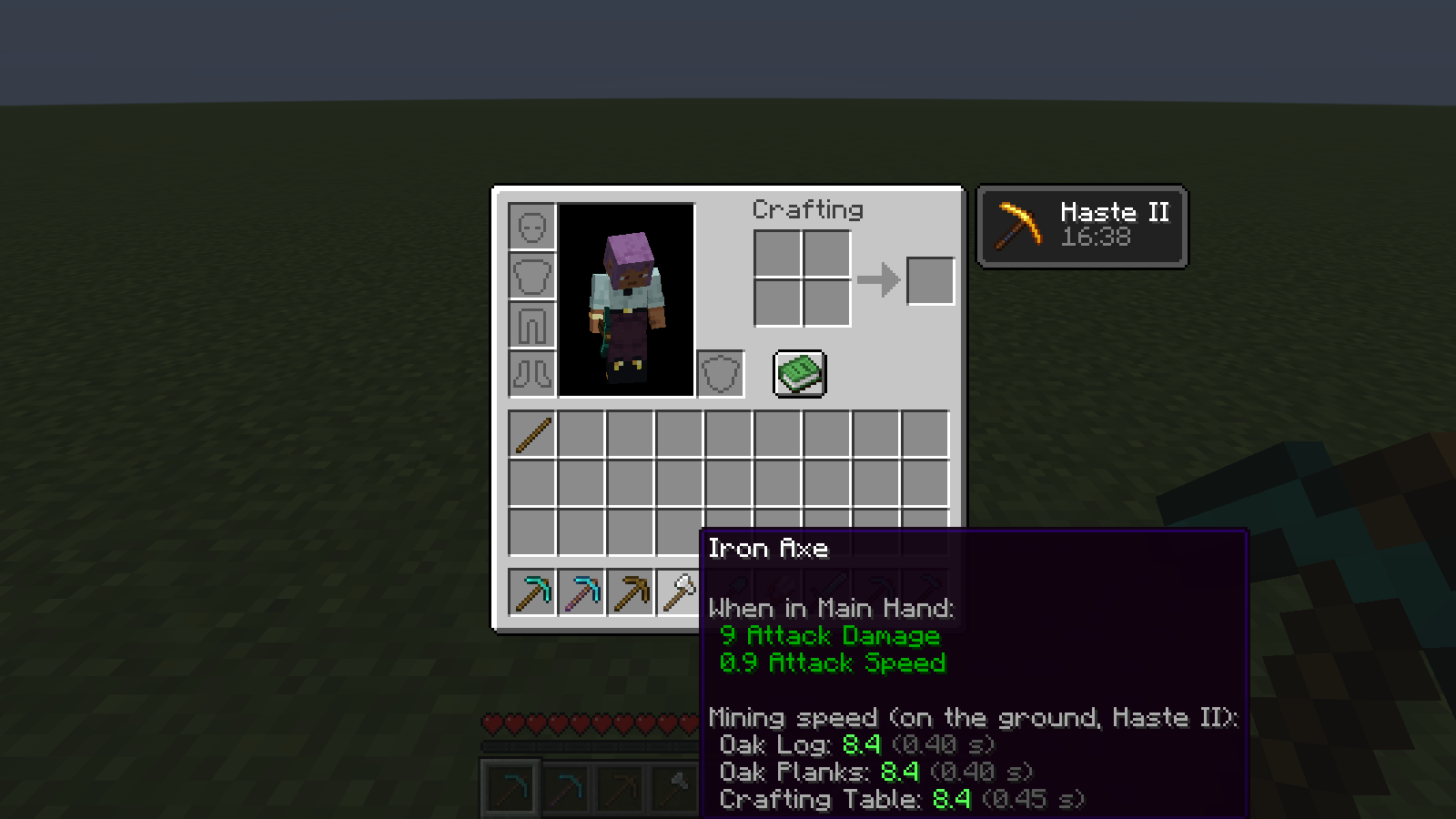
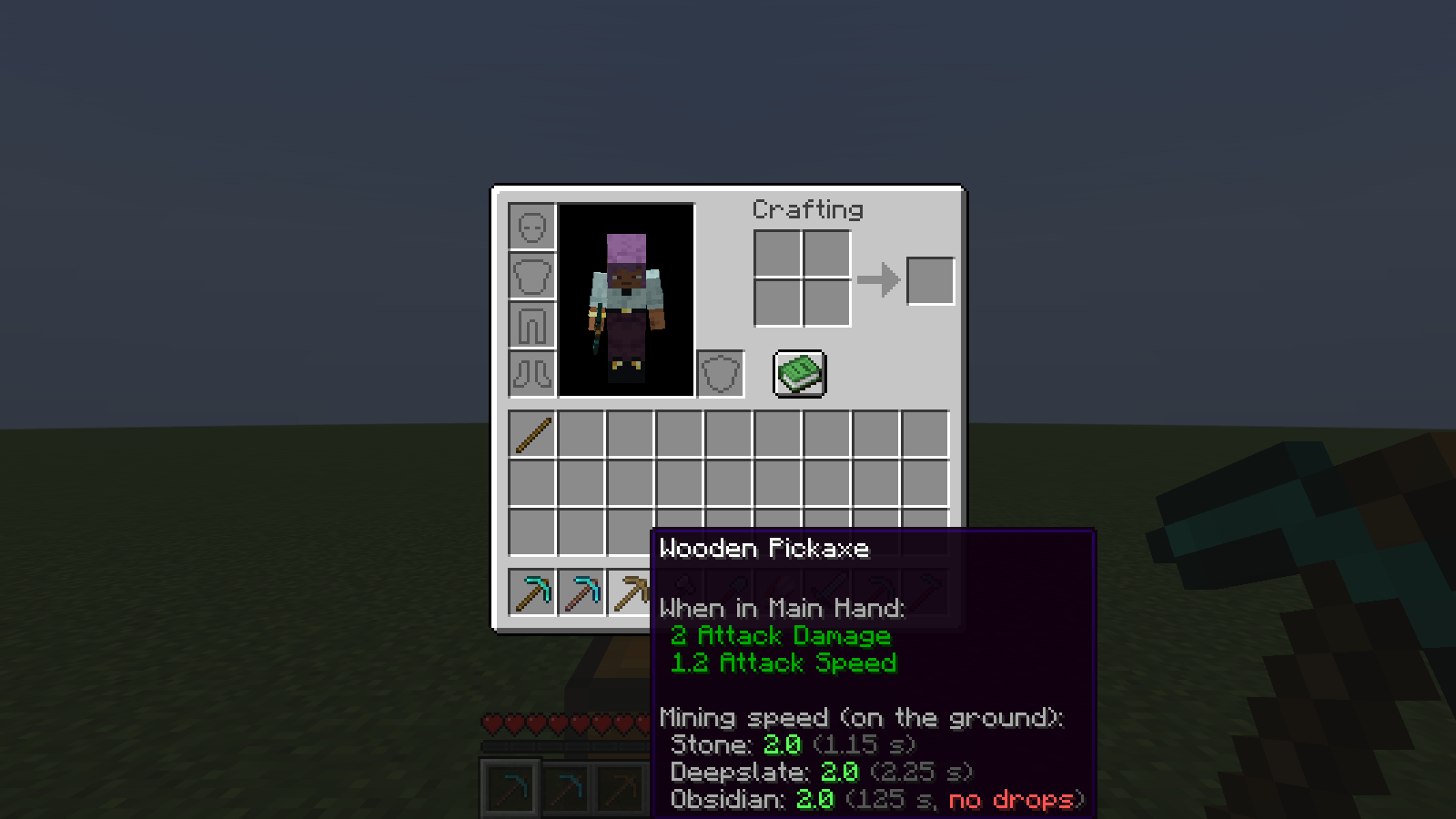
What it does: under the game’s own lines it adds a small chart for the blocks on your list, for example:
Mining speed (on the ground, Haste II):
Stone: 11.2 (0.25 s)
Deepslate: 11.2 (0.45 s)
Obsidian: 11.2 (6.70 s)
The number is the game’s own break speed for that tool on that block: the tool’s speed, plus Efficiency, times Haste / Conduit Power, times Mining Fatigue. The header names the potion effect when one is on, so you can see why the numbers moved.
The time in brackets is how long you hold the button to break the block at that speed. "instant" means the first click breaks it. A block the tool cannot drop (a wooden pickaxe on obsidian) is marked in red "no drops", and the time is the slow one the game really uses.
It works for the tool you hover, not only the one in your hand: hover a spare pickaxe and see what it would do in your hand (its own Efficiency counts, the one you hold does not).
A tool lists only the blocks it has a speed rule for (a pickaxe lists stone and obsidian, an axe lists logs and planks), at most 4 lines. Items that are not tools get nothing.
Pick your blocks: /digchart blocks shows the list, /digchart blocks add <block> and /digchart blocks remove <block> change it (names complete as you type; modded blocks work too), /digchart blocks reset goes back to the default. /digchart time off shows the speed only. /digchart on / /digchart off switches the whole mod. Everything is saved.
Client-side only: install it on your own game; nothing is needed on the server, and it sends nothing to the server. It only reads the tool’s own data, your attributes and your potion effects, which the game already has.
Result: in the automated test, for 9 tools (diamond, Efficiency V, wooden and +1 block-break-speed pickaxes, iron axe, diamond shovel, shears, diamond sword, diamond hoe), with the tool in hand and only hovered (the pickaxes were also checked under Haste II, Mining Fatigue III and both together), the test really put the tool in the player’s hand, asked the game for the speed and the per-tick progress of each listed block, and the tooltip showed exactly those numbers. With the mod switched off, the chart is gone (picture).
常见问题
Dig Chart 支持哪些 Minecraft 版本?
Dig Chart 支持 Minecraft Java 版 26.3,可用的加载器:Fabric。下载时注意选择和你游戏版本一致的文件。
Dig Chart 怎么安装?
先用 PCL2 或 HMCL 启动器安装对应版本的 Fabric,再把下载的 .jar 文件放进游戏目录的 mods 文件夹,重新启动游戏即可。开启了版本隔离的,mods 文件夹在 versions/版本名 下面。
Hullspark 的其他作品
查看全部 →
Death Point Marker
After you die, one HUD line keeps pointing you back to your loot: direction, distance and coordinates. No chat spam to scroll back to.

Hullspark Cat Dance
Cats near a playing jukebox hop, lean and swish their tails to the beat. Draw-only, client-side.

LastView
Your loading screen shows the place you left. Rejoin a world and its loading screen has your last view behind it instead of the menu panorama.

Hullspark Coordinate HUD
Always see where you are and how far you are from spawn. One line at the top of the screen, no minimap, no F3.
评论
登录后评论和评分