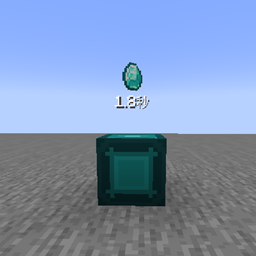
截图
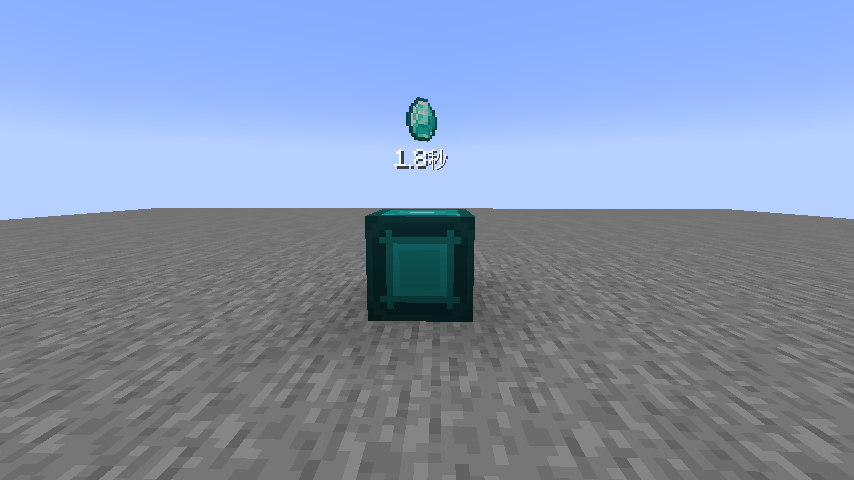
介绍
中文介绍正在准备中,下面暂时显示原文。
Introduction
Add a configurable resource generation node to the game.
Features
Item Duplication
- Place an item in the template slot, and the block will automatically duplicate and spawn it at the configured interval
- Adjustable refresh interval (time per duplication) and output count
- Three spawn modes: Drop, Scatter, Center
FE Energy System
- The block consumes FE energy to duplicate items
- Energy cost grows exponentially: faster speed and higher count result in higher cost per operation
- When energy is insufficient, the countdown text above the block turns red and displays "Insufficient Energy!"
- Can receive FE from other mods’ energy systems (e.g. cables, energy pipes)
Block Overlay Rendering
- The template item rotates and floats above the block
- Countdown text is displayed below, always facing the player
- Text turns red when energy is insufficient
- Rendering can be toggled globally via config
GUI Interface
- Template item slot on the left
- Adjustable refresh interval and output count on the right
- Energy bar on the left, hover to see detailed energy values
- Shift/Ctrl to accelerate value adjustment
Item Tooltip
- Hovering over the block item shows refresh interval and output count range
- Shows precise tick adjustment enabled/disabled status
- Time automatically adapts to seconds/minutes/hours units
常见问题
Resource Node 支持哪些 Minecraft 版本?
Resource Node 支持 Minecraft Java 版 1.21.1,可用的加载器:NeoForge。下载时注意选择和你游戏版本一致的文件。
Resource Node 怎么安装?
先用 PCL2 或 HMCL 启动器安装对应版本的 NeoForge,再把下载的 .jar 文件放进游戏目录的 mods 文件夹,重新启动游戏即可。开启了版本隔离的,mods 文件夹在 versions/版本名 下面。
wither_redstone 的其他作品
查看全部 →
More Tier Upgrade
by wither_redstone
为精妙背包和精妙存储添加多个新的堆叠等级。
4.2万
21 天前
CurseForge

Let Fish Love Reborn
by wither_redstone
新增鱼类繁殖和鱼卵,可养殖鱼类,也能通过鱼卵批量运输鱼类。
2.4万
4 个月前
CurseForge

Redstone-chan Cobblestone Generator
by wither_redstone
在游戏中加入圆石生成器。
1.1万
23 天前
CurseForge

Funky Effect Lib
by wither_redstone
添加了来自《命运2》的增益和减益效果,以及其他有趣古怪的效果。
2,752
1 个月前
CurseForge
评论
登录后评论和评分