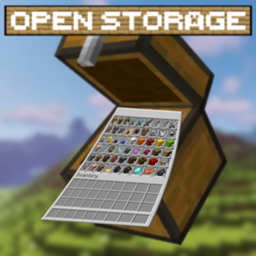
Open Storage
Connects adjacent vanilla chests into a single network based on their anvil names.
介绍
(WITHOUT MOD)
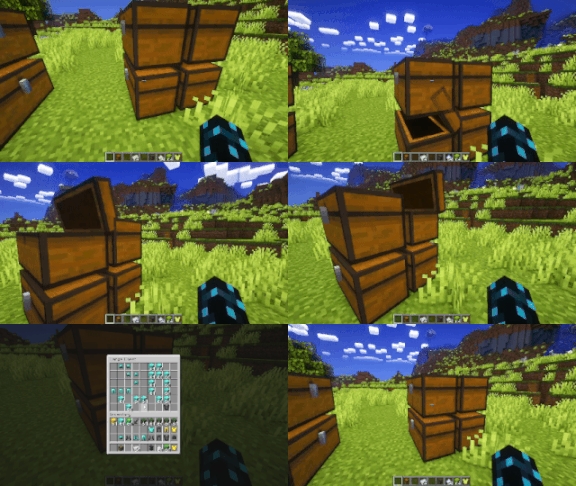
(WITH MOD)
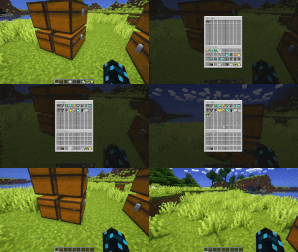
(MULTIPLE STORAGE)

OpenStorage is a lightweight and efficient storage management mod for Minecraft that connects regular chests into a unified virtual network. Manage all your resources through a single centralized interface.
Key Features
-
Network Integration: Connect chests using custom names. The controller automatically discovers linked storage units across loaded chunks.
-
Unified Interface: View all stored items in a single categorized GUI with item counts.
-
Smooth Scrolling: Use the mouse wheel to scroll through large inventories containing hundreds of different items.
-
Flexible Item Management:
-
Left-click to extract 1 item.
-
Hold
Shiftto extract a full stack (64 items). -
Hold
Ctrlto extract half a stack (32 items). -
Use
Shift + Clickto quickly transfer items from your inventory into the network.
-
-
Smart Insertion: Items inserted into the system automatically fill existing partial stacks before occupying empty slots.
-
Number Formatting: Large item quantities are displayed with compact suffixes (such as
1.5kor2M).
How to Use
-
Place a chest and rename it using an anvil (for example,
MainStorage). -
Place other chests adjacent to it to form a connected network structure.
-
Open the primary chest to access the consolidated storage interface.
常见问题
Open Storage 支持哪些 Minecraft 版本?
Open Storage 支持 Minecraft Java 版 1.21.1,可用的加载器:NeoForge。下载时注意选择和你游戏版本一致的文件。
Open Storage 怎么安装?
先用 PCL2 或 HMCL 启动器安装对应版本的 NeoForge,再把下载的 .jar 文件放进游戏目录的 mods 文件夹,重新启动游戏即可。开启了版本隔离的,mods 文件夹在 versions/版本名 下面。


评论
登录后评论和评分