
Items Shop
A secure in-game marketplace for buying and selling almost every vanilla item.
截图
介绍
Items Shop
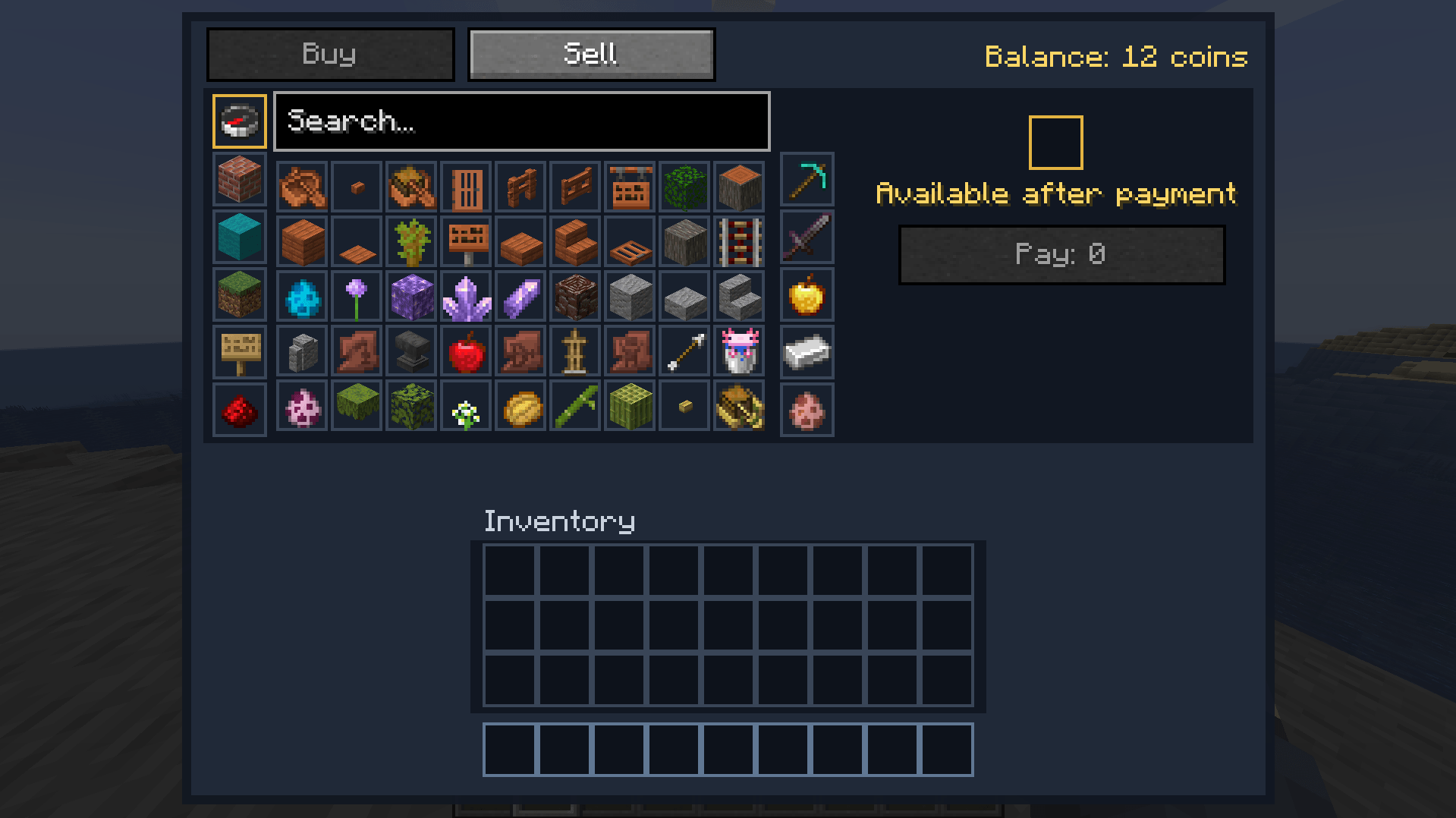
Items Shop adds a secure in-game marketplace to Minecraft. Sell items you gather, craft, farm, or loot to earn coins, then spend those coins on almost any vanilla block or item without leaving your world.
The shop is designed to make survival less repetitive while preserving normal progression. Prices account for resource value, crafting recipes, rarity, usefulness, availability, and the stage of the game in which an item is normally obtained.
Features
- Buy and sell almost every vanilla item and block from Minecraft 1.20.1.
- Open the shop with a configurable keybind (
Bby default). - Browse a compact inventory-style catalog organized into familiar Creative Mode categories.
- Search by localized item name or registry ID.
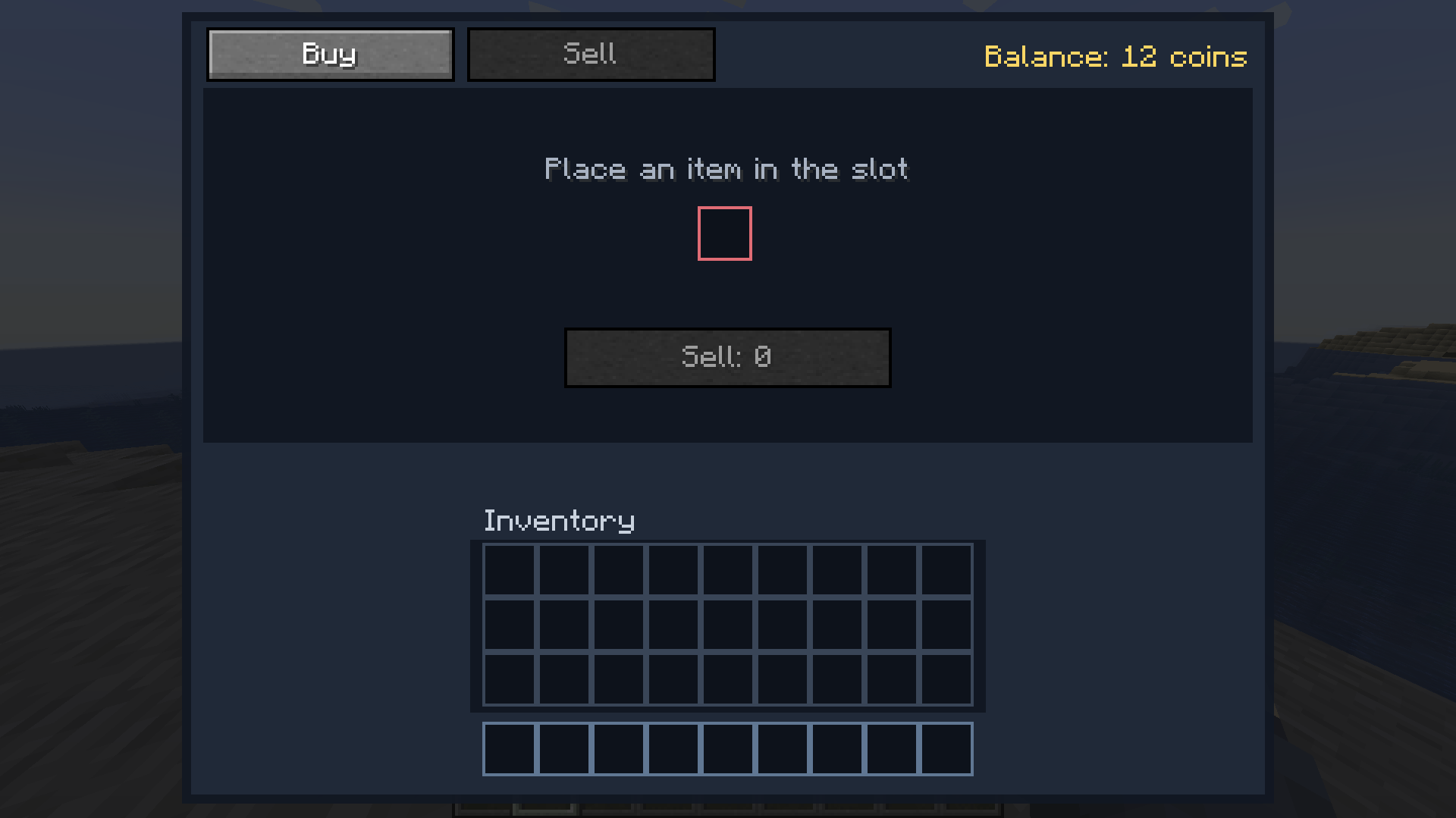
- Use separate Buy and Sell tabs with clearly displayed prices.
- Purchase effect potions, including normal, extended, strengthened, splash, and lingering variants where available.
- Purchase every valid level of every vanilla enchanted book.
- Receive additional sale value for enchantments on tools, weapons, and armor.
- Sell damaged equipment at a value adjusted to its remaining durability.
- Keep a separate persistent coin balance for every player.
- Use farms and ordinary resource gathering without daily limits or diminishing returns.
- Play safely in multiplayer: balances, prices, quantities, and transactions are validated by the server.
- Use the interface in English or Russian.
How to use
- Press
Bto open the shop. The key can be changed in Minecraft’s Controls menu. - Open the Sell tab.
- Place an item stack in the sale slot, review its value, and confirm the sale to earn coins.
- Open the Buy tab.
- Select an item and quantity, then pay the displayed price.
- Purchased items are delivered directly to your inventory. If your inventory is full, the remaining items are dropped beside you.
Every player starts with 0 coins, so the first purchase must be funded by selling gathered, crafted, farmed, or looted items.
Economy
All prices are whole numbers. Buy and sell prices are intentionally different.
Crafted products are checked against the value of their ingredients to prevent simple crafting loops from generating free money. Naturally abundant resources are priced separately when their crafting recipes do not reflect how easily they can be gathered from the world.
Mass-gathered materials remain valid sources of income, while tools, equipment, rare loot, late-game resources, spawn eggs, and other progression-sensitive items are priced according to their usefulness and availability.
Enchanted books have individual prices based on the enchantment, level, rarity, and normal acquisition methods such as librarian trading or exploration.
There are:
- No daily sale limits.
- No penalties for farms.
- No diminishing returns.
- No dynamically decreasing prices.
Requirements
- Installation on both the client and the server
No additional mods are required. For single-player, install Items Shop in the local Minecraft instance as usual.
Important information
- Administrative and technical items such as command blocks, barriers, structure blocks, light blocks, jigsaw blocks, the debug stick, and knowledge books are not available.
- The dragon egg cannot be bought or sold because vanilla duplication mechanics could create unlimited money.
- A purchased spawner is empty. Place it and use a spawn egg on it to select a mob.
- Spawners can only be purchased one at a time.
- Selling an item transfers the entire offered stack to the shop.
- Custom names, enchantments, stored contents, and other NBT data attached to a sold stack are removed with it.
- Empty containers before selling them if you want to keep their contents.
Compatibility
Items Shop includes optional compatibility for:
- Just Enough Items (JEI)
- Inventory Profiles Next
Neither mod is required.
Purpose
Items Shop is intended for survival worlds that want a convenient, progression-aware economy without making resource gathering, exploration, crafting, or automation obsolete.
常见问题
Items Shop 支持哪些 Minecraft 版本?
Items Shop 支持 Minecraft Java 版 1.20.1,可用的加载器:Forge。下载时注意选择和你游戏版本一致的文件。
Items Shop 怎么安装?
先用 PCL2 或 HMCL 启动器安装对应版本的 Forge,再把下载的 .jar 文件放进游戏目录的 mods 文件夹,重新启动游戏即可。开启了版本隔离的,mods 文件夹在 versions/版本名 下面。

评论
登录后评论和评分