
Safra
Don’t mess with the server Play Minecraft with your friends in 2 clicks via P2P
截图
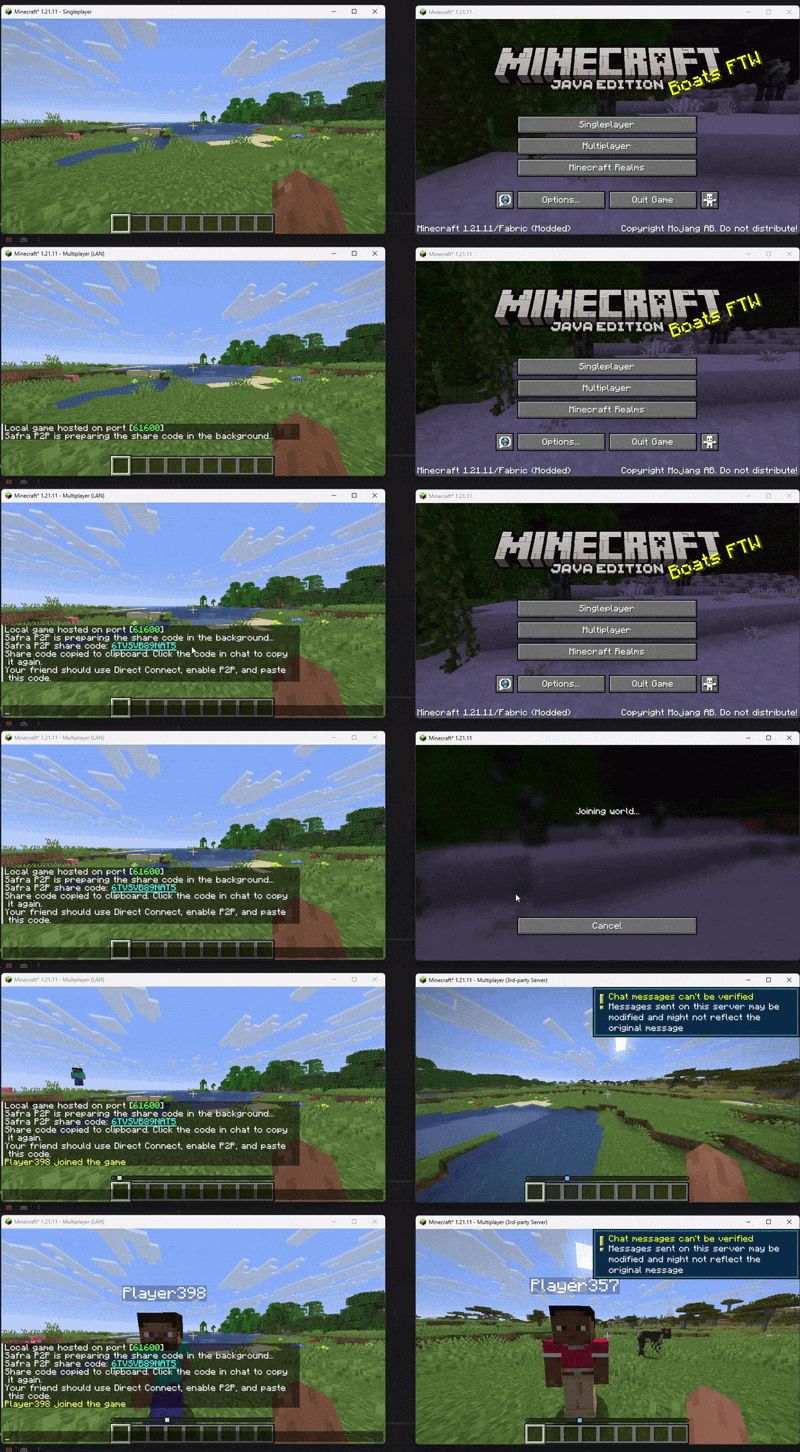


介绍


Would you like to read this text in other languages?

|

|

|

|


|

|

|

|

Safra 🚀
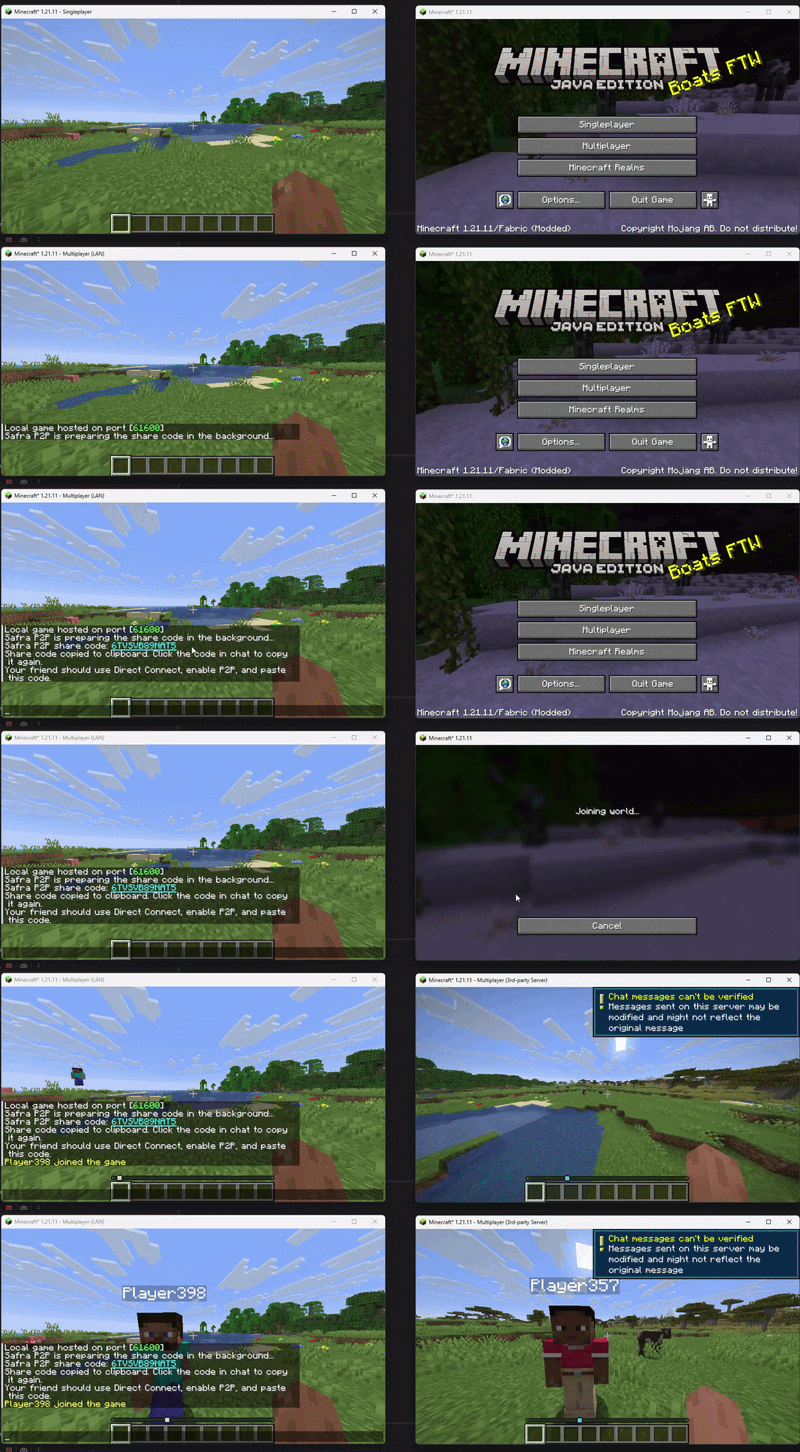
Don’t waste time dealing with server setup or useless extra steps
Launch your Minecraft server in 2 clicks and jump straight into the game
✅ No complicated interface 😌
✅ No unnecessary systems 🚫
✅ Lightweight and optimized ⚡
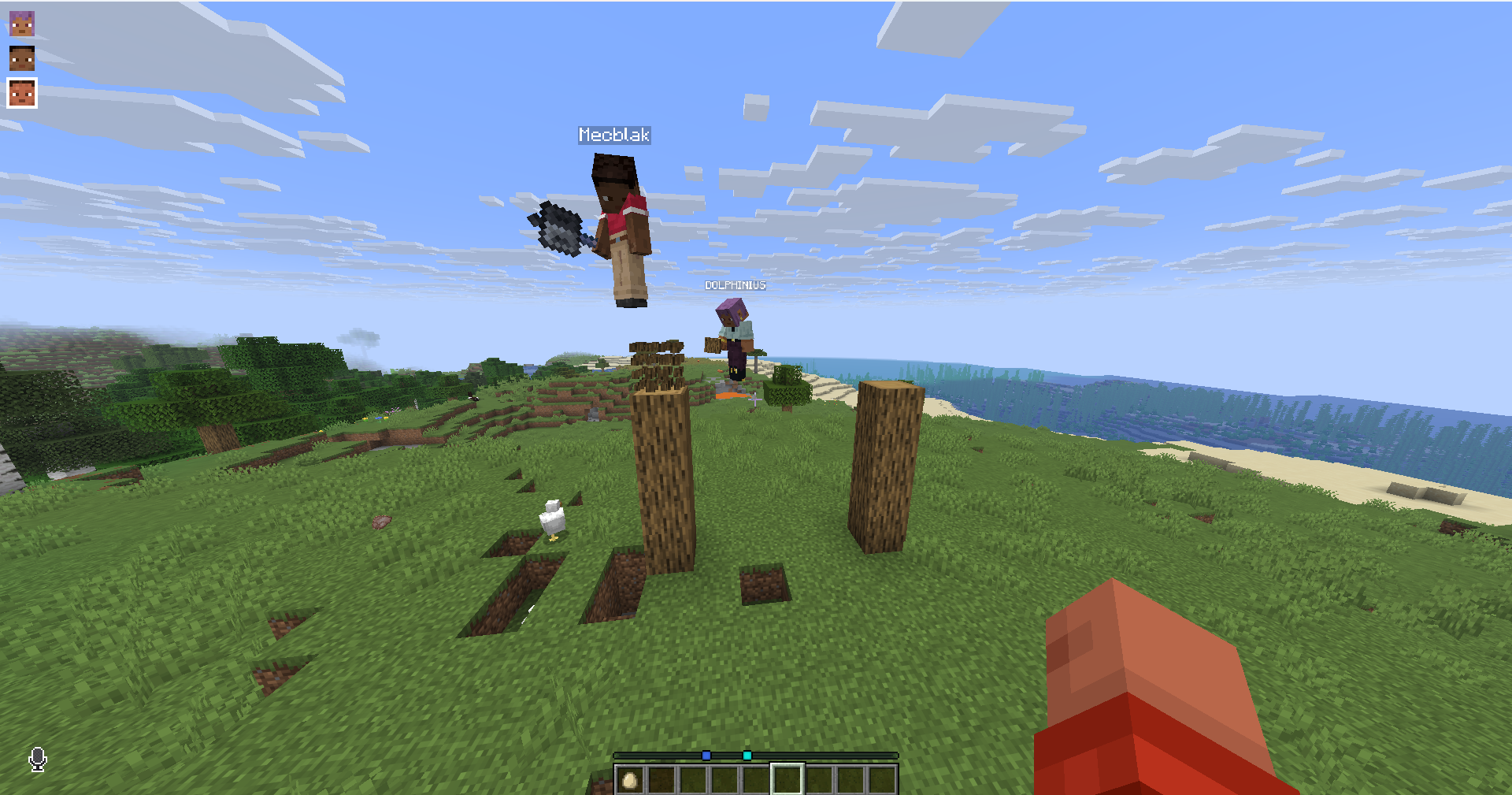
✅ TLauncher is used in the preview (alternative launchers are supported)
✅ Includes voice chat support (mod support)
Mod Support
You can easily play with the mods you and your friends install
Supports Fabric, Forge, and NeoForge
It was tested with over 180 mods and worked without any issues.
Note ⚠️
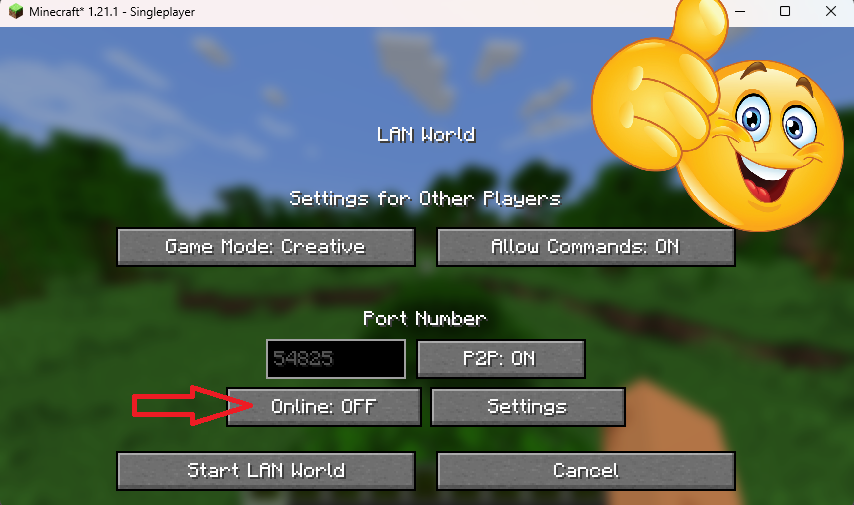
If players using TLauncher or other custom launchers are joining, the host just needs to set
online-mode=falsebefore sharing the game.
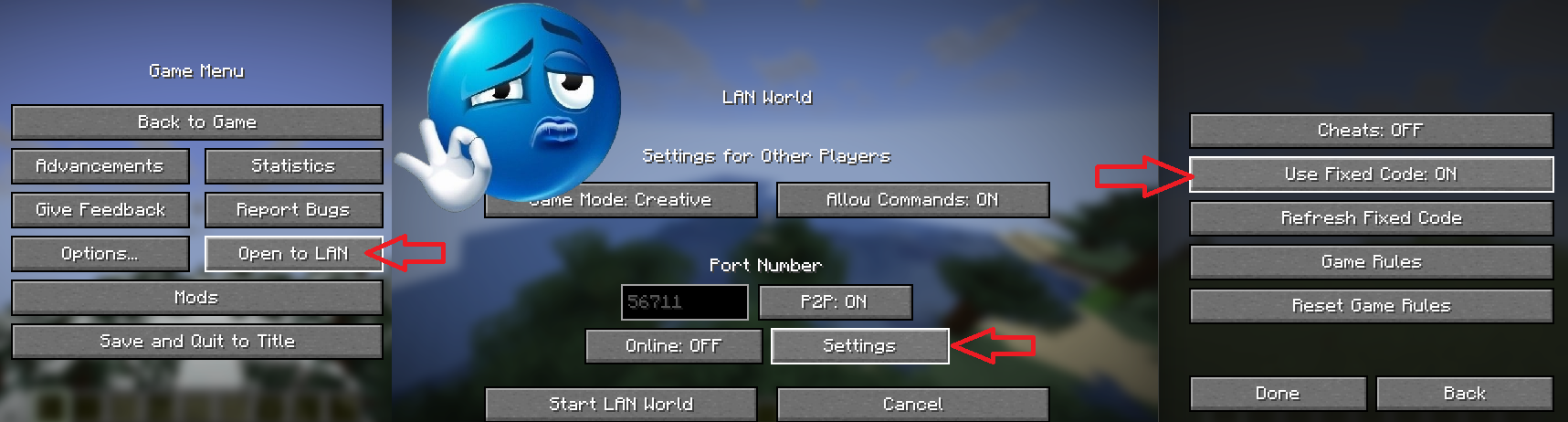
If you want the generated code to stay fixed, just set
Use Fixed Code=onin Settings.
Bedrock support

For Bedrock support, you’ll need the Geyser mod. Bedrock compatibility isn’t the main focus of Safra, so some servers may be busy.
FAQ 🤔

|
✨ Need a feature, got a version idea, or found a bug? You can reach us via Discord ❤️ Source code accessible project lives here |
💬 Credits & Contributors
 ✨ Isadora 🎨 Artist |
 Kubi 💻 Core Developer |
 R&D 🔨 Tester |
常见问题
Safra 支持哪些 Minecraft 版本?
Safra 支持 Minecraft Java 版 1.16–26.3,共 40 个版本,可用的加载器:Fabric / Forge / NeoForge。下载时注意选择和你游戏版本一致的文件。
Safra 怎么安装?
先用 PCL2 或 HMCL 启动器安装对应版本的 Fabric / Forge / NeoForge,再把下载的 .jar 文件放进游戏目录的 mods 文件夹,重新启动游戏即可。开启了版本隔离的,mods 文件夹在 versions/版本名 下面。运行环境:客户端 / 服务端。


评论
登录后评论和评分