截图
介绍
Container Labels
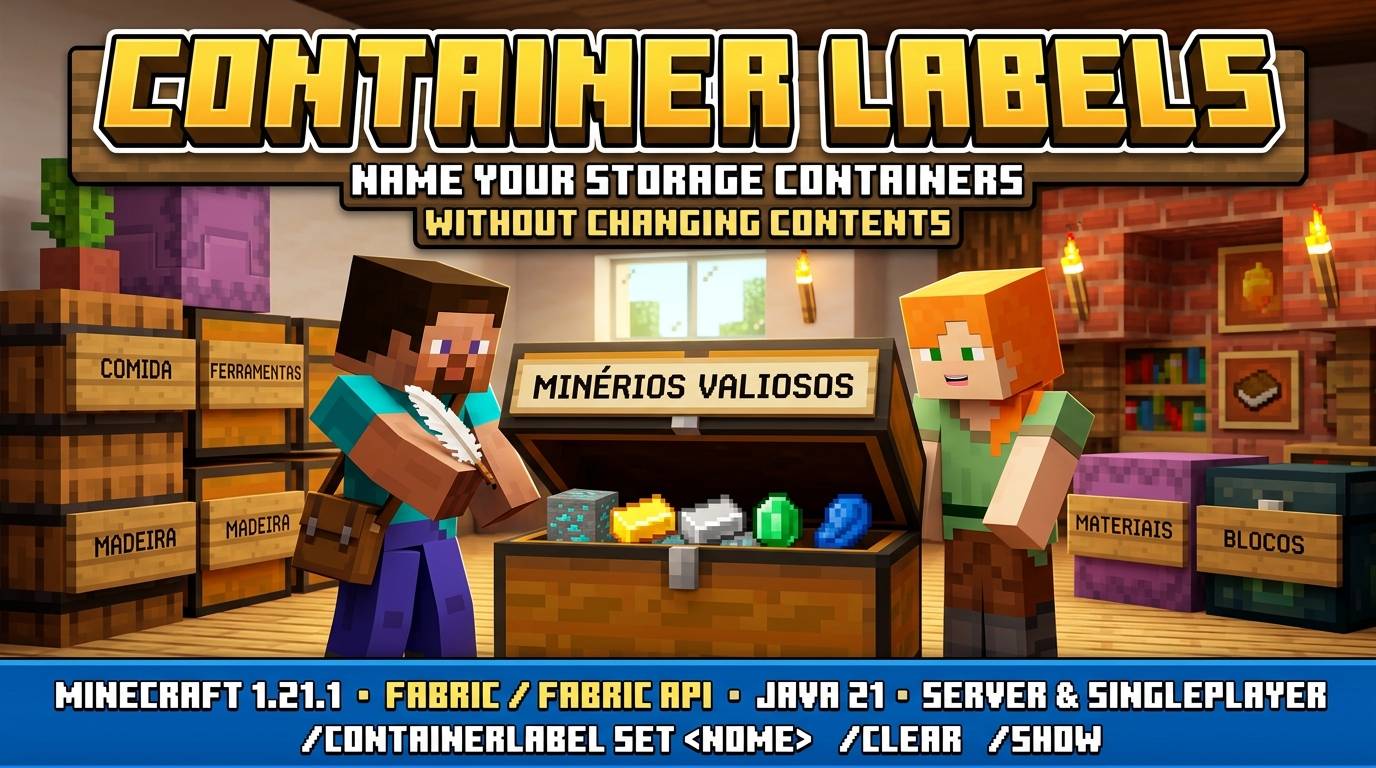
Name storage containers without changing their contents.
Requirements
- Minecraft 1.21.1
- Fabric Loader 0.16.14 or newer
- Fabric API 0.116.6 or newer, compatible with Minecraft 1.21.1 (tested with 0.116.6+1.21.1)
- Java 21 or newer
- Environment: Server / singleplayer
Features and commands
- /containerlabel set <name> — name the storage container you are looking at.
- /containerlabel clear — remove its custom name.
- /containerlabel show — display its title.
- Default: operators only, maximum 48 printable characters, reach 4.5 blocks.
Installation
Install the mod and Fabric API on the Fabric server. Players can use the commands without this mod on their clients. For singleplayer, install both in the client mods folder.
Install only the individual mod JAR, not the ZIP bundle or sources JAR. No Cobblemon dependency.
Scope and limitations
Labels become the native container GUI title; they are not floating holograms. Double-chest halves have separate names. Vanilla locks and spawn protection are checked, but third-party claim/permission integrations are not implemented. Keep operatorsOnly=true on shared servers unless you separately validate your protection stack.
Modpacks and license
MIT licensed. You may include this mod in modpacks. Each mod is independently usable.
Português
Olhe para um baú, barril ou shulker e use /containerlabel set Minérios. O nome aparece no título ao abrir o contêiner. Por padrão, somente operadores podem editar.
Requisitos: Minecraft 1.21.1, Fabric, Fabric API e Java 21. A versão inicial contém mensagens dentro do jogo em inglês.
常见问题
container labels 支持哪些 Minecraft 版本?
container labels 支持 Minecraft Java 版 1.21.1,可用的加载器:Fabric。下载时注意选择和你游戏版本一致的文件。
container labels 怎么安装?
先用 PCL2 或 HMCL 启动器安装对应版本的 Fabric,再把下载的 .jar 文件放进游戏目录的 mods 文件夹,重新启动游戏即可。开启了版本隔离的,mods 文件夹在 versions/版本名 下面。
MagmaReal 的其他作品
查看全部 →
CobbleExpeditions
Server-side Cobblemon dungeon system with instanced co-op runs, bosses, loot, keys, progression and fully configurable stages.

CobbleRecycle
♻️ CobbleRecycle — Recycle Pokémon, Earn Rewards Turn unwanted Pokémon into something useful. Players can open /recycle, select Pokémon from their Party or PC, check their value, and recycle them for your server currency, Recycle Points, or both.
trade history
Consent-based item exchanges with an administrator audit trail.

crafting inspector
Inspect live recipes, ingredients and competing crafting results.
评论
登录后评论和评分