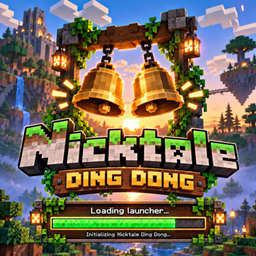
Ding Dong Nicktale
Ding Dong Nicktale is a standalone, client-side Minecraft mod and companion desktop application designed to fully customize the game startup sound and the loading screen splash. It requires zero third-party library dependencies
介绍
🚀 Key Features
1. In-Game Startup Sound Customizer
- Instant Audio on Launch & Reload: Plays a clean
.oggsound whenever Minecraft finishes loading its splash screen or whenever resources are reloaded (e.g., viaF3 + T). - Direct Dropdown Menu: Instead of cycling through sounds with repeated clicks, players can open an interactive in-game dropdown list to view, select, and preview any sound in real time.
- Embedded Sound Library: Comes pre-packaged with 10 high-quality sounds directly inside the
.jar:- Doorbell (Ding-Dong) [Default]
- Soft Chimes
- Fast Ding
- Doorbell Melody
- Chord Chime
- Welcome Voice
- Resonant Bell
- Bright Chime
- Welcome Back Voice (Female voice)
- Welcome Stranger Voice (Merchant style)
- Custom sound file (
ding.ogg)
- Custom User Sounds: Any
.oggaudio placed into.minecraft/config/customding/sounds/is automatically discovered and listed in the in-game dropdown menu. - Volume & Pitch Controls: Dedicated sliders allow real-time adjustment of volume (0%–100%) and pitch (0.50x–2.00x).
- Dedicated OpenAL Engine: Direct in-memory decoding via STBVorbis and OpenAL, ensuring that previous audio previews are immediately stopped when a new sound is chosen, preventing overlap or phantom playback.
2. Interactive Title Screen Bell Button
- Vanilla-Integrated Button: Adds a golden bell icon button (
16x16pixel-art) with standard Minecraft button frames and hover states to the top-right corner of theTitleScreen. - Zero Binding Dependencies: Renders safely without crashing early item component binds or relying on missing font glyphs.
- Quick Access: Clicking the bell opens the in-game configuration screen directly without entering worlds or menus.
3. Custom Loading Screen (Splash Wallpaper)
- Full Wallpaper Replacement: Replaces the default red/black Mojang Studios loading splash screen with a custom background image (such as the official “Nicktale: A Minecraft Adventure” graphic).
- Triple-Layer Guarantee:
- Embedded In-JAR Asset: Pre-packaged
mojangstudios.pngensures instant branding from millisecond zero. - Automatic Resource Pack: On first launch (or via the desktop app), the mod configures a native resource pack under
.minecraft/resourcepacks/NicktaleLoadingScreenand enables it inoptions.txtfor 100% automated display on the second launch and beyond. - Dynamic Texture Hook: Mixins bind custom wallpapers into
TextureManagerandLoadingOverlaywith precise UV mapping.
- Embedded In-JAR Asset: Pre-packaged
4. Companion Desktop Application (Manager GUI)
- Built-in Audio Converter: Users can upload any external audio format (
MP3,WAV,OGG) and the app automatically converts it into compliant OGG Vorbis format. - Audio Player: Live preview button to listen to any sound before saving.
- Wallpaper Customizer: Allows picking any image (
PNG,JPG,WEBP) with a live scaled thumbnail preview. - One-Click Apply: The “Save & Apply Changes to Minecraft” button copies all configured files, updates the JSON configuration, and installs the required resource packs directly into the active
.minecraftdirectory.
5. Automatic Multi-Language Support (i18n)
- Minecraft Locale Integration: Uses
Component.translatablekeys to automatically match Minecraft’s active language setting. - Supported Languages:
- English (US) (
en_us.json) - Spanish (Spain) (
es_es.json) - Spanish (Latin America) (
es_ar,es_cl,es_co,es_ec,es_mx,es_uy,es_ve)
- English (US) (
- Dynamically translates titles, button labels, dropdown sound names, sliders, and tooltips based on the language chosen in Minecraft’s Language
常见问题
Ding Dong Nicktale 支持哪些 Minecraft 版本?
Ding Dong Nicktale 支持 Minecraft Java 版 26.2–26.3,共 2 个版本,可用的加载器:NeoForge。下载时注意选择和你游戏版本一致的文件。
Ding Dong Nicktale 怎么安装?
先用 PCL2 或 HMCL 启动器安装对应版本的 NeoForge,再把下载的 .jar 文件放进游戏目录的 mods 文件夹,重新启动游戏即可。开启了版本隔离的,mods 文件夹在 versions/版本名 下面。
Nitanz 的其他作品
查看全部 →
Ice And Fire Port Nicktale
Unofficial Ice and Fire port for Minecraft 26.2/26.3, bringing dragons, creatures, structures and progression to modern NeoForge.
Nicktale API
Shared library for Nicktale mods: animated entity models, per-piece armor models, Tabula model loading and regenerating structures.
Epic Dungeons Nicktale
Explore 58 dungeons filled with epic bosses, dangerous enemies, mimics, and treasure with individual player rewards.

Soccer Nicktale
A realistic soccer mod with 3D physics, instant stadiums, wearable jerseys, referee tools, and automatic scoreboards.
评论
登录后评论和评分