
Honey Academy Music
Plays looping zone music when players enter custom invisible areas defined with a wand.
介绍
Honey Music lets you define invisible music zones anywhere in your world using a wand. Each zone plays a custom looping track when a player enters it, and stops when they leave.
Features:
- Define zones with the Music Wand (right-click = corner 1, left-click = corner 2, Shift + right-click = open editor)
- Each zone plays its own looping music track with fade in and fade out
- Nested zones supported: a building inside a city plays its own track, and the city music resumes automatically when you leave
- Zone outlines are visible in 3D while holding the wand (gold = current selection, green = saved zones)
- Zones are saved server-side and persist across restarts
- Fully compatible with multiplayer servers
How to use:
- Get the Music Wand from the creative tab
- Select two corners of your zone with the wand
- Open the editor (Shift + right-click), choose a track and click “Créer la zone”
- Walk into the zone — the music starts automatically
Compatible with: NeoForge 1.21.1
常见问题
Honey Academy Music 支持哪些 Minecraft 版本?
Honey Academy Music 支持 Minecraft Java 版 1.21.1,可用的加载器:NeoForge。下载时注意选择和你游戏版本一致的文件。
Honey Academy Music 怎么安装?
先用 PCL2 或 HMCL 启动器安装对应版本的 NeoForge,再把下载的 .jar 文件放进游戏目录的 mods 文件夹,重新启动游戏即可。开启了版本隔离的,mods 文件夹在 versions/版本名 下面。
mr_weeny_ 的其他作品
查看全部 →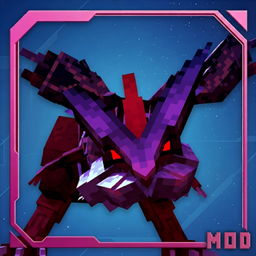
KyuremBoss
将末影龙替换为巨大的超极巨酋雷姆Boss——16,000生命值、两个阶段、冰系范围攻击、壮观的光环,并直接攻击你的Cobblemon宝可梦!
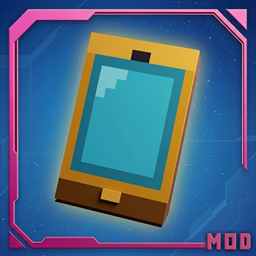
HoneyPhone
HoneyPhone is a NeoForge mod for Minecraft 1.21 that adds a fully functional smartphone to the game, designed for RP multiplayer servers.

VioletStone Animations
Brings Fresh Animations and FA+Player directly into your modpack ( create for Cobblemon violetstone) — no resource pack needed. need EMF & ETF
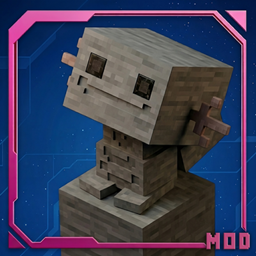
Pokémon Statues
Decorative Pokemon statues lootable in chests, with 4 materials, 5 sizes, animations and full customization
评论
登录后评论和评分