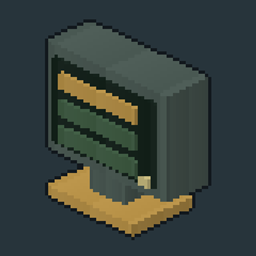
Workshop Menu
A dark workshop-style menu theme for Minecraft: green grids, brass accents and readable typography. Client-only.
介绍
Workshop Menu
Workshop Menu gives Minecraft’s main menu and pre-world screens a dark green workshop theme, brass highlights and readable typography.
Features
- A custom title screen with singleplayer, multiplayer, settings and mod-list access.
- Consistent styling for options and submenus, world selection and creation, server lists and connection screens, and the standard NeoForge mod list.
- Matching buttons, text fields, tabs, sliders, checkboxes and scrolling lists.
- PT Mono interface text and MinecraftTen-style bitmap headings, including Latin and Cyrillic glyphs.
- Existing Minecraft translations, actions, keyboard focus and narration paths are retained by the implementation. Explicit third-party icon fonts keep their own font.
The theme is limited to menus before a world is loaded. HUDs, inventories and in-world screens are outside its scope. Third-party screens with custom drawing may need separate compatibility work.
Usage
Install the JAR in your Minecraft client’s mods folder. No server installation is needed.
The title screen includes Steam & Steel server and Discord shortcuts. They use the project’s public addresses by default. Advanced users can override them with the Java system properties steamsteel.menu.server and steamsteel.menu.discord. Menu language normally follows Minecraft.
Compatibility
- Minecraft 1.21.1
- NeoForge 21.1.235 or later within the 21.1 branch (below 21.2)
- Java 21
- Client side only
No additional mod dependency is required. Workshop Menu works independently of the Steam & Steel launcher, SteamSteelCore and the loading-screen gallery. Use one copy of mod ID steamsteel_menu. Compatibility with other title-screen replacements or custom mod-list rendering is not yet established in a live client.
From Steam & Steel
The addon originated in Steam & Steel SMP, our custom Minecraft 1.21.1 NeoForge server modpack. It is available independently of the full modpack.
Acknowledgements
PT Mono is by ParaType, under SIL Open Font License 1.1. The bundled TTF is unchanged apart from its filename. Font source.
The bitmap headings use an existing adaptation of MinecraftTen 1.2 by xllifi, under CC BY 4.0. The adaptation normalizes RGB to white and adds nearly transparent service pixels; the visible glyphs are preserved. xllifi credits the remembered appearance of ORE UI and GabrielDja’s GUI SimpleStylized as inspiration. Full attribution and both font licenses are included in the JAR and source package.
This is an independent community addon. The original project icon is rendered from our own voxel model and pixel textures using the Steam & Steel V3 pipeline.
Beta / Feedback
This is a beta release. Local source, archive, font and headless layout checks were supplied with the original implementation. The publication package preserves all compiled implementation classes and visual resources. Live client rendering, Mixin application, input and narration still need gameplay verification; headless previews are not game screenshots.
If you encounter a crash, an error or unexpected behaviour, please leave a comment with your Minecraft, NeoForge and Workshop Menu versions, other menu or mod-list mods, the selected language and GUI scale, plus steps to reproduce the problem. We will investigate reported bugs and work on fixes.
License
Addon code is licensed under BSD 3-Clause. Copyright (c) 2026, DanielBasov (Steam & Steel). Forks, fixes and redistribution are permitted; retain the author attribution, license conditions and disclaimer in source distributions and in the materials accompanying binary distributions. A fork may not imply endorsement by the original author. The original Menu implementation’s supplied MIT notice is retained as well.
PT Mono remains under SIL OFL 1.1. The MinecraftTen bitmap adaptation remains under CC BY 4.0. These font resources are not relicensed under BSD. Original project icon artwork uses BSD 3-Clause.
常见问题
Workshop Menu 支持哪些 Minecraft 版本?
Workshop Menu 支持 Minecraft Java 版 1.21.1,可用的加载器:NeoForge。下载时注意选择和你游戏版本一致的文件。
Workshop Menu 怎么安装?
先用 PCL2 或 HMCL 启动器安装对应版本的 NeoForge,再把下载的 .jar 文件放进游戏目录的 mods 文件夹,重新启动游戏即可。开启了版本隔离的,mods 文件夹在 versions/版本名 下面。
DanielBasov 的其他作品
查看全部 →
Omni Speed Controller Fix
Prevents recursive rotation-network crashes around the Dreams n' Desires Omni Speed Controller without changing balance.
Create Kinetic Capacity Optimization
Reduces redundant kinetic capacity lookups while keeping immediate Create network updates. Dedicated-server optimization.
TFMG Tank Fix
Adds TFMG fluid tank recognition to Create blaze burners.
Farm & Charm Recipe Fix
Makes Farm & Charm stoves choose the most specific matching recipe when several recipes share ingredients.
评论
登录后评论和评分