截图
介绍
This is a Minecraft Fabric mod that automatically performs the dialog actions that you saved before. This mod is useful for example when a server needs you to click a dialog action when joining it – you can let the mod click the action for you!
Installation
- Fabric API (required);
- Fabric Language Kotlin (required);
- Mod Menu (or some other mod to change the mod’s config) (very much recommended).
Usage
Saving actions
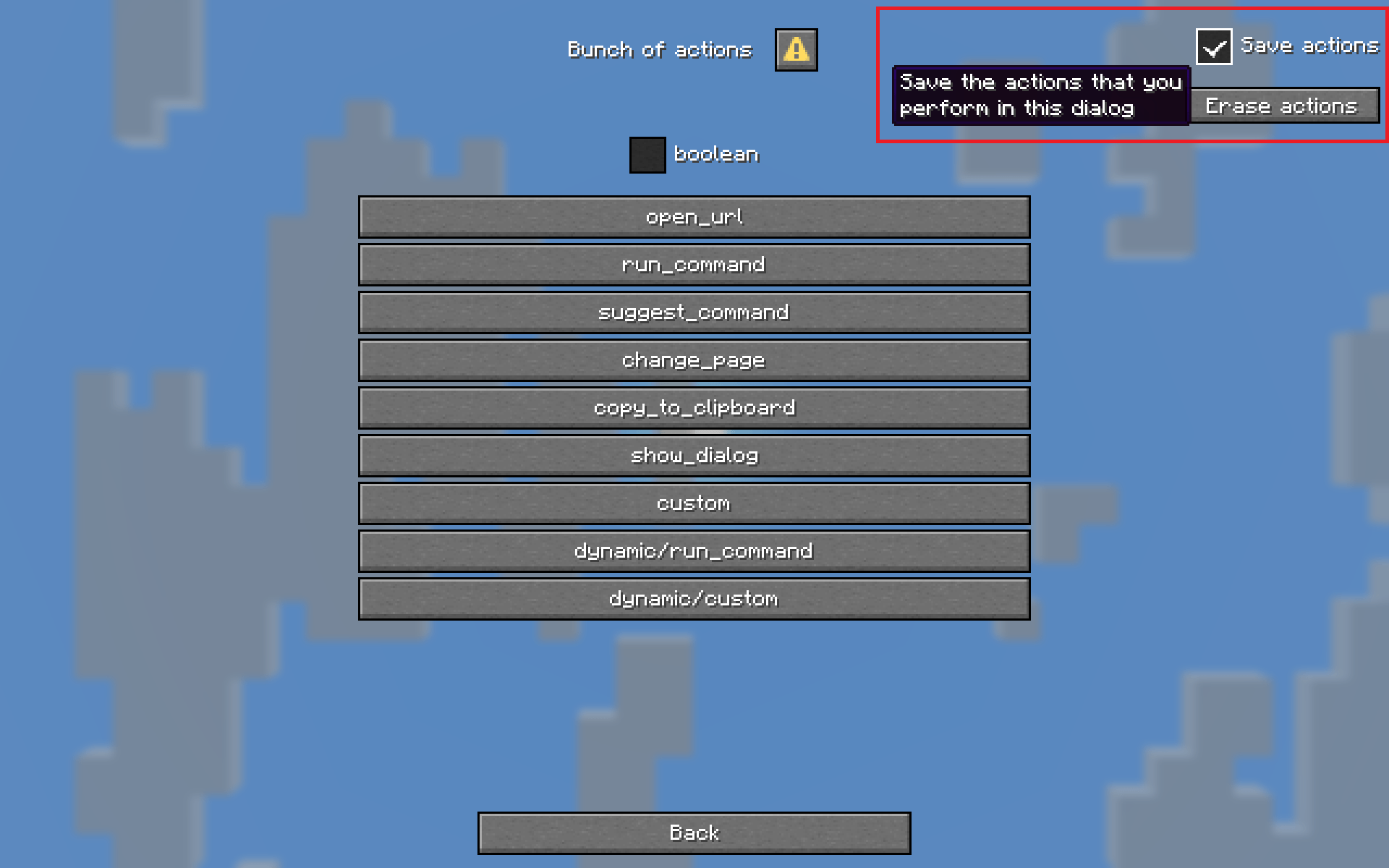
To use the mod, first wait for the dialog that you need the mod to remember to show up. Then check the “Save actions” checkbox and start performing the actions that you need the dialog to replay later, such as pressing buttons or closing the dialog.
If a saved dialog action is not present in the dialog (because the dialog got updated), it will not be performed by the mod, so you’ll have to save actions again.
Actions are saved in Minecraft’s .dialogclicker directory, and you can safely delete them.
Erasing actions
If you made a mistake you can press the “Erase actions” button to erase the performed and saved actions.
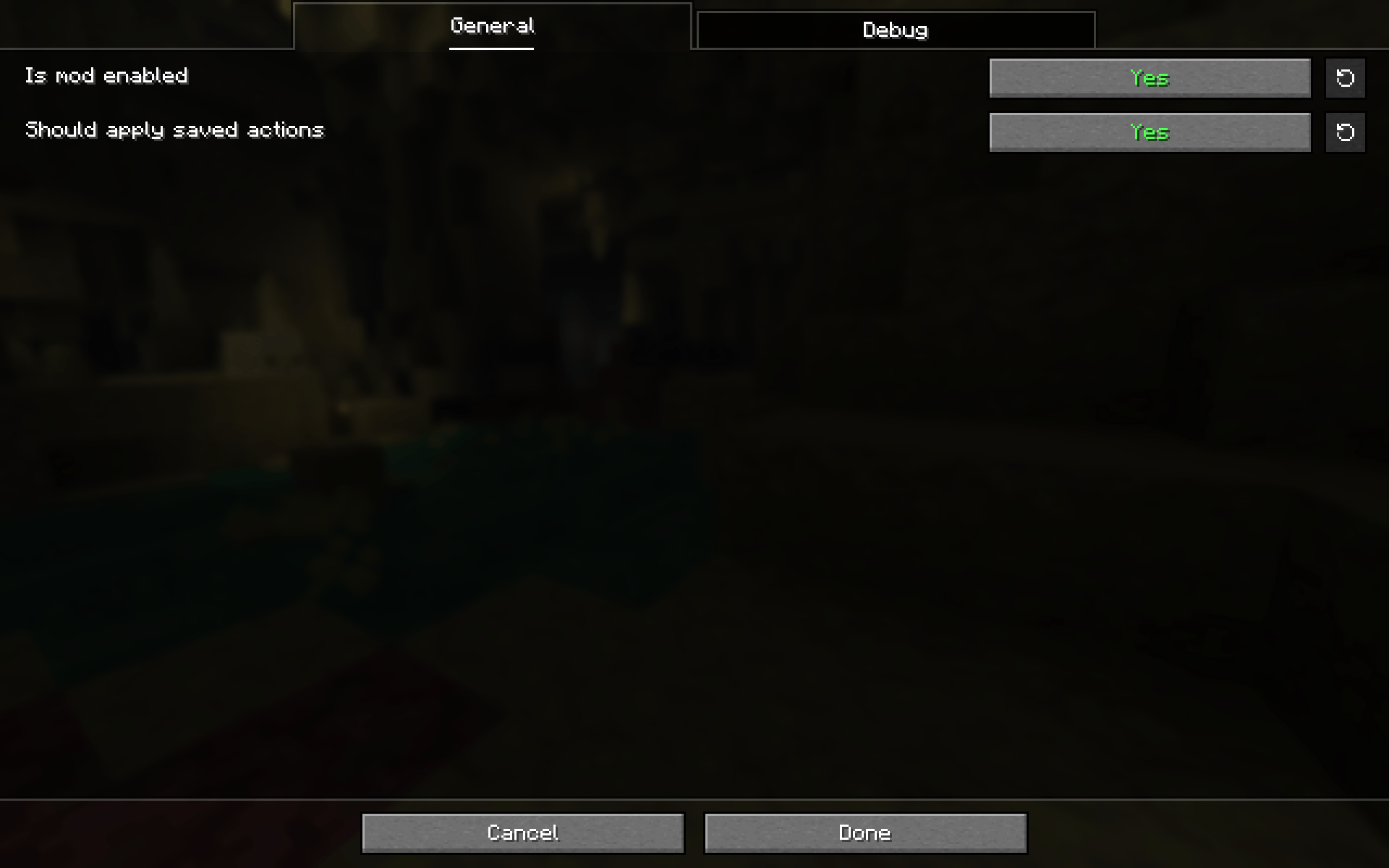
⚠️ If you’ve saved a closing action in a dialog, and you want to erase it, you won’t be able to simply press the “Erase actions” button because the dialog immediately gets closed by the mod. To resolve this you can disable the “Should apply saved actions” option in the mod config, erase the saved actions and re-enable the config option.
Configuration
The entire mod is configured through the Mod Menu UI with helpful tooltips. Below is a short description of every option currently there:
Should apply saved actions
Toggle if saved actions are performed by the mod. Enabled by default.
Logging options
Control which messages should be logged:
- All messages, including errors (don’t recommend turning off);
- Action saving;
- Action loading;
- Received dialog SNBT, disabled by default;
- Received dialog JSON, disabled by default.
I have a problem/suggestion/translation
Please open an issue on GitHub.
Example datapack for testing the mod
常见问题
Dialog Clicker 支持哪些 Minecraft 版本?
Dialog Clicker 支持 Minecraft Java 版 26.2,可用的加载器:Fabric。下载时注意选择和你游戏版本一致的文件。
Dialog Clicker 怎么安装?
先用 PCL2 或 HMCL 启动器安装对应版本的 Fabric,再把下载的 .jar 文件放进游戏目录的 mods 文件夹,重新启动游戏即可。开启了版本隔离的,mods 文件夹在 versions/版本名 下面。

评论
登录后评论和评分