
Soundworks V2
作者:InVaDe07
Your own music in Minecraft? Now possible with this simple mod. Just place your mp3-Files into the music-folder and press your records in your Game. Anyone can hear it. Your Minecraft, your music.
介绍
中文介绍正在准备中,下面暂时显示原文。
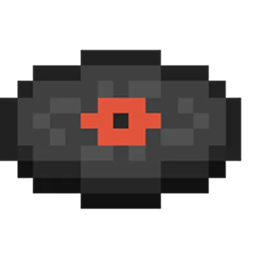
Press your own MP3 files onto records and play them in the world. Everyone nearby hears the music in stereo, even without owning the files.
How to use:
1. Put MP3 files into the `music` folder in your game directory. In-game you can see them (and open the folder) under `Options > Music & Sounds > Soundworks`.
2. Place a “Record Press”, insert a “Blank Record” (and optionally a dye for the inner ring), pick an MP3 and click “Press”.
3. Put the record into a normal jukebox, the “Turntable” or the “Jukebox”.
4. To copy a record: put the pressed record into “Source (copy)”, a blank record into “Blank record”, then click “Copy”.
Recipes:
– Blank Record (x2): 4 coal/charcoal in a plus shape, iron nugget in the center
– Record Press: piston on top; iron ingot, black dye, iron ingot in the middle; 3 stone at the bottom
– Turntable: diamond, wool below it, 3 iron ingots below that
– Jukebox: note block, turntable, note block in a row; a chest below
常见问题
Soundworks V2 支持哪些 Minecraft 版本?
Soundworks V2 支持 Minecraft Java 版 26.3,可用的加载器:Fabric。下载时注意选择和你游戏版本一致的文件。
Soundworks V2 怎么安装?
先用 PCL2 或 HMCL 启动器安装对应版本的 Fabric,再把下载的 .jar 文件放进游戏目录的 mods 文件夹,重新启动游戏即可。开启了版本隔离的,mods 文件夹在 versions/版本名 下面。
评论
登录后评论和评分