
Inventory Loadouts
Save inventory loadouts and quickly equip them from chests, with automatic restocking and slot locking.
介绍
Inventory Loadouts lets you save inventory setups and switch between them using items you already own. Create separate loadouts for mining, building, exploration, or combat, then get ready with a single click.
Features
- 8 named loadouts — save your inventory layout, item quantities, armor, and offhand. –
- Quick equipping gather the required items from your inventory and the container you have open
- Automatic restocking — refill saved stacks to their specified amounts.
- Slot locking — protect individual slots from being changed.
- Safe transfers — if items or storage space are missing, the entire transfer is cancelled.
- Durability preserved — tools keep their actual durability, enchantments, and custom names.
How to use
-
Arrange your inventory, equip your armor, and choose an offhand item.
-
Open your inventory and close the recipe book to reveal the loadout panel.
-
Click the numbered button to select one of the eight loadouts.
-
Enter a name and click Save. Saving to an occupied loadout replaces its previous setup.
-
Open a chest, barrel, ender chest, or shulker box containing your supplies.
-
Select your loadout and click Equip.
Unused items are moved into the open container, with leftovers placed in available inventory slots that are empty in the saved layout. If the transfer cannot be completed, nothing is changed.
To lock or unlock a slot, hover over it and press L. Locked slots have a gold indicator and remain untouched when equipping a loadout. The key can be changed in Controls.
Compatibility
Loadouts are stored per player in each world or server. The mod uses only your inventory and the currently open container. Nearby storage and additional equipment slots, such as Curios slots, are not supported.
常见问题
Inventory Loadouts 支持哪些 Minecraft 版本?
Inventory Loadouts 支持 Minecraft Java 版 1.20.1,可用的加载器:Forge。下载时注意选择和你游戏版本一致的文件。
Inventory Loadouts 怎么安装?
先用 PCL2 或 HMCL 启动器安装对应版本的 Forge,再把下载的 .jar 文件放进游戏目录的 mods 文件夹,重新启动游戏即可。开启了版本隔离的,mods 文件夹在 versions/版本名 下面。
kakabus58 的其他作品
查看全部 →
Voidborn
一款恐怖风格的资源包,为 The Knocker 替换外观和音效,并将惊吓画面改为骇人的 Voidborn。

War of the Worlds – Invasion
受《世界大战》启发的电影感生存整合包。人类必须抵御外星三脚战斗机的入侵。

Boykisser Stalker
A terrifying Boykisser stalks you from the shadows.
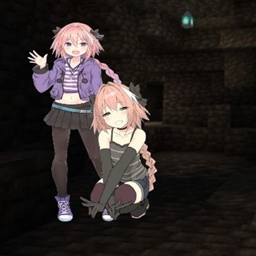
FemBon The Astolfo
Creepy Astolfo will roam your world
评论
登录后评论和评分