
rs2multifilter(复活吧 我的过滤升级)
作者:Yo_zi
This mod restores the Filter Upgrade that was removed in Refined Storage 2.0.
截图
介绍
中文介绍正在准备中,下面暂时显示原文。
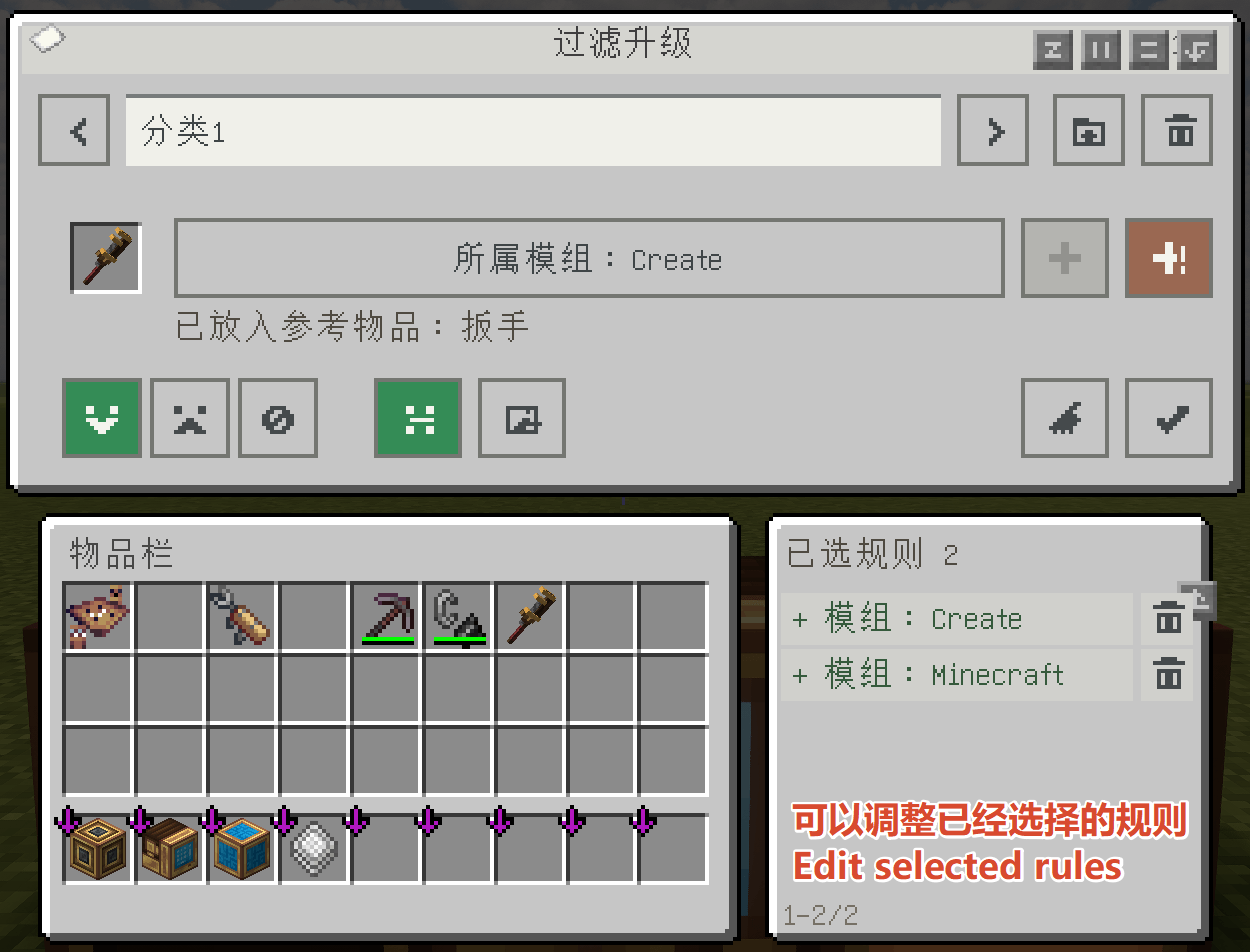
This mod brings back the **Filter Upgrade** that was removed in **Refined Storage 2.0**.
The interface and functionality of the Filter Upgrade are inspired by the **Attribute Filter** from **Create**.
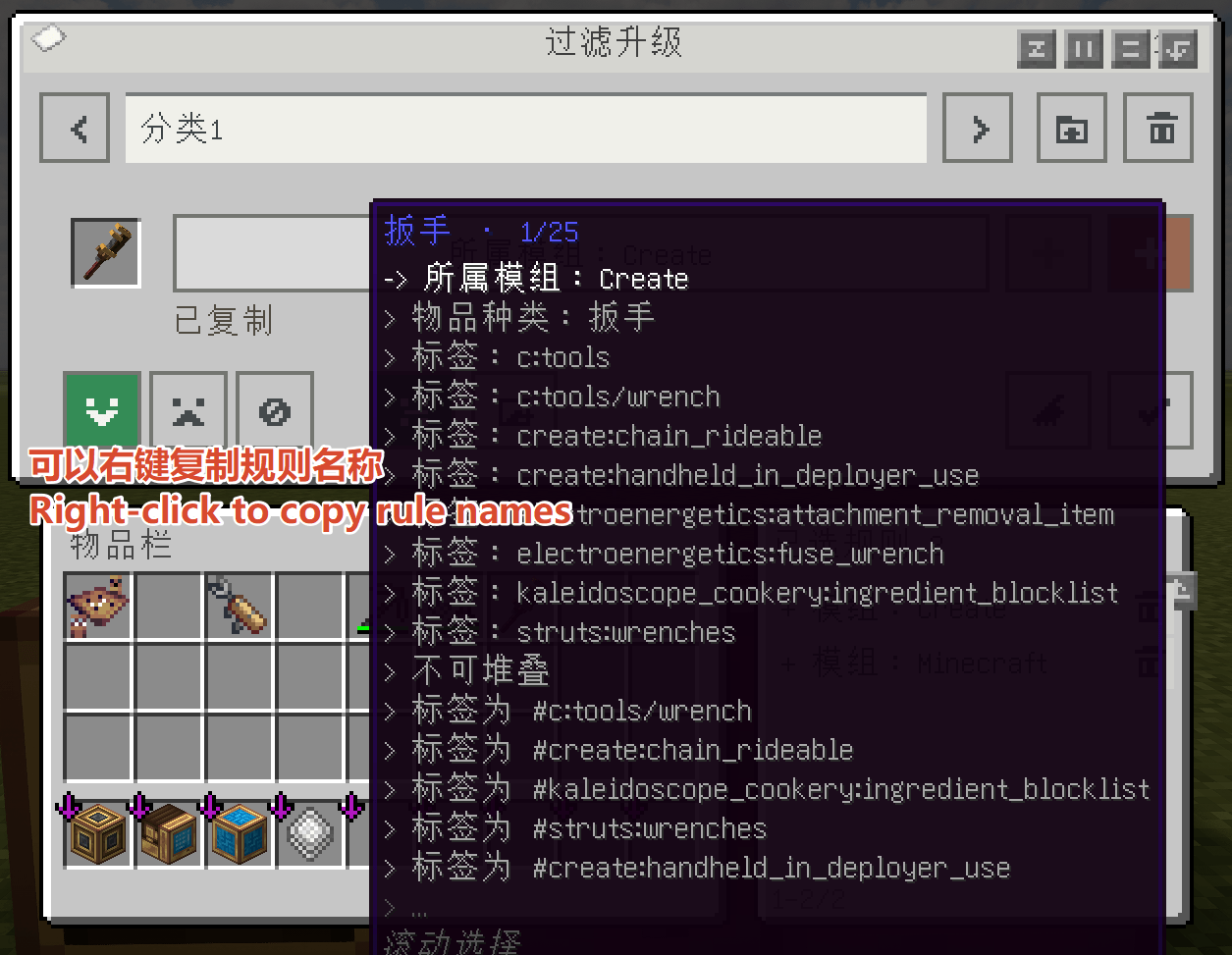
- **Copy attribute entries:** Right-click a selected attribute entry to copy it.
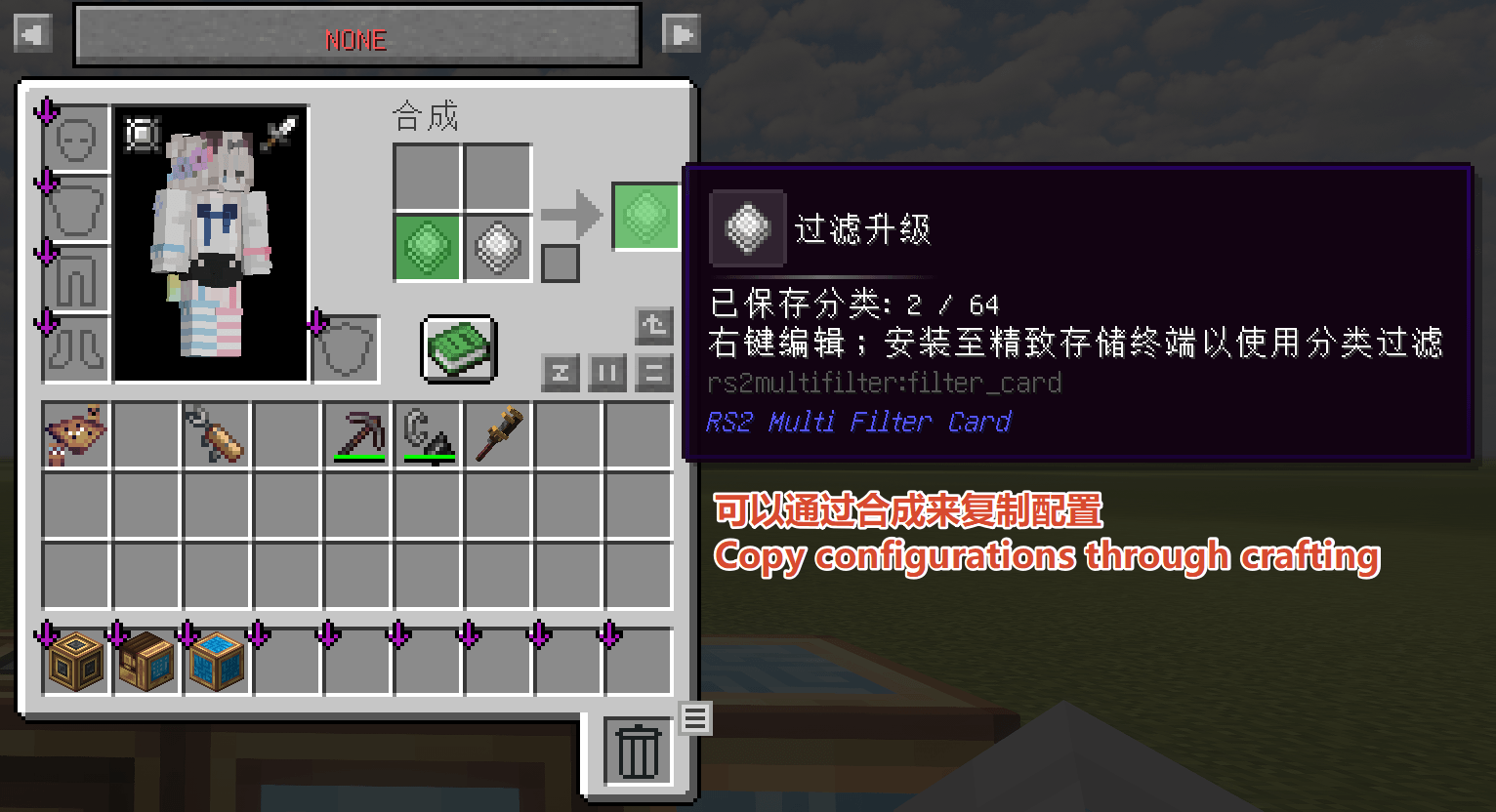
– **Copy configurations:** Craft one configured Filter Upgrade together with one empty Filter Upgrade to copy the configuration.
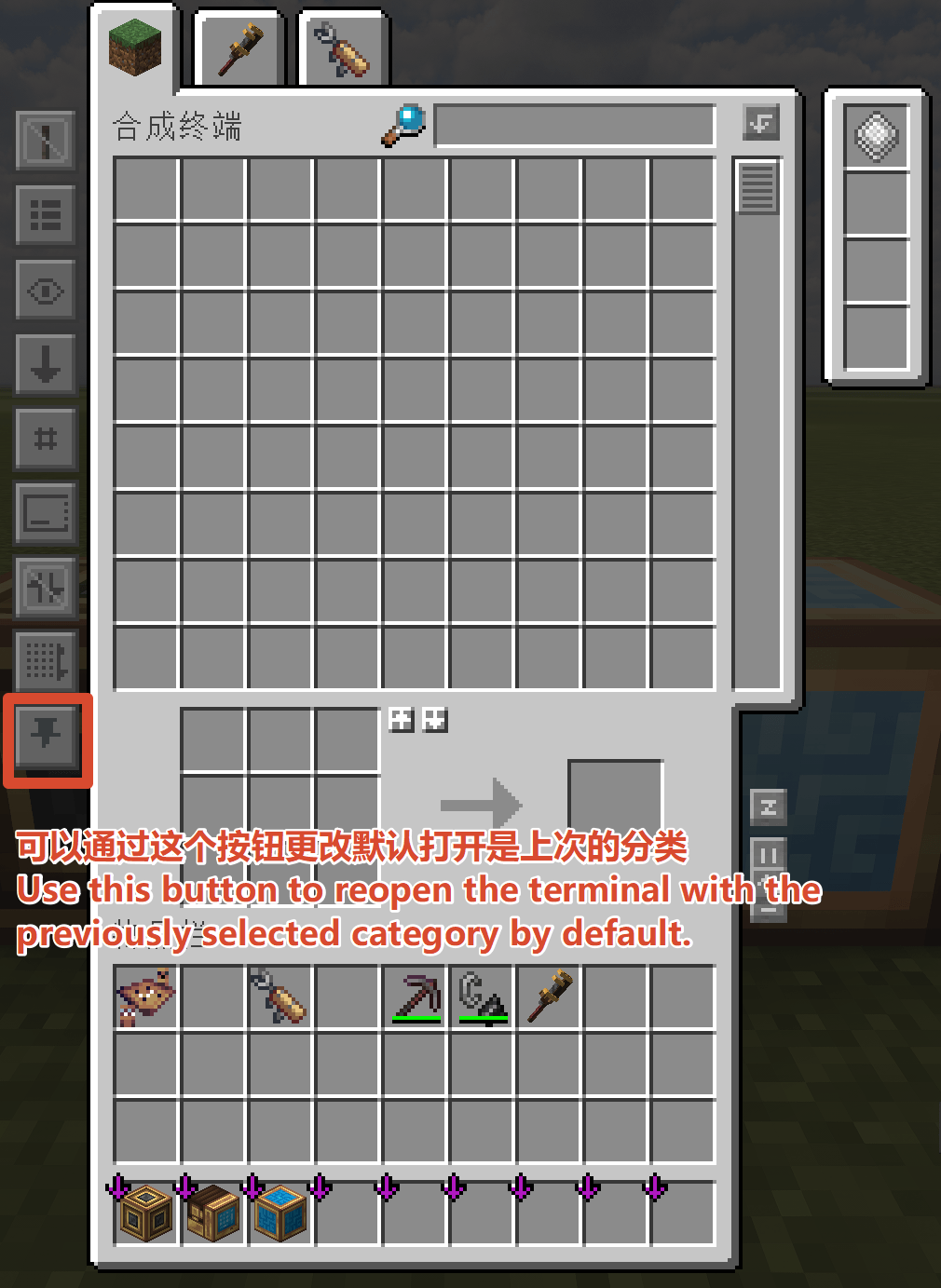
– **Remember the last category:** A new toggle has been added to the terminal, allowing it to reopen with the previously selected category. - # **_# 本模组为纯纯的AI产物_**
本模组恢复了在精致存储2.0版本之后被删除的过滤升级 过滤升级的页面和功能参考了机械动力模组中的属性过滤(现在右键选中的词条可以复制 可以通过用一张已经配置好的过滤升级和一张空的过滤升级合成的方式来复制配置) 同时在终端中添加了每次打开显示上一次分类的按钮
常见问题
rs2multifilter(复活吧 我的过滤升级) 支持哪些 Minecraft 版本?
rs2multifilter(复活吧 我的过滤升级) 支持 Minecraft Java 版 1.21.1,可用的加载器:NeoForge。下载时注意选择和你游戏版本一致的文件。
rs2multifilter(复活吧 我的过滤升级) 怎么安装?
先用 PCL2 或 HMCL 启动器安装对应版本的 NeoForge,再把下载的 .jar 文件放进游戏目录的 mods 文件夹,重新启动游戏即可。开启了版本隔离的,mods 文件夹在 versions/版本名 下面。
评论
登录后评论和评分