Military Menu – Black Ops Theme
作者:SkyNety4
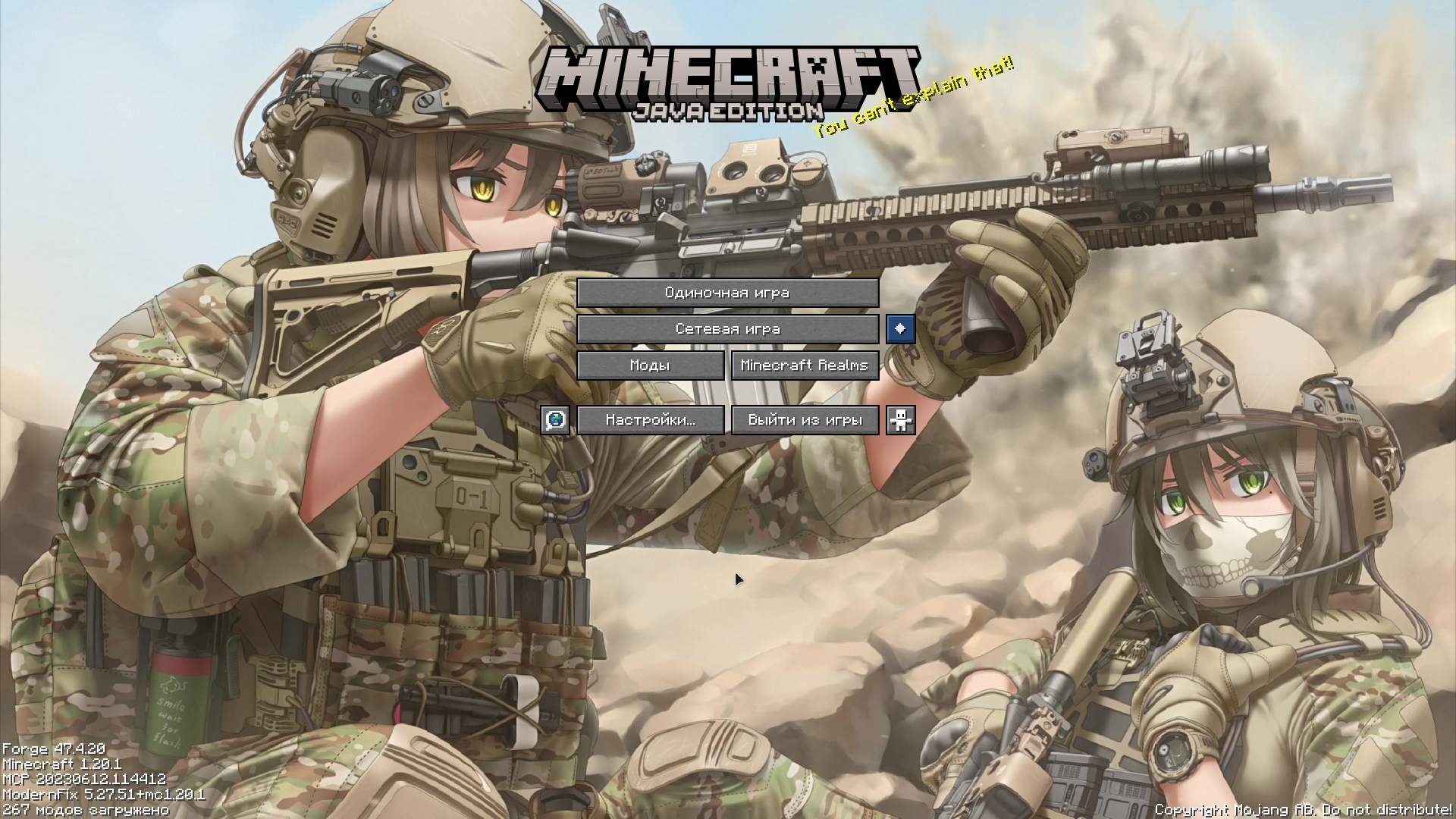
A resource pack that replaces the panorama and music in the main menu with a military theme.
截图
介绍
中文介绍正在准备中,下面暂时显示原文。
This resource pack for Minecraft 1.20.1 changes the panorama to a moe military image and the main menu music inspired by Call of Duty: Black Ops 7. To hear the music, you need to enable it in the settings.
🛠 Future Plans
Planned for upcoming updates:
- Replace button textures and main menu interface with digital Call of Duty style (Digital HUD / Military UI)
- Custom textures for:
- Singleplayer, Multiplayer, Options, and Quit buttons
- World selection screen
- Loading bars and progress indicators
- Further improvement and refinement of the military panorama
- Adding more tracks from the Black Ops soundtrack (where possible)
- Optimization and support for newer Minecraft versions (1.20.2 — 1.21.x)
🙌 Community Help is Welcome!
This is still a small and niche resource pack, so I’m open to any help from the community:
- If you have experience creating textures in Call of Duty style — feel free to send your work!
- Suggestions for improving the panorama or interface
- Ideas for future updates
Everyone who helps will be credited in the Credits section.
Feel free to leave your suggestions in the comments! 🪖
常见问题
Military Menu – Black Ops Theme 支持哪些 Minecraft 版本?
Military Menu – Black Ops Theme 支持 Minecraft Java 版 1.20–1.20.1,共 2 个版本。下载时注意选择和你游戏版本一致的文件。
Military Menu – Black Ops Theme 怎么安装?
把下载的 .zip 文件(不用解压)放进游戏目录的 resourcepacks 文件夹,进游戏后在「选项 → 资源包」里把它移到右边启用。
评论
登录后评论和评分