
PearlScout
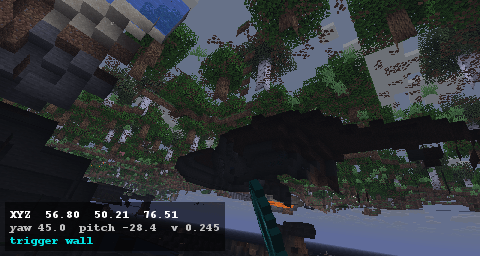
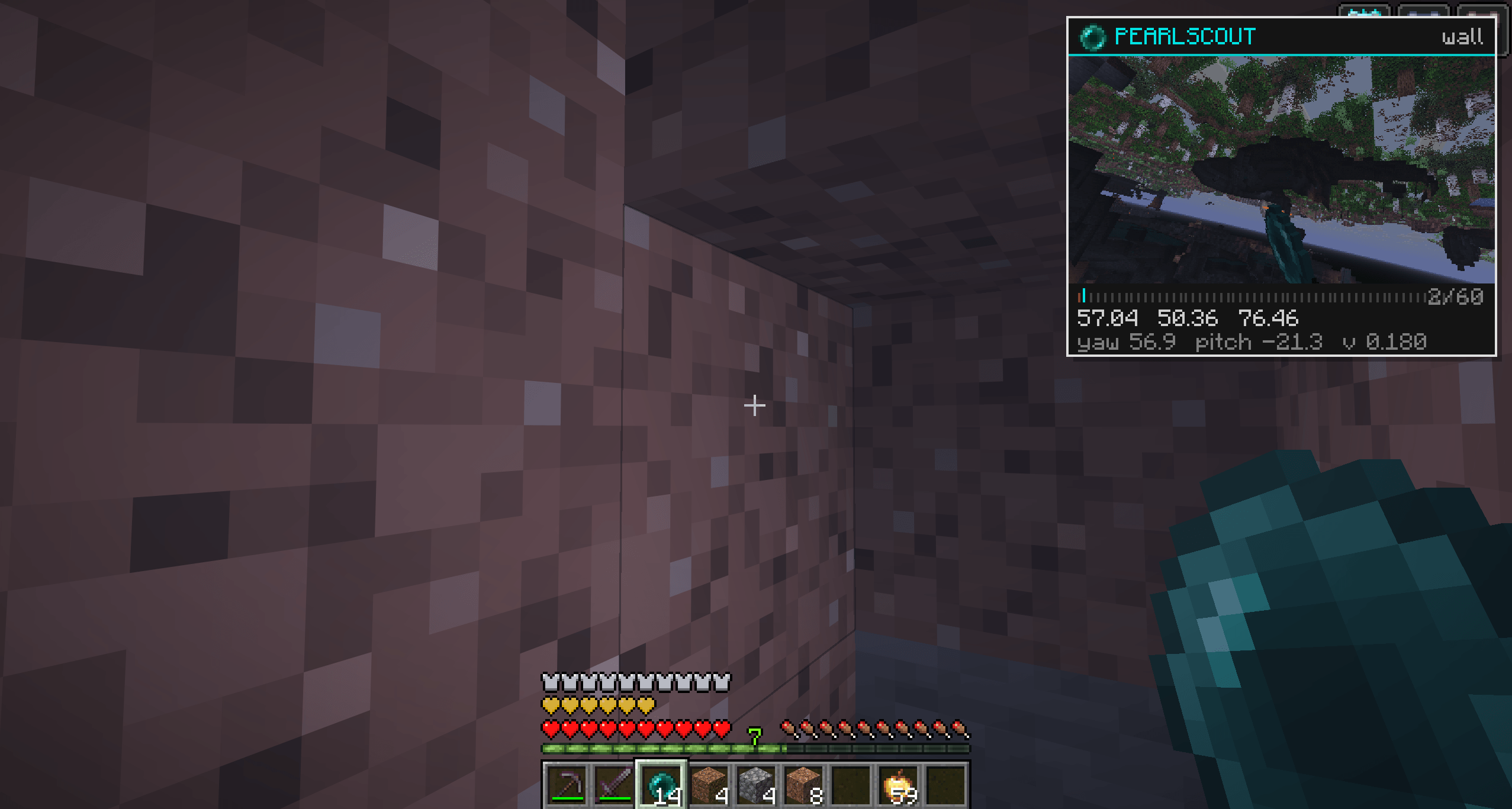
A client-side HUD utility that automatically captures and displays a picture-in-picture freeze-frame when your camera clips inside solid blocks.
截图
介绍
PearlScout The Ultimate Visual Buffer & Scouting Utility
PearlScout is a client-side mod that automatically records a short replay the exact millisecond your camera clips into a solid block. It is perfect for SMP players and technical explorers who need to quickly scout hidden bases, map cave systems, or analyze pearl angles.
Key Features
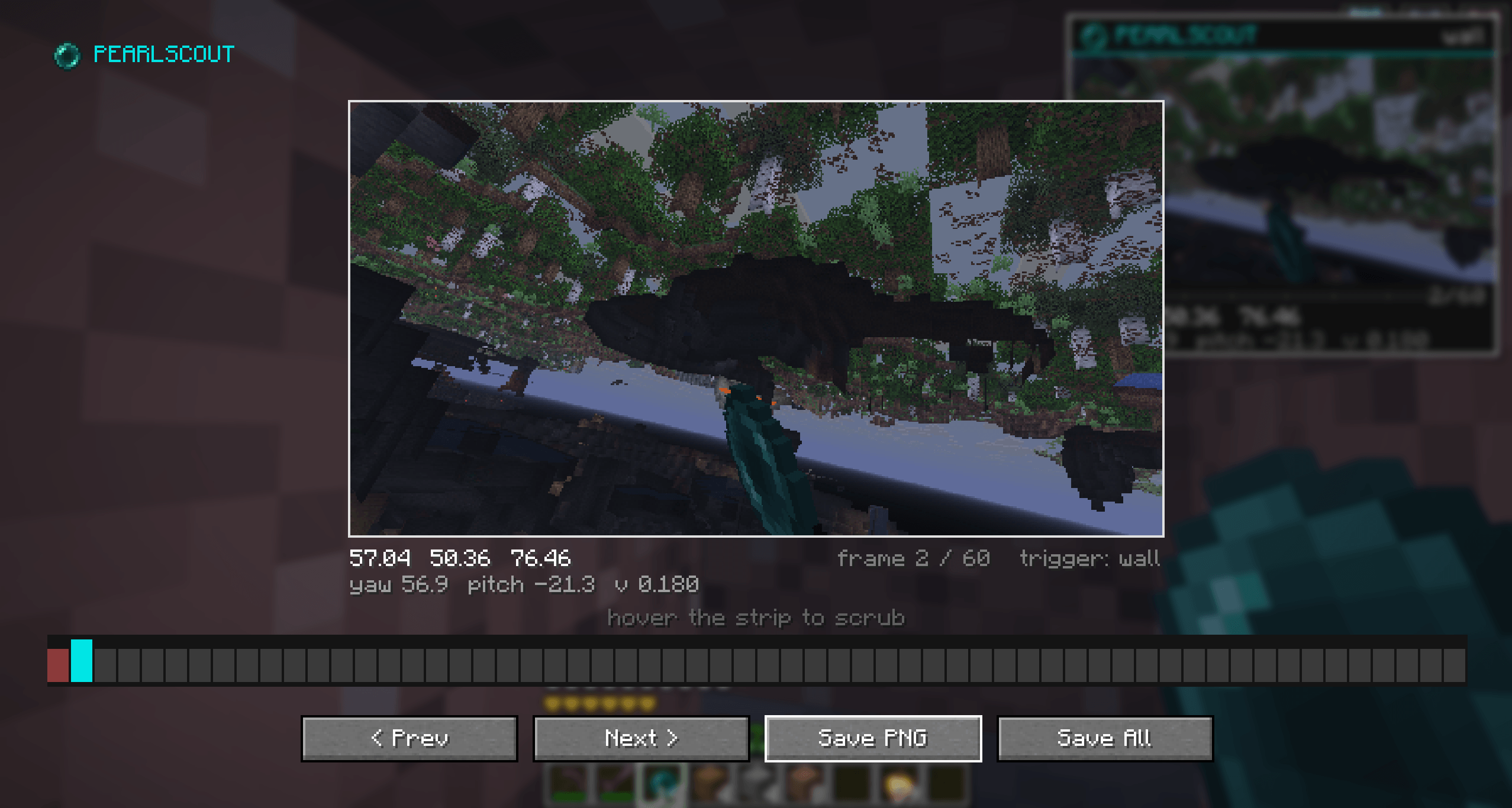
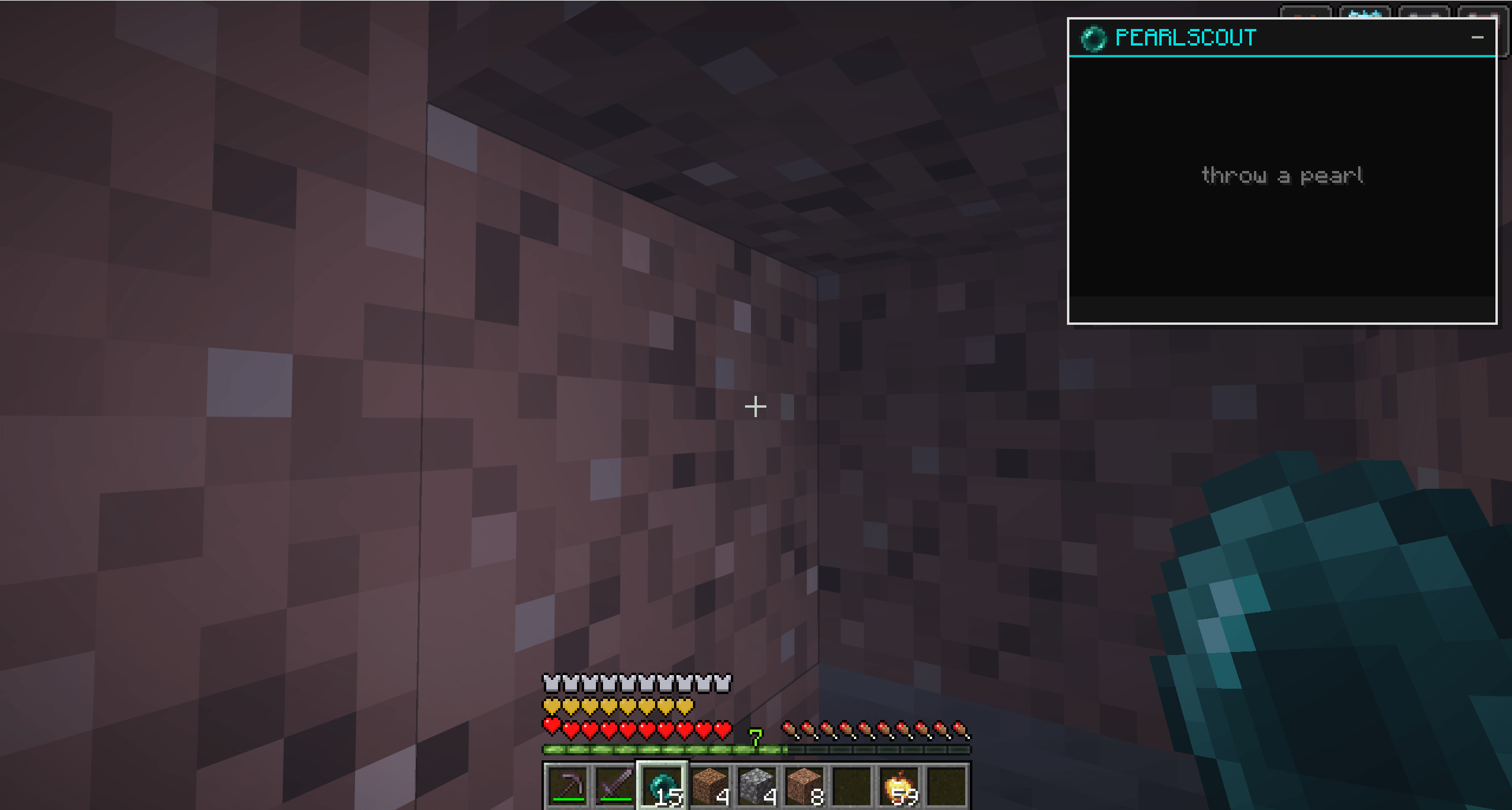
Auto-Capture:Instantly records a visual buffer the moment your camera hits a wall. 60-Frame Replay: Scrub backward and forward frame-by-frame to catch quick glimpses of hidden structures. Pinpoint Telemetry:View exact X/Y/Z coordinates, camera angles, and velocity locked to each frame. Flexible Viewing:Analyze footage on the fly with a Picture-in-Picture (PiP) HUD, or use the Full-Screen GUI for a closer look. One-Click Save: Export the perfect frame directly to your screenshots folder instantly. 100% Client-Side: Works on any vanilla server, SMP, or Realm without server-side installation.
Controls
All keybinds are fully customizable in the standard Minecraft controls menu under the PearlScout category.
| Key | Action |
|---|---|
| V | Toggle Picture-in-Picture HUD |
| N | Open Full-Screen Analyzer |
| Left / Right Arrows | Scrub to Previous / Next Frame |
| Up / Down Arrows | Increase / Decrease HUD size |
| G | Save current frame to disk |
| H | Toggle telemetry/coordinates overlay |
Use Cases
Base Hunting: Spot underground bases or hidden chests during a pearl clip and log their exact coordinates. Terrain Scouting: Visually map out hollow spaces, ravines, and buried structures while exploring. Technical Analysis: Review your precise camera orientation and positional data during a geometric clip.
Note: PearlScout is a client-side diagnostic tool. Please ensure you follow the rules of the servers you play on regarding the use of visual utilities.
常见问题
PearlScout 支持哪些 Minecraft 版本?
PearlScout 支持 Minecraft Java 版 1.21.11,可用的加载器:Fabric。下载时注意选择和你游戏版本一致的文件。
PearlScout 怎么安装?
先用 PCL2 或 HMCL 启动器安装对应版本的 Fabric,再把下载的 .jar 文件放进游戏目录的 mods 文件夹,重新启动游戏即可。开启了版本隔离的,mods 文件夹在 versions/版本名 下面。
评论
登录后评论和评分