
Create: Display Link Plus
One Create Display Link, many displays: multiple targets, label templates, list formats and clipboard support
截图
介绍
Create: Display Link Plus
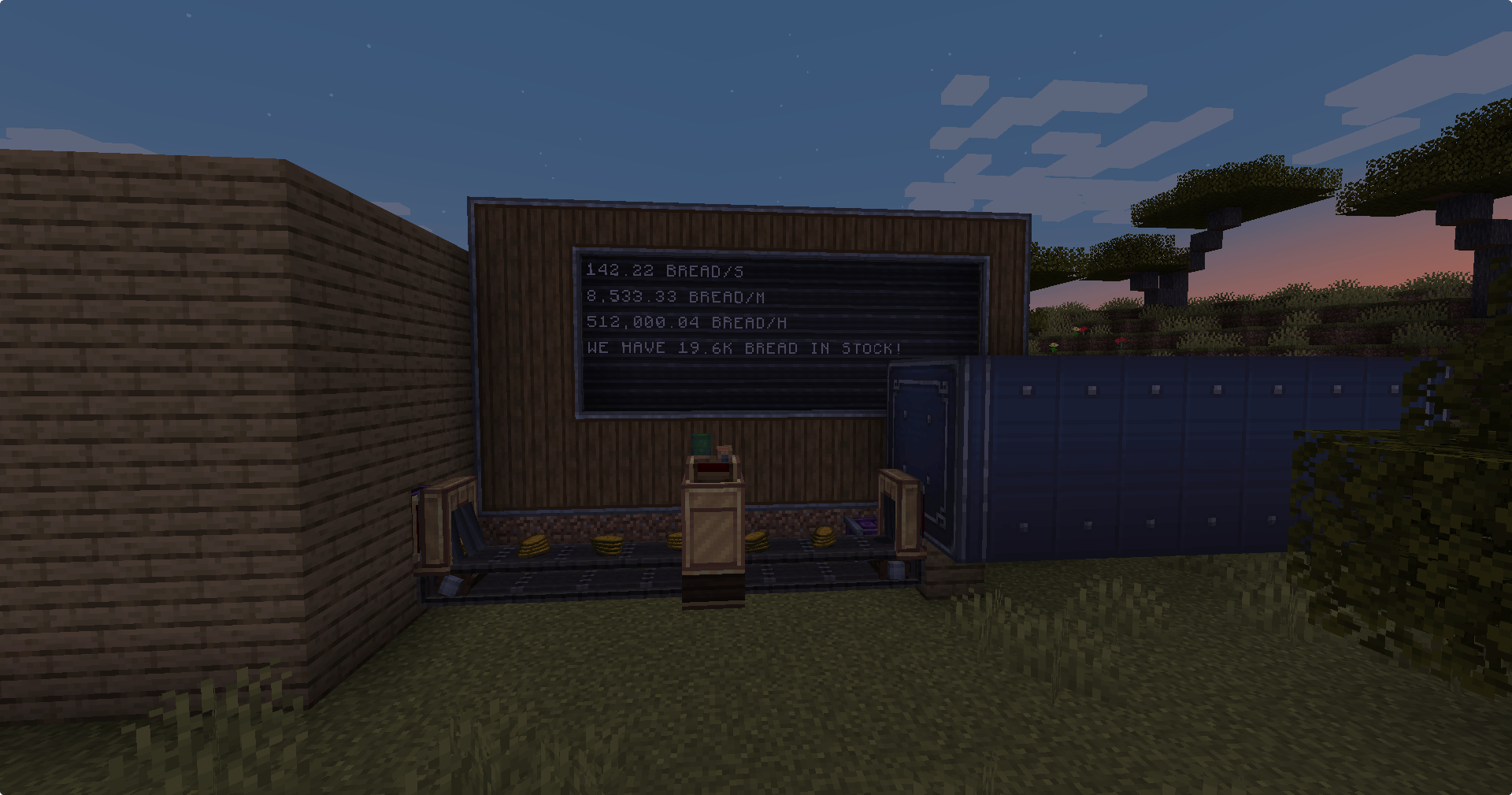
One Display Link, many displays. An addon for Create that makes the Display Link far more flexible: one link can feed several displays and lines, labels can put the value anywhere you like, lists get custom row formats, and link settings can be copied with Create’s Clipboard.
Requires Create 6.0.10+ on NeoForge 1.21.1. Install on both the client and the server.
🔗 Multiple displays per link
- Open a Display Link: each numbered tab on the left is one entry with its own information type, settings, display and line.
- + adds an entry on the next free line of the same display. The trash button removes the current entry.
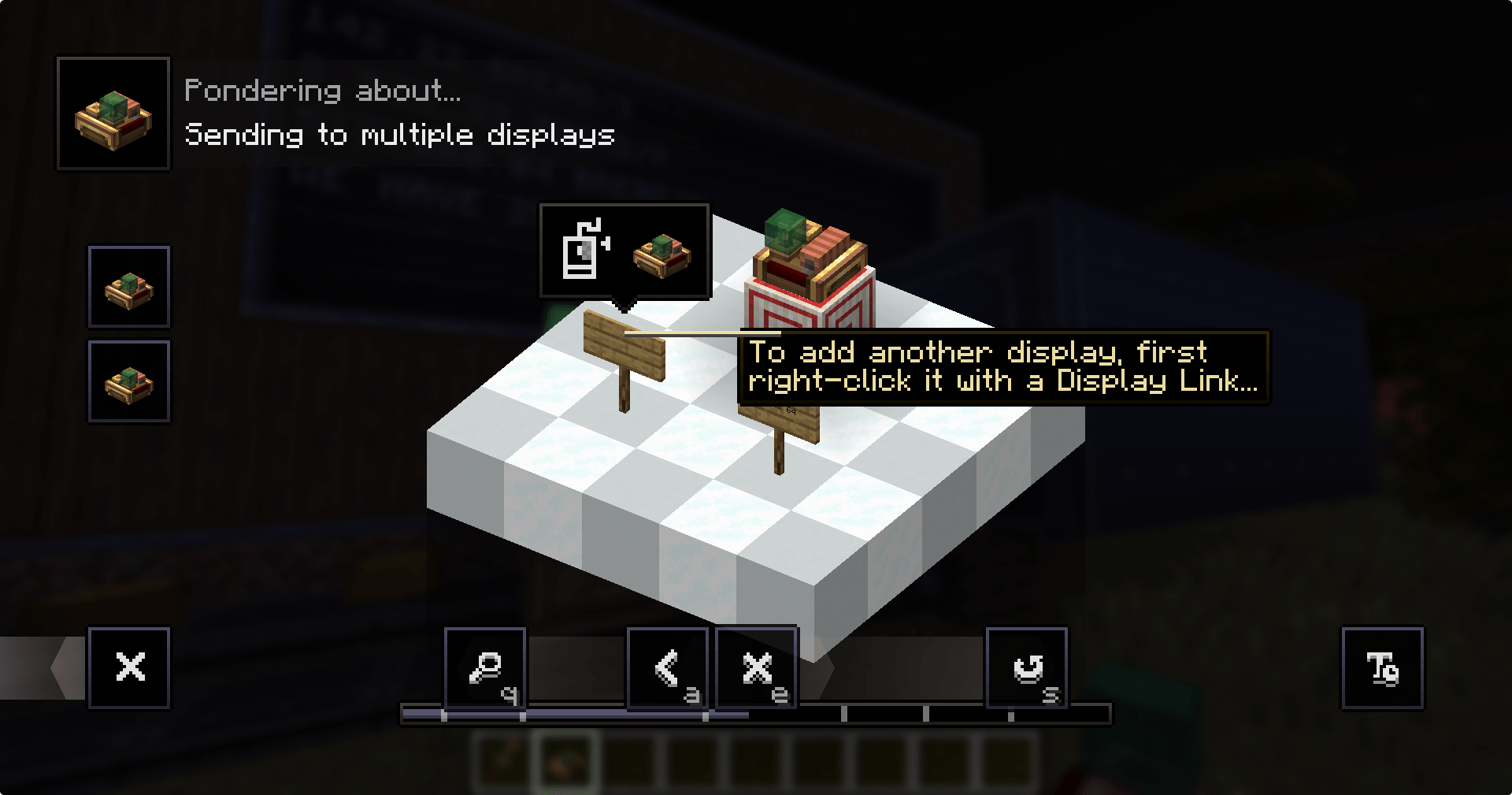
- Add another display: right-click the display with a Display Link item (as usual), then right-click the existing Display Link. The display is added as a new entry instead of placing a second link.
- Up to 8 entries per link (server config
maxEntriesPerLink). - Entries respect each other’s lines just like separate links do: a list stops where another entry writes. Tabs show a red ! when two entries start on the same line.
👀 See where a link writes
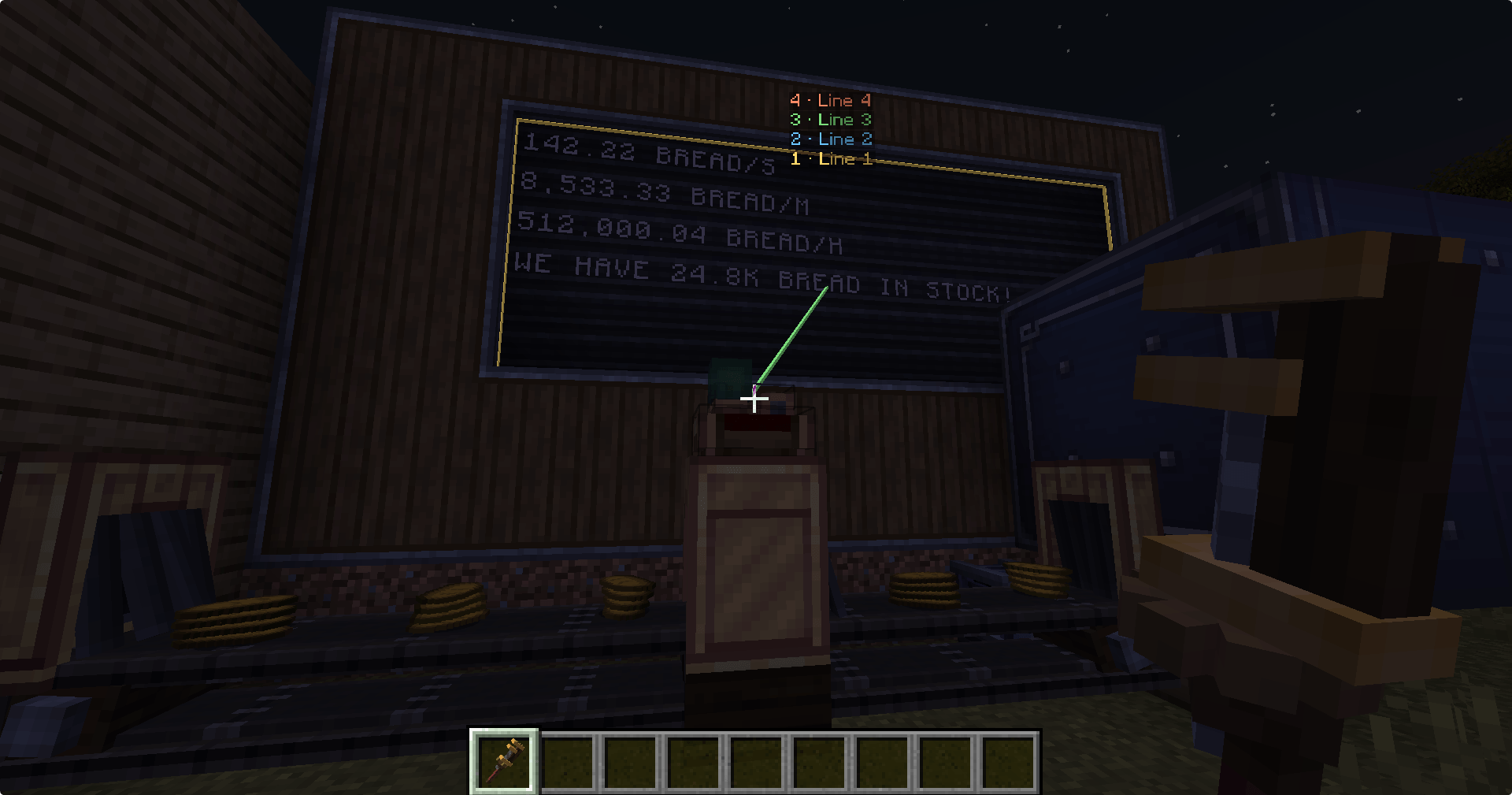
Look at a Display Link while holding a Wrench, Display Link or Clipboard, or while wearing Goggles: every target is outlined, connected with a line, and labelled with its entry number and line.
🏷️ Label templates
Put {} in a label to place the value where you want it.
| Label | Shows |
|---|---|
We have {} bread in stock |
We have 64 bread in stock |
{} items/s |
12 items/s |
Bread (no {}) |
Bread 64 (Create’s normal format) |
Number formats: {k} → 1.2k / 3.4M · {,} → 1,234,567 · {.1} → one decimal ({.0}–{.3}). Units such as mB or RPM are kept.
📋 List row formats
List sources (List matching Items / Fluids, Factory Gauge status, Scoreboard) get a Row format box.
| Row format | Shows |
|---|---|
{name}: {count} |
Bread: 1k |
{count:,}x {name} |
1,234x Bread |
| (empty) | Create’s own layout |
{count} follows the list’s Shortened / Full Number setting; {count:k}, {count:,} and {count:.N} format the full amount.
📎 Clipboard support
Right-click a Display Link with Create’s Clipboard to copy all its entries, left-click another link to paste. Each existing entry keeps its own display and gets the copied information, settings and line. Extra copied entries are added with the same relative target, so an identical setup next to the original is reproduced completely.
📖 Ponder
Hold a Display Link and press W: a new Ponder scene walks through all of the above.
Compatibility
- Existing Display Links keep working: Create’s own data is entry 1, extra entries are stored separately.
- Removing the addon falls back to entry 1 of each link. Labels containing
{}then show the raw text. - Modpacks: feel free to include it.
Not affiliated with the Create team. Create is © the Create Team.
常见问题
Create: Display Link Plus 支持哪些 Minecraft 版本?
Create: Display Link Plus 支持 Minecraft Java 版 1.21.1,可用的加载器:NeoForge。下载时注意选择和你游戏版本一致的文件。
Create: Display Link Plus 怎么安装?
先用 PCL2 或 HMCL 启动器安装对应版本的 NeoForge,再把下载的 .jar 文件放进游戏目录的 mods 文件夹,重新启动游戏即可。开启了版本隔离的,mods 文件夹在 versions/版本名 下面。
评论
登录后评论和评分