
[YM!] BetterCreativeMenu
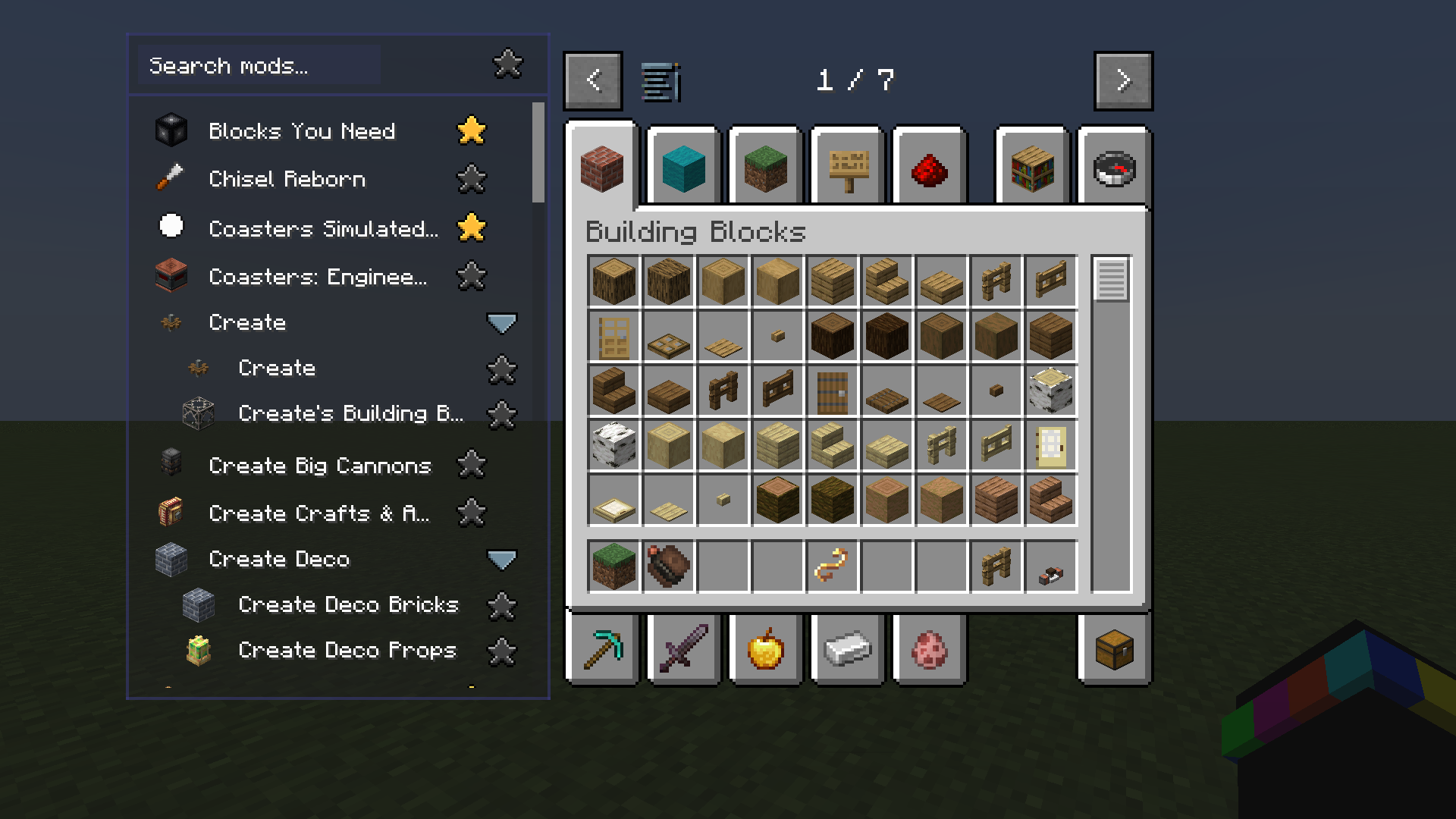
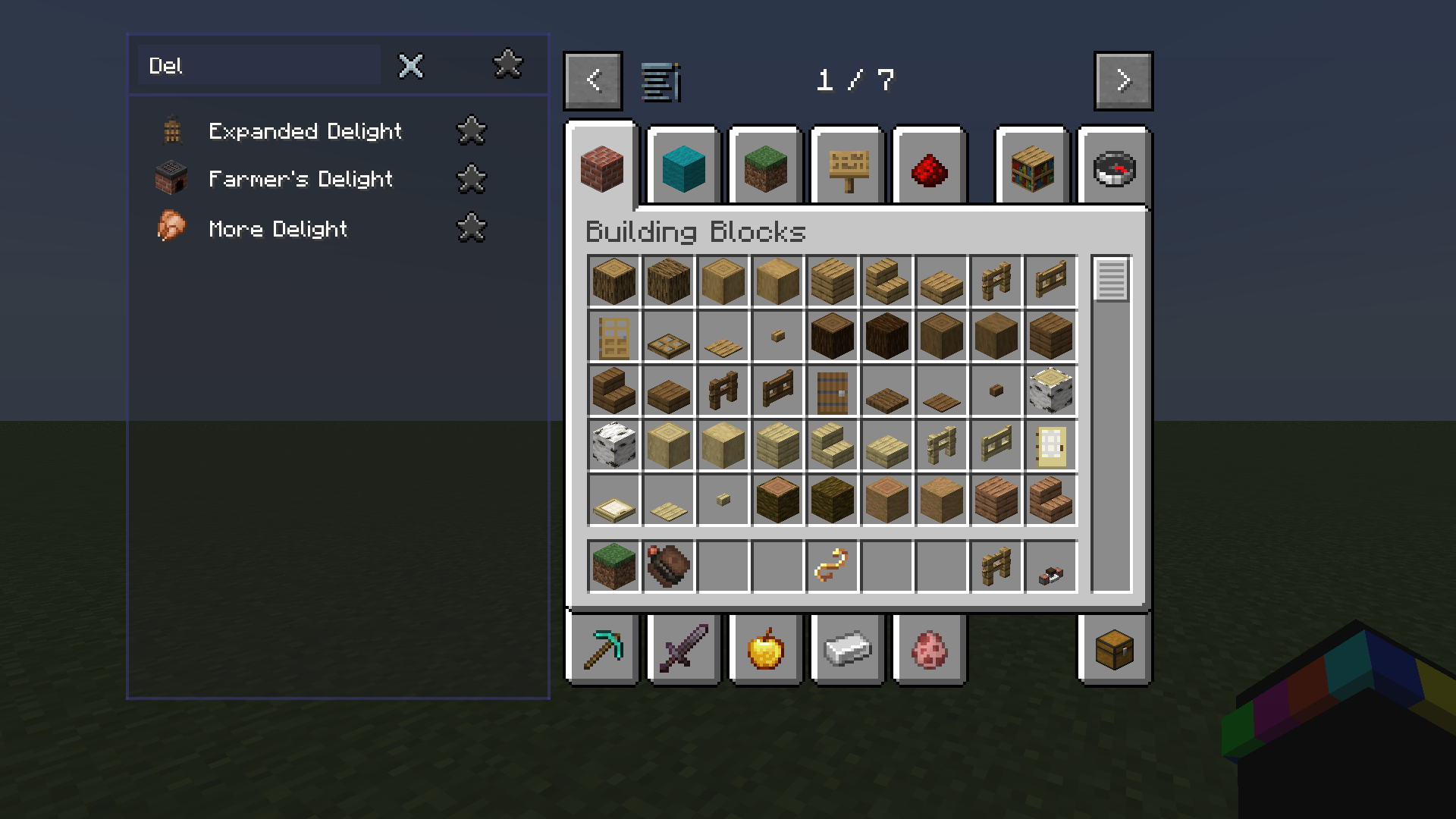
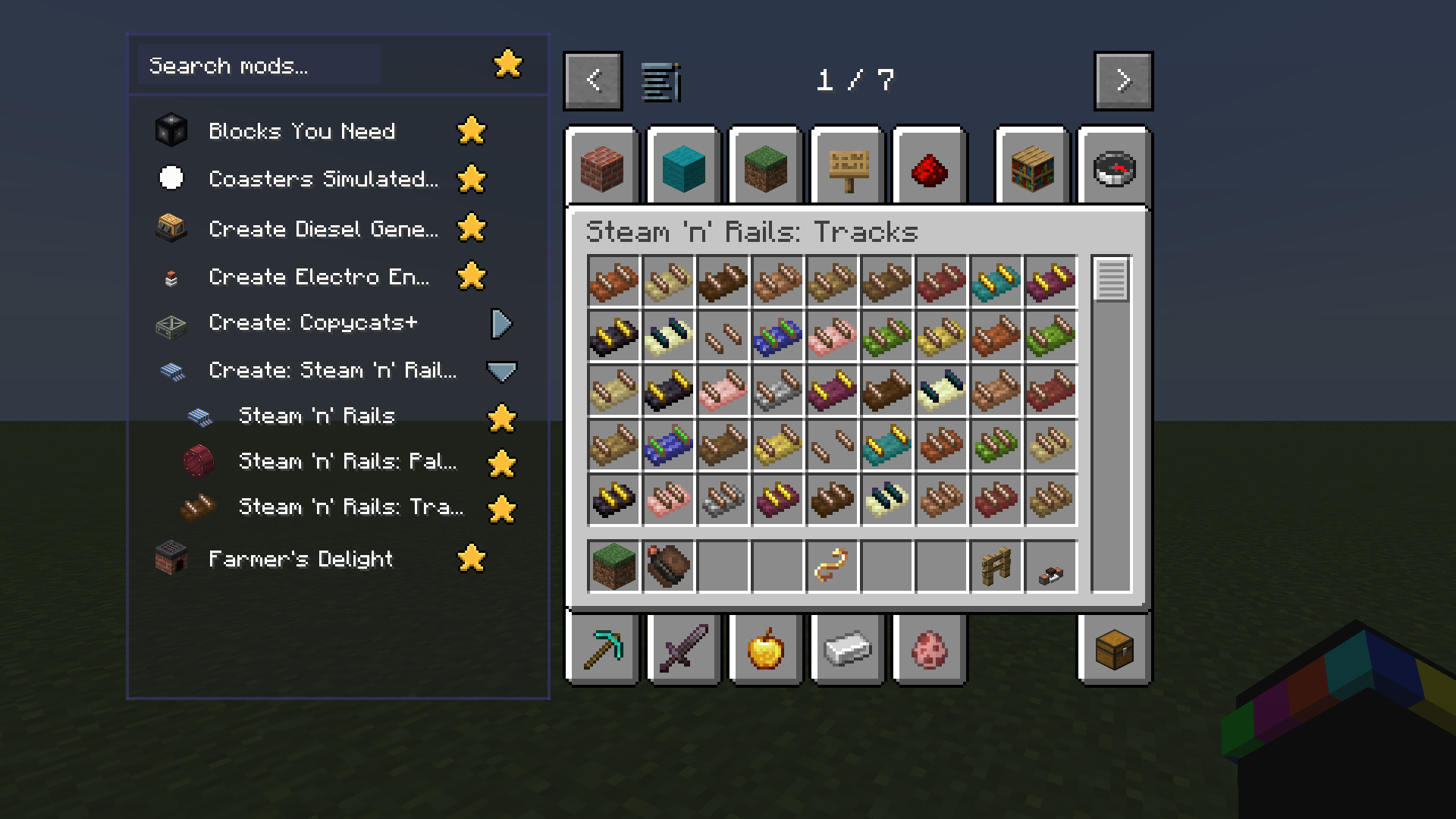
YM!BCM adds a scrollable and searchable mod list to the left side of your creative menu, with a favorite function.
截图
介绍
Did you waste precious minutes of your life, scrolling through an endless sea of mod tabs, desperately searching for that one item you swear was somewhere in there?
THEN SEARCH NO MORE!
Introducing…
BetterCreativeMenu? YesMenn!
The scientifically proven solution to your modded Creative Inventory suffering.*
Search your installed mods. Favorite the ones you use the most. Find their tabs & items instantly.
It’s simple, but stupidly useful.
Got a mod with more Creative tabs than it has any business having? No worries.
Multiple tabs are neatly grouped into a collapsable and expandable sub menu, keeping your mod list clean while still giving you quick access to everything.
And because apparently “just make it work” wasn’t enough, pretty much everything is configurable: colors, opacity, size and position of both the mod list and its button.
Make it yours menn!
Don’t want the mod list in your way? Just toggle the entire mod list with the dedicated button, whenever you need it. Out of sight, out of your way, back whenever you need it!
And yes, we also got tired of searching, lmao.
*No science was involved in the making of this mod. Creative Mode may be addictive and may cause severe cases of “I’ll just build one more thing.” Please build responsibly.
If you experience an uncontrollable urge to install more mods, consult your mod folder immediately.
Updates to newer Versions comes soon + Fabric
❗ If you experience any issues, feel free to write us a message on either GitHub or Discord. ❗
We would like to hear your experience and feelings about this mod!
常见问题
[YM!] BetterCreativeMenu 支持哪些 Minecraft 版本?
[YM!] BetterCreativeMenu 支持 Minecraft Java 版 1.21.1,可用的加载器:NeoForge。下载时注意选择和你游戏版本一致的文件。
[YM!] BetterCreativeMenu 怎么安装?
先用 PCL2 或 HMCL 启动器安装对应版本的 NeoForge,再把下载的 .jar 文件放进游戏目录的 mods 文件夹,重新启动游戏即可。开启了版本隔离的,mods 文件夹在 versions/版本名 下面。

评论
登录后评论和评分