
Carioca (Card game)
Play the famous game Carioca, the card game of all Chileans. Entertaining with friends.
截图
介绍
Carioca
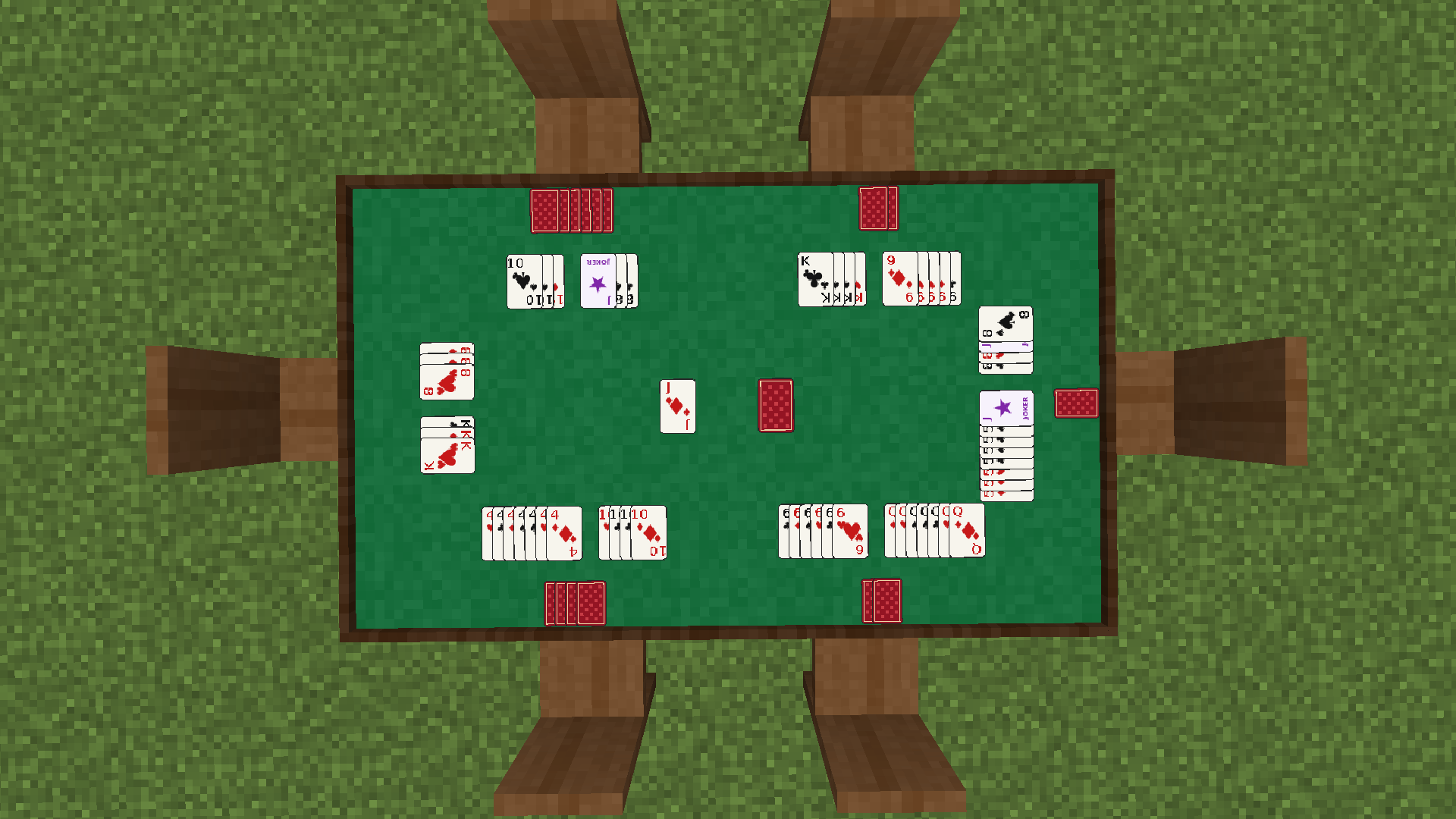
Play Carioca with your friends in Minecraft. Build a table, grab a chair and play all 10 rounds, with animated cards on the table, a private hand screen, and optional bets with your most valuable items.
How to play
(Recommended GUI scale: 3 or lower.)
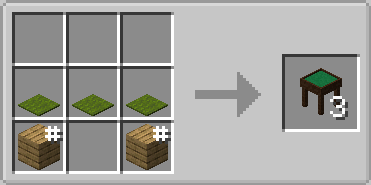
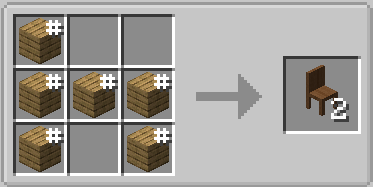
1. Craft Carioca Tables and Carioca Chairs.
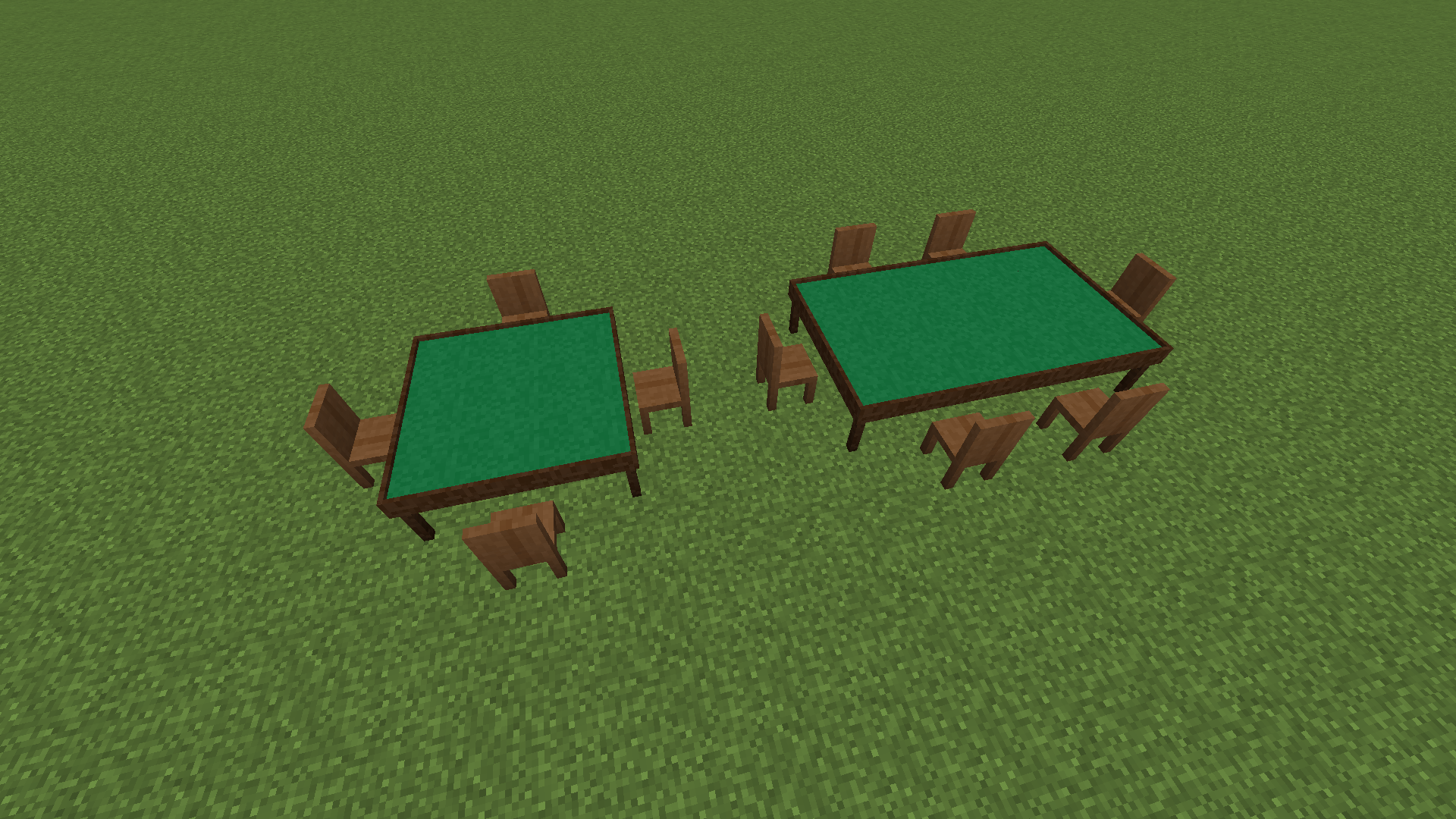
2. Build a table at least 3×3 blocks in size. You can make it as big as you like.
3. Place chairs next to the table and right-click to sit down.
4. While seated, press ESC or R to open menu, and select Start in the side panel and choose to play with or without bets.
5. Using ESC or R you can open the screen and your hand.
Features
– 2–6 players, with bots to fill empty seats.
– Animated cards on the table: drawing, discarding, laying down and flipping, with sounds for shuffling, dealing and your turn.
– Easy hand screen: drag and drop cards to reorder them, sort by color or number, build groups, lay down your contract and attach cards to any combination (you choose which side a joker goes on).
– Optional bets: wager valuable items such as diamonds, netherite or enchanted books. The winner takes the whole pot, and your items are stored safely and returned if the game is cancelled.
– Stood up by accident? Your seat is saved for 3 minutes and the game waits for you.
– Game owner controls: only the world owner can cancel a game in progress.
– Works in singleplayer, LAN and servers.
Rules
– 10 rounds, each with a different contract (from two trios up to a full 13-card run).
– The lowest total score wins.
Requirements
– Minecraft 1.20.1
– Fabric Loader and Fabric API
Language
The in-game interface and messages are currently available in Spanish only.
常见问题
Carioca (Card game) 支持哪些 Minecraft 版本?
Carioca (Card game) 支持 Minecraft Java 版 1.20.1,可用的加载器:Fabric。下载时注意选择和你游戏版本一致的文件。
Carioca (Card game) 怎么安装?
先用 PCL2 或 HMCL 启动器安装对应版本的 Fabric,再把下载的 .jar 文件放进游戏目录的 mods 文件夹,重新启动游戏即可。开启了版本隔离的,mods 文件夹在 versions/版本名 下面。
评论
登录后评论和评分