Scouts Eye
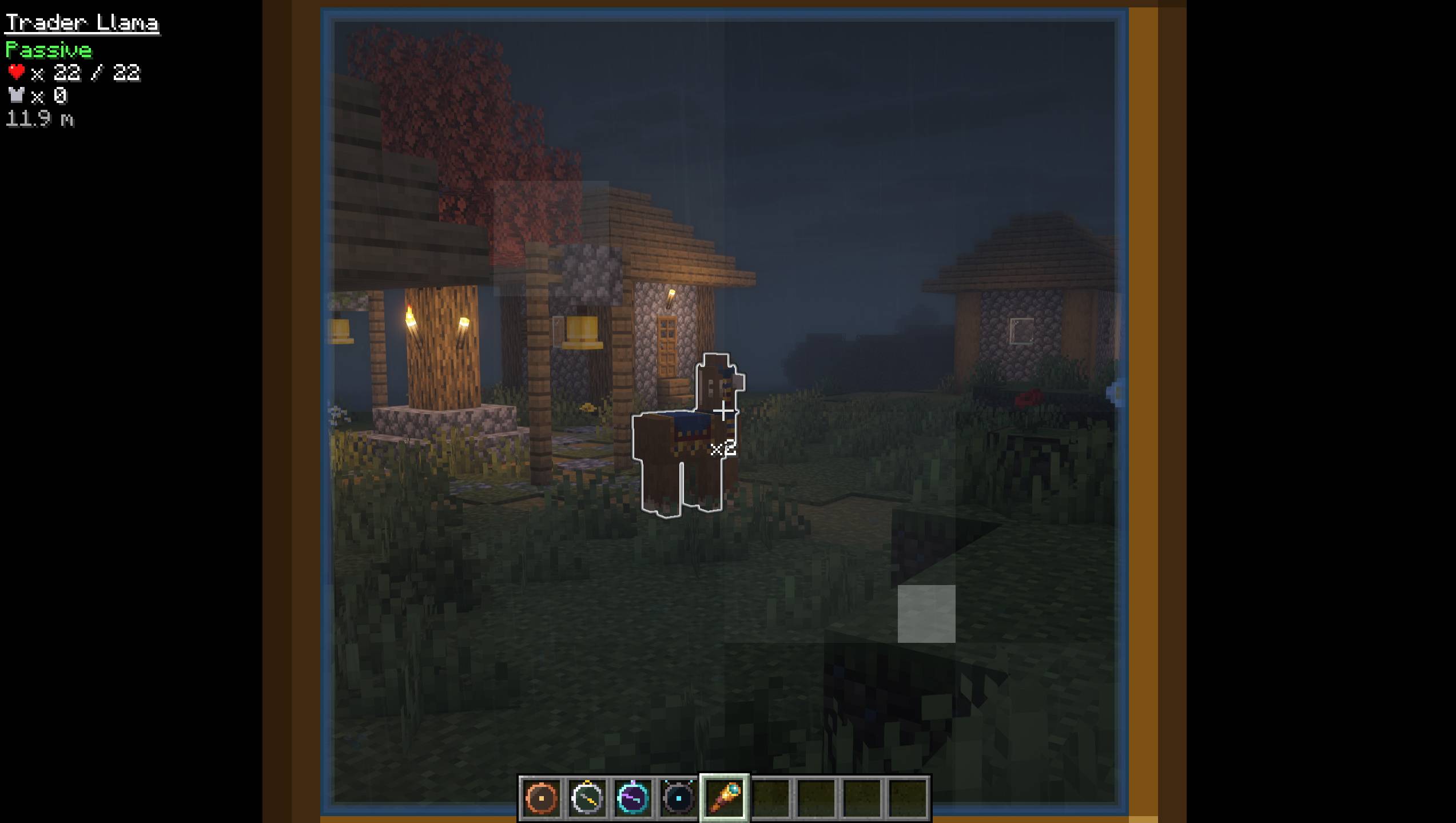
See any mob's name, health, armor and distance through a spyglass, with scroll-to-zoom and a white outline on your target.
截图
介绍
中文介绍正在准备中,下面暂时显示原文。
Scout’s Eye
Look at any mob through a spyglass to see its info: name, health, armor, distance and whether it’s hostile.
Features
- Mob info: Zoom in on a mob with a spyglass and its details show in the top-left corner.
- Name: The mob’s name, underlined, including custom name tags.
- Hostile, Neutral or Passive: Colored red, gold or green so you can tell at a glance.
- Health: Shown with a heart icon, current and max health.
- Armor: Shown with an armor icon.
- Distance: How far away the mob is, in meters.
- Long range: Works up to 128 blocks away. Mobs behind walls are ignored.
- Clean look: Just simple text, no big boxes covering your screen.
How to Use
- Hold a spyglass and use it (right-click).
- Look at any mob, animal or player.
- The info shows while you’re zoomed in and disappears when you stop.
Installation
- Client only: Add Scout’s Eye and Fabric API to your mods folder.
- Servers: Not needed on the server. Works on any server, including vanilla ones.
Requirements
- Fabric Loader
- Fabric API
常见问题
Scouts Eye 支持哪些 Minecraft 版本?
Scouts Eye 支持 Minecraft Java 版 26.3,可用的加载器:Fabric。下载时注意选择和你游戏版本一致的文件。
Scouts Eye 怎么安装?
先用 PCL2 或 HMCL 启动器安装对应版本的 Fabric,再把下载的 .jar 文件放进游戏目录的 mods 文件夹,重新启动游戏即可。开启了版本隔离的,mods 文件夹在 versions/版本名 下面。

评论
登录后评论和评分