RTPTOOLS – Random Teleport
An optimized Random Teleport (RTP) solution with an intuitive GUI for Minecraft servers.
截图
介绍
🧭 RTPTOOLS
An optimized Random Teleport (RTP) solution with an intuitive GUI for Minecraft servers.

DESCRIPTION
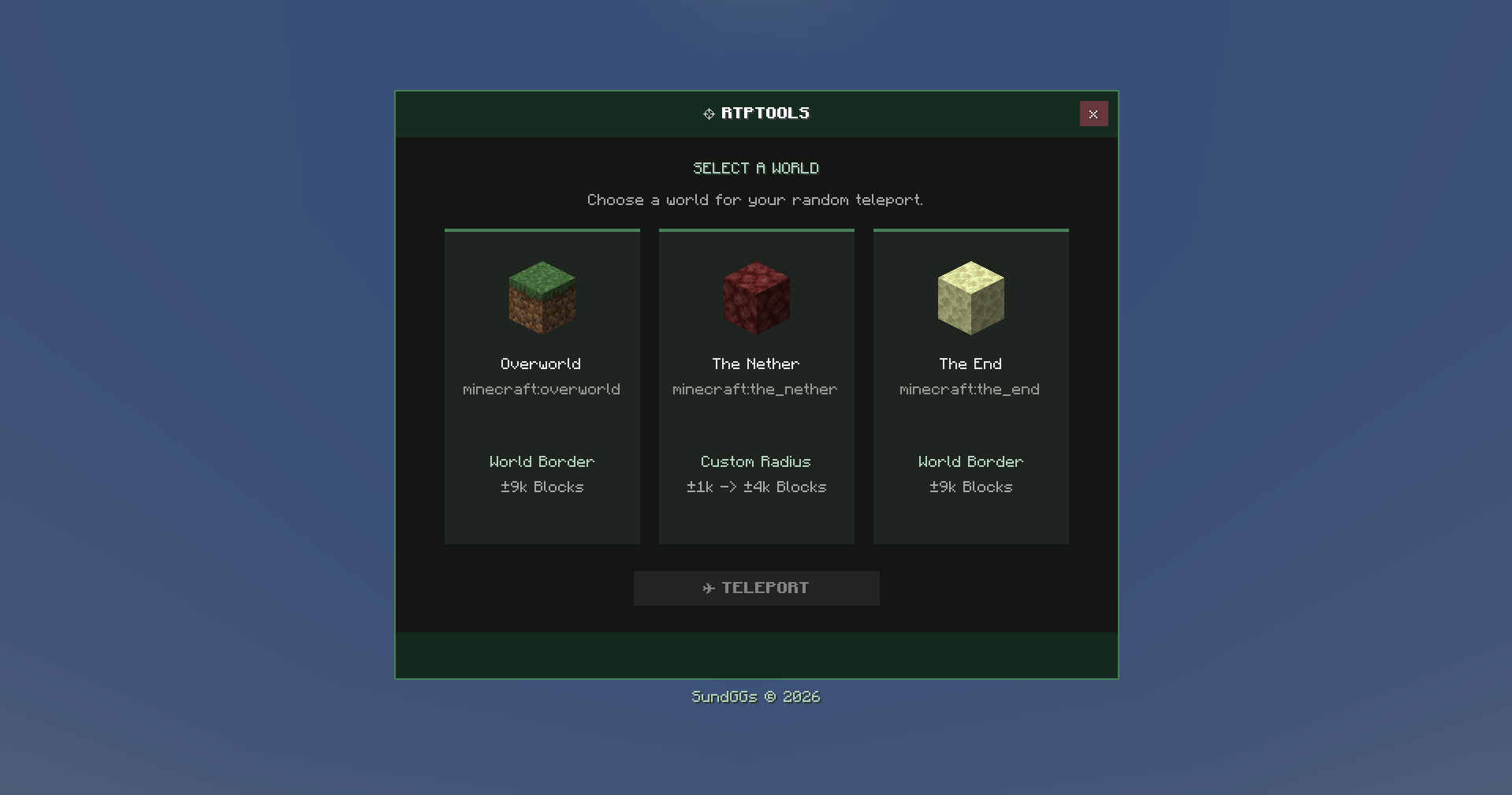
RTPTOOLS provides Minecraft servers with an optimized Random Teleport system featuring an intuitive world selector and safe destination searches.
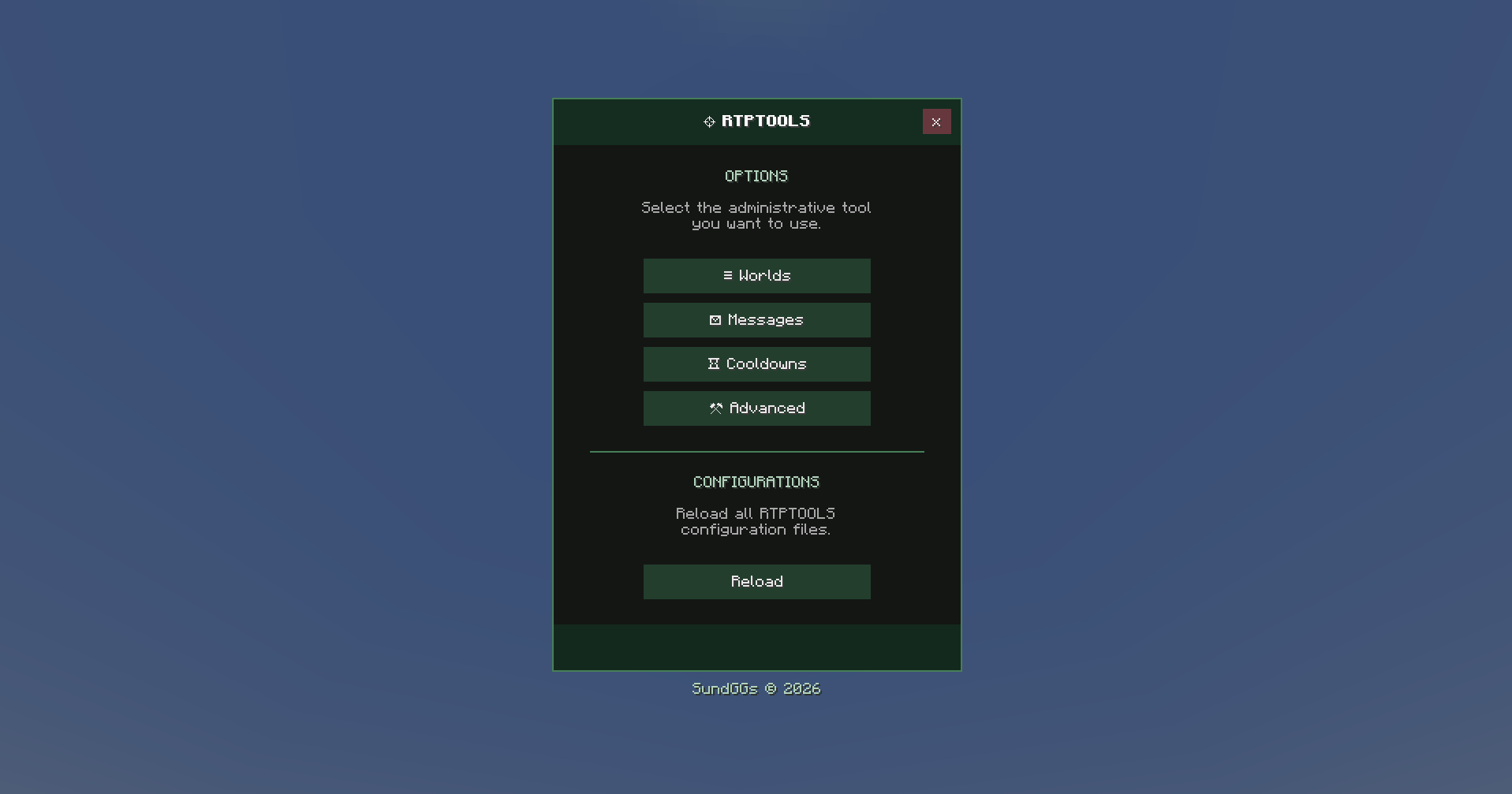
Players can easily explore different worlds, while administrators manage radius, cooldowns, messages, and advanced settings through an interactive in-game panel accessible with /rtptools gui.
Designed with performance and reliability in mind, RTPTOOLS uses controlled chunk loading, configurable search limits, and extensive safety checks to deliver a smooth teleportation experience without unnecessary server overhead.

🌐 Kinetic Hosting is proudly sponsoring this mod! Start your adventure with friends and enjoy a reliable, high-performance Minecraft server powered by Kinetic Hosting.
📋 MAIN FEATURES
World Selector: Explore available destinations through an interactive GUI featuring customizable world names, item icons, teleportation boundaries, and a simple selection system accessible with /rtp.
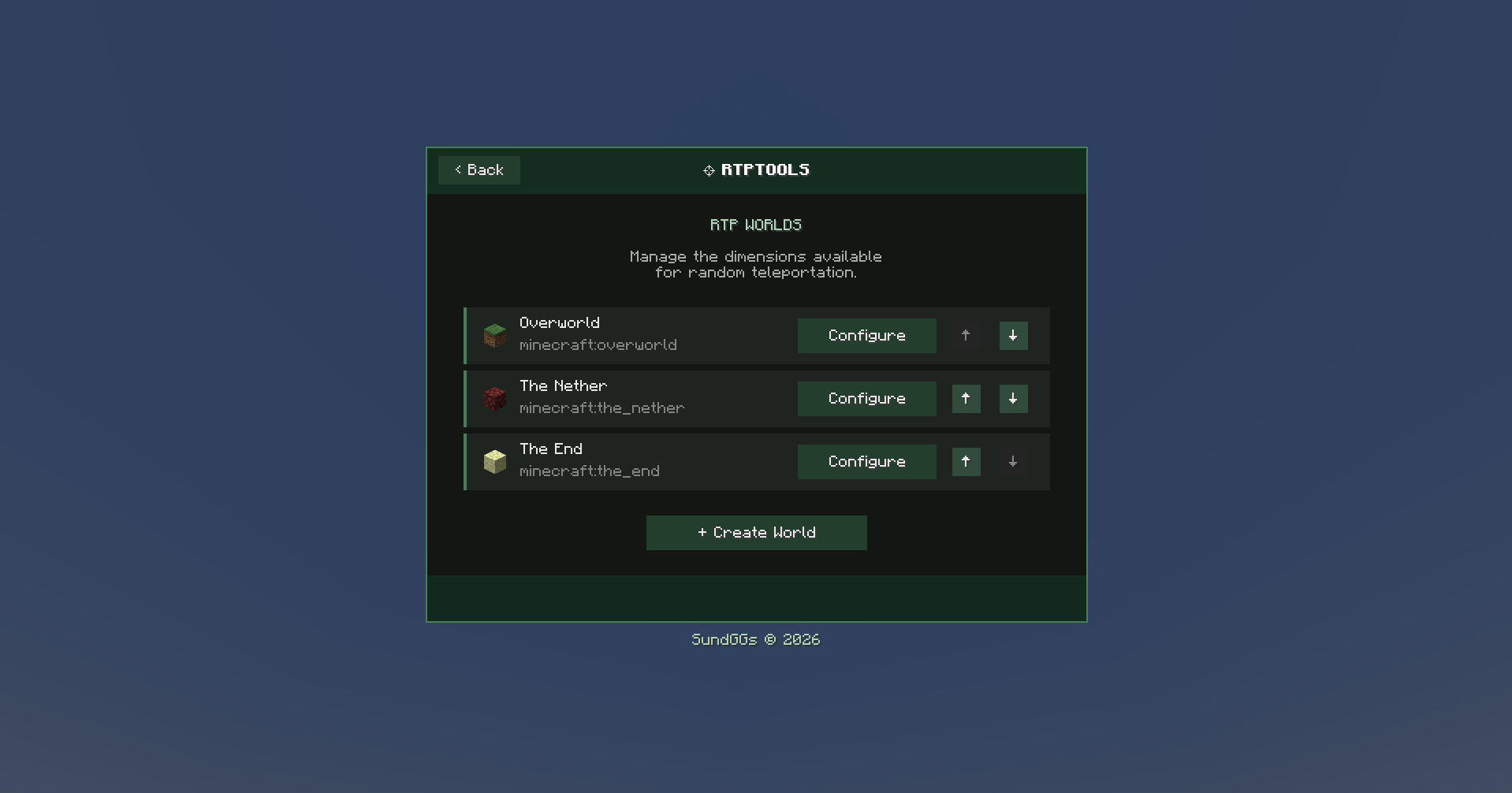
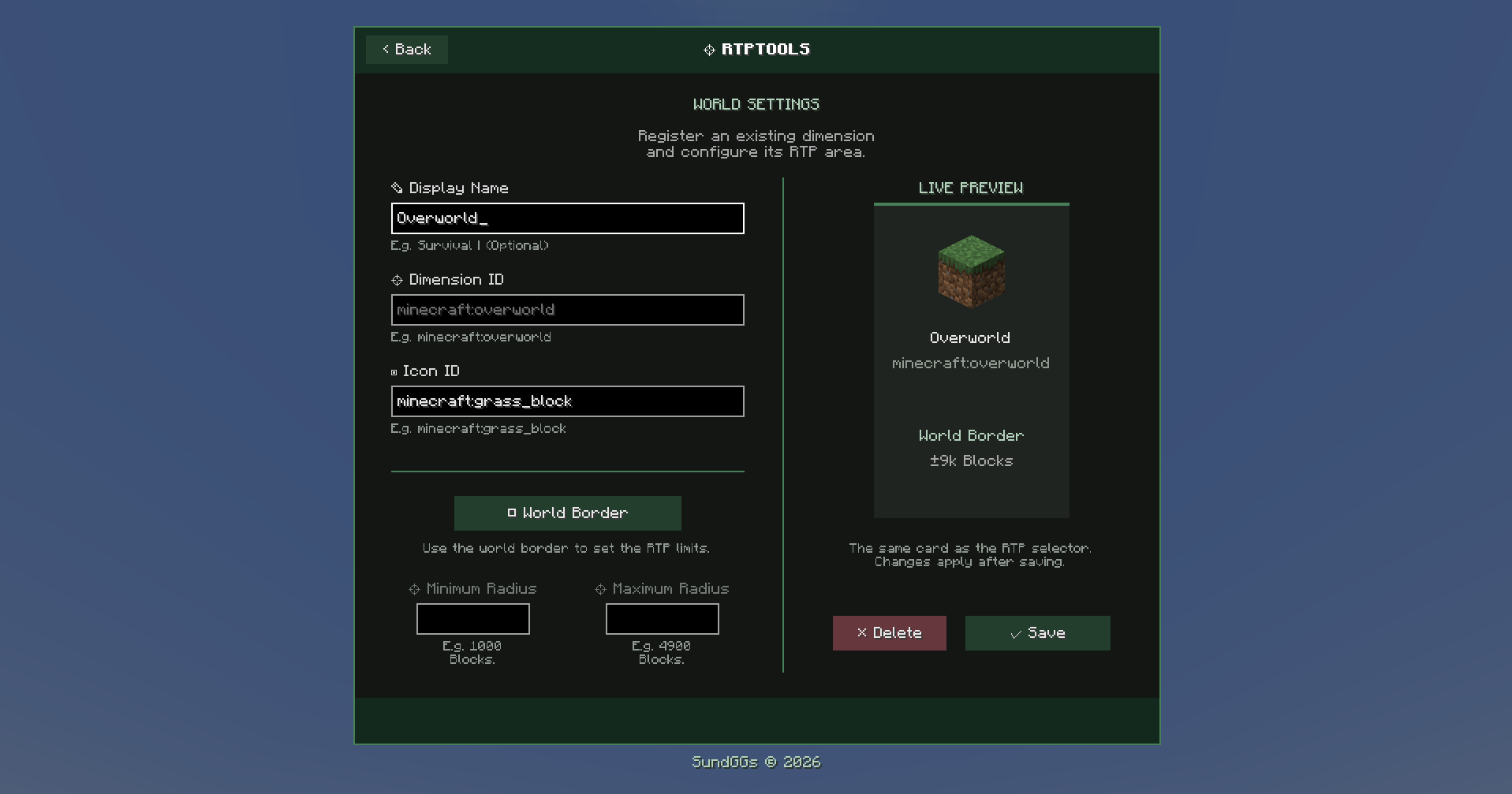
Administration Panel: Manage worlds, messages, cooldowns, and advanced search settings directly from a centralized GUI.

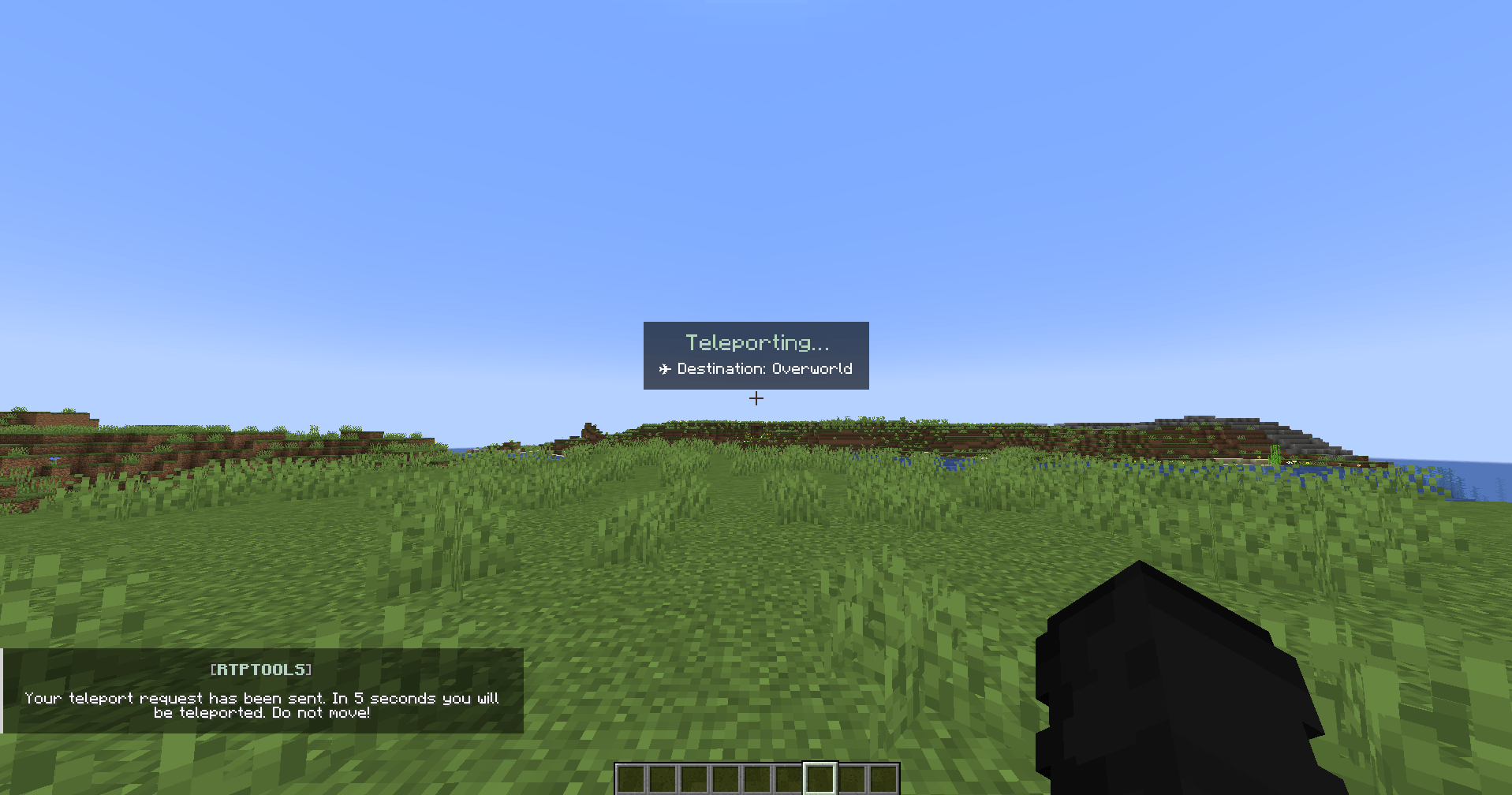
Random Teleport: Automatically searches for suitable destinations while checking terrain, collision, fluids, and world borders.

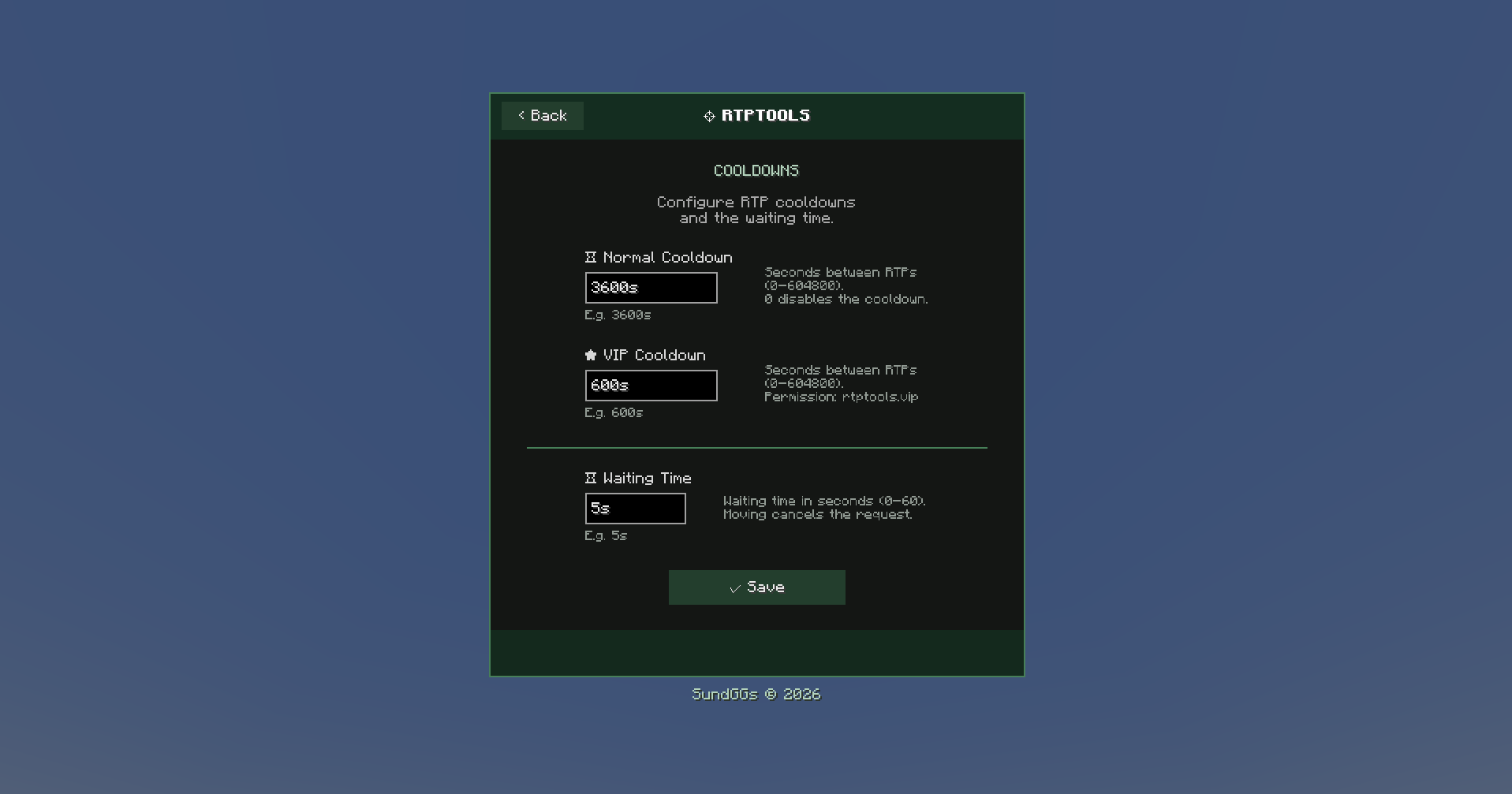
Cooldown Settings: Configure separate cooldowns for standard and VIP players, and a teleport countdown.
Failed or cancelled requests never apply a cooldown.

World Management: Register existing dimensions, customize their display names and icons, organize destination order, and configure teleportation boundaries using either the worlds border or custom minimum and maximum blocks radius.


Message Customization: Personalize server prefix messages with HEX color support, and teleport title durations.

🔧 OPTIONAL DEPENDENCIES
No required dependencies for core functionality. However, optional permission integrations are available for more advanced server configurations.
- LuckPerms (optional): Enables permission based access to RTP features, VIP cooldowns, and administrative controls on supported mod environments.
- Bukkit/LuckPerms Bridge (optional): Provides permission integration on compatible hybrid servers (Youer). Other hybrid servers compatibility depends on the server distribution and its permission bridge.
Without a compatible permission provider, RTPTOOLS uses its built-in permission defaults and Minecraft operator levels.
🌎 LANGUAGES
English is the default mod language. Spanish is fully supported through the es_es and es_mx language files, including the world selector, administrative panels, teleportation messages, notifications, and other in-game text. Each player selects their preferred language from the Minecraft client settings.
⌨️ COMMANDS
Players can access the world selector through /rtp, while authorized administrators can open the configuration panel or reload server settings using dedicated commands.

🔑 PERMISSIONS
RTPTOOLS supports LuckPerms for configuring player access, VIP benefits, cooldown bypasses, and administrative privileges.
By default, regular RTP access is available to everyone.
Permission nodes such as rtptools.vip allow players to receive shorter configured cooldowns, while rtptools.admin grants access to the configuration panel.
Operators automatically bypass RTP cooldowns, although the configured teleportation waiting time still applies for optimization purposes.
For a least-privilege setup, assign only the permissions required by each player or group.

📄 LICENSE
SundGGs © 2026
RTPTOOLS is proprietary software distributed under an All Rights Reserved license. The source code, documentation, and resources may not be copied, modified, redistributed, or used to create derivative works without prior written authorization.
常见问题
RTPTOOLS – Random Teleport 支持哪些 Minecraft 版本?
RTPTOOLS – Random Teleport 支持 Minecraft Java 版 1.21.1,可用的加载器:NeoForge。下载时注意选择和你游戏版本一致的文件。
RTPTOOLS – Random Teleport 怎么安装?
先用 PCL2 或 HMCL 启动器安装对应版本的 NeoForge,再把下载的 .jar 文件放进游戏目录的 mods 文件夹,重新启动游戏即可。开启了版本隔离的,mods 文件夹在 versions/版本名 下面。
SundGGs 的其他作品
查看全部 →
Adventurer Skills [Pufferfish’s Skills]
为 Pufferfish’s Skills 添加自定义的平衡版技能树。

Adventurer Skills [Pufferfish’s Skills]
为 Pufferfish’s Skills 添加自定义的平衡版技能树。

AVENTURA – The Adventure Experience
一款以冒险为核心、融合魔法、工业与地牢探索的整合包。

INVTOOLS – Inventory Rollback
为 Minecraft 服务器提供背包、饰品、背包扩展和备份管理功能。
评论
登录后评论和评分