Legacy More GUI Scales
A simple jar mod that adds 3 more GUI scale options to release 1.2.5.
介绍
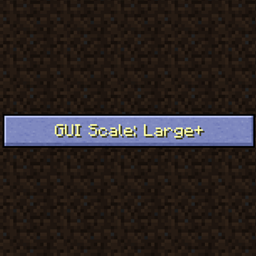
A simple jar mod that adds 3 more GUI scale options to release 1.2.5: Large+, Large++, and Large+++ before cycling back to Auto.
Good if you have a 2K or higher screen resolution, where I personally found Large just a bit too small and Auto was waaay too big.
Unfortunately it seems incompatible with Optifine from what I tested. Shouldn’t need Forge, but had to select a modloader to upload.
Installation:
Prism Launcher: Click “edit” on your instance, go to the “version” tab and hit the “Add to Minecraft.jar” button on the right. Then simply choose the mod’s jar file and you should be set!
Vanilla Launcher: Navigate to “%appdata%\.minecraft\versions\1.2.5” and open both the jar file inside and the mod’s jar file with a ZIP viewer. Next, delete the META-INF folder inside 1.2.5.jar and drag the contents of the mod into there.
常见问题
Legacy More GUI Scales 支持哪些 Minecraft 版本?
Legacy More GUI Scales 支持 Minecraft Java 版 1.2.5,可用的加载器:Forge。下载时注意选择和你游戏版本一致的文件。
Legacy More GUI Scales 怎么安装?
先用 PCL2 或 HMCL 启动器安装对应版本的 Forge,再把下载的 .jar 文件放进游戏目录的 mods 文件夹,重新启动游戏即可。开启了版本隔离的,mods 文件夹在 versions/版本名 下面。
评论
登录后评论和评分