IntelliSorter
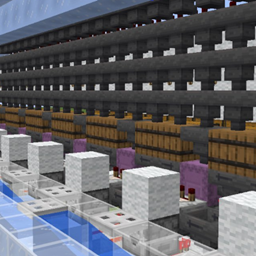
Automatically assigns items to categories, and sorts them into chest labeled with that category within an 8 block radius. Also allows for custom categories.
介绍
Smart Sort (Minecraft 26.3 / Fabric)
Version 1.2.0 | Minecraft 26.3 | Fabric Loader 0.19.5+ | Fabric API | Java 25
Smart Sort is a lightweight inventory management mod for Minecraft. It lets you instantly transfer items from your inventory into nearby categorized chests with a single keypress or button click.
FEATURES
– One-Click Sorting: Scans containers within an 8-block radius and transfers your unlocked items into whichever nearby container is tagged with the matching category.
– In-Game Chest Tagging: A dropdown appears beside any chest, barrel, or other container’s GUI, letting you assign it a category right from the screen. The list is scrollable and alphabetized, and includes a (None) option to clear the label.
– Category Tooltips: Hover over any item to see which category it belongs to (items in Misc don’t show one).
– Category Management: Open the Category Management screen from Mod Menu (Mods > Smart Sort > Configure). There you can view all categories, add your own, delete ones you don’t need, or reset everything to defaults.
– Custom Item Sorting: Every item starts in a default category based on what it is, but categories are fully customizable. Click a category to open a two-column view: the left column shows items already in that category, the right shows uncategorized (Misc) items. Click an item in either column to move it to the other. Both columns are searchable by name or item id. Press Save to keep your changes.
– Split Wood: Optionally replace the single Wood category with one category per wood type (Oak, Spruce, Birch, Jungle, Acacia, Dark Oak, Mangrove, Cherry, Pale Oak, Bamboo, Crimson, Warped).
– Hotbar Toggle: Hotbar slots are never sorted by default. Turn on Sort Hotbar in the Category Management screen to include them.
– Dimension-Aware: Chests in the Overworld, Nether, and End are tracked separately, so two chests that happen to share the same coordinates in different dimensions never mix up their labels.
– Auto-Cleanup: Breaking a labeled chest (including either half of a double chest) removes its label.
– Slot Locking: Hold the Lock Slot key and left-click any main inventory or hotbar slot to lock/unlock it. Locked slots show a padlock icon and are never touched by sorting.
– Broad Storage Compatibility: Works with vanilla chests and barrels, plus most modded storage blocks, since it uses Fabric’s standard item-transfer API rather than requiring per-mod support.
CONTROLS AND KEYBINDS
All keybinds appear under the Smart Sort category in Minecraft’s Controls screen.
R (rebindable): Sort your inventory into nearby tagged chests. Works while no screen is open.
Arrows button: Top-right of the player inventory screen. Does the same thing as R, for mouse users.
Backtick (rebindable “Lock Slot”) + Left Click: Lock/unlock the hovered inventory slot.
Mod Menu > Smart Sort > Configure: Open the Category Management screen.
SETTINGS AND CONFIG FILES
Settings are stored per client in the game’s config folder, so they carry across worlds and servers:
smartsort_categories.json: Your active category list (including added/deleted categories and the Split Wood choice).
smartsort_custom_rules.json: Per-item category overrides from the two-column editor.
smartsort_locks.json: Locked inventory slots.
smartsort_settings.json: Sort Hotbar toggle.
Chest labels are the exception: they are saved in the world itself and synced to players when they join.
DEFAULT CATEGORIES
Spawn Eggs, Technical, Create, Nether, Cobblestone, Andesite, Diorite, Granite, Grass, Sand, Gravel, Deepslate, Copper, Coral, Amethyst, Glass, Decoration, Rare, Books, Alchemy, Food, Armor, Weapons, Tools, Farming, Raw Materials, Utility, Redstone, Ores, Stone, Stone Brick, Blocks, Wood, Misc
Items that don’t match a category fall back to Misc, and so do items whose category you’ve deleted. Misc can’t be deleted. You can always move Misc items into a real category yourself using the Category Management screen. Only Misc items can be moved into a category, so an item never ends up claimed by two categories.
INSTALLATION
Requires Fabric Loader and Fabric API. Mod Menu is optional but recommended, since it’s how you open the Category Management screen.
Singleplayer / LAN: Drop the .jar into your mods folder. That’s it.
Dedicated Server / Multiplayer: Install on both the server and every client (the mod adds keybinds and syncs chest labels over the network, so both sides need it).
常见问题
IntelliSorter 支持哪些 Minecraft 版本?
IntelliSorter 支持 Minecraft Java 版 1.21.1–26.3,共 2 个版本,可用的加载器:Fabric / NeoForge。下载时注意选择和你游戏版本一致的文件。
IntelliSorter 怎么安装?
先用 PCL2 或 HMCL 启动器安装对应版本的 Fabric / NeoForge,再把下载的 .jar 文件放进游戏目录的 mods 文件夹,重新启动游戏即可。开启了版本隔离的,mods 文件夹在 versions/版本名 下面。
评论
登录后评论和评分