
Vorbis Sound Player (VSP)
Client‑side custom OGG Vorbis streaming audio player with channels, fades, looping with metadata loop-tags support, and other features.
截图
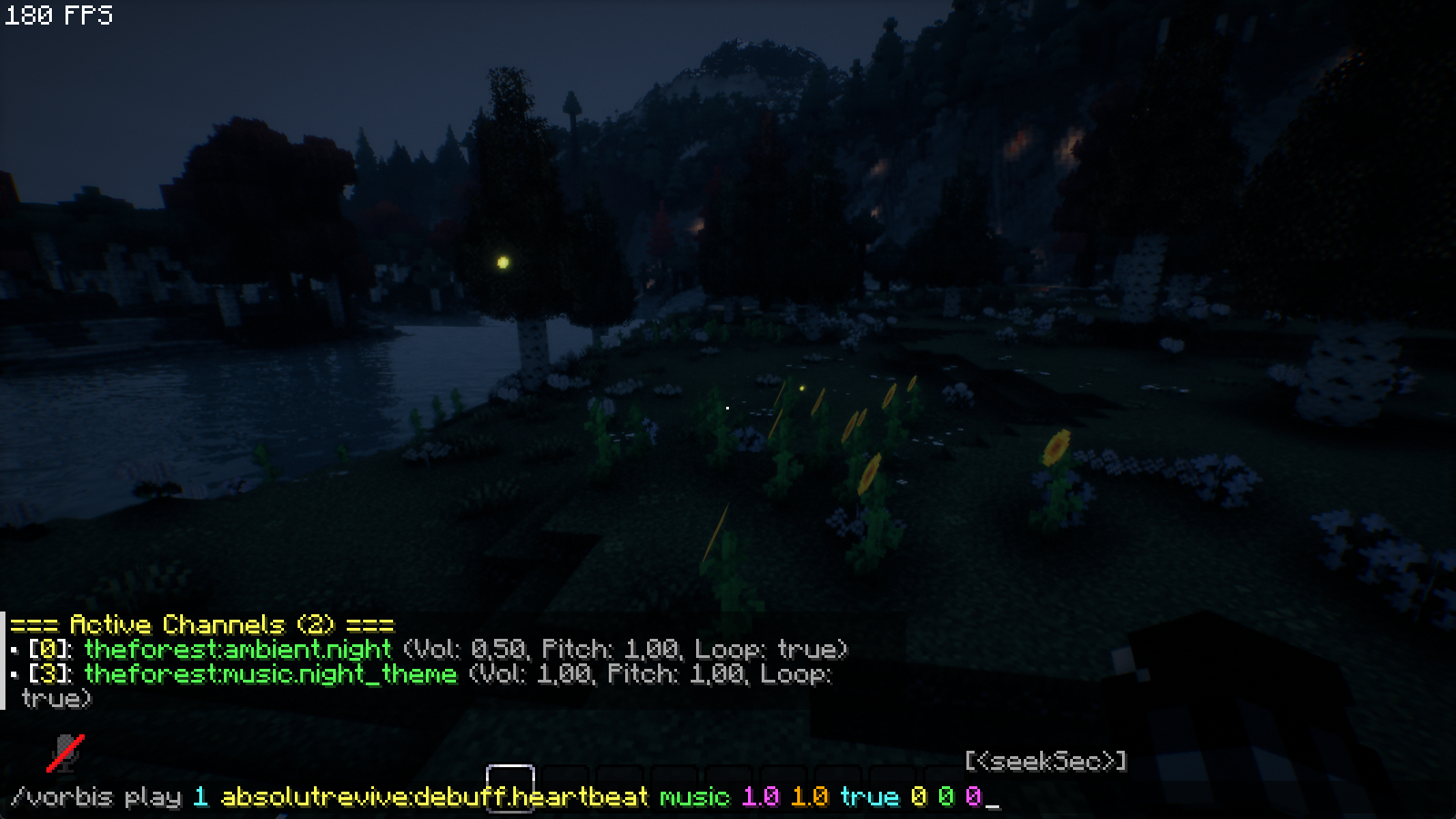
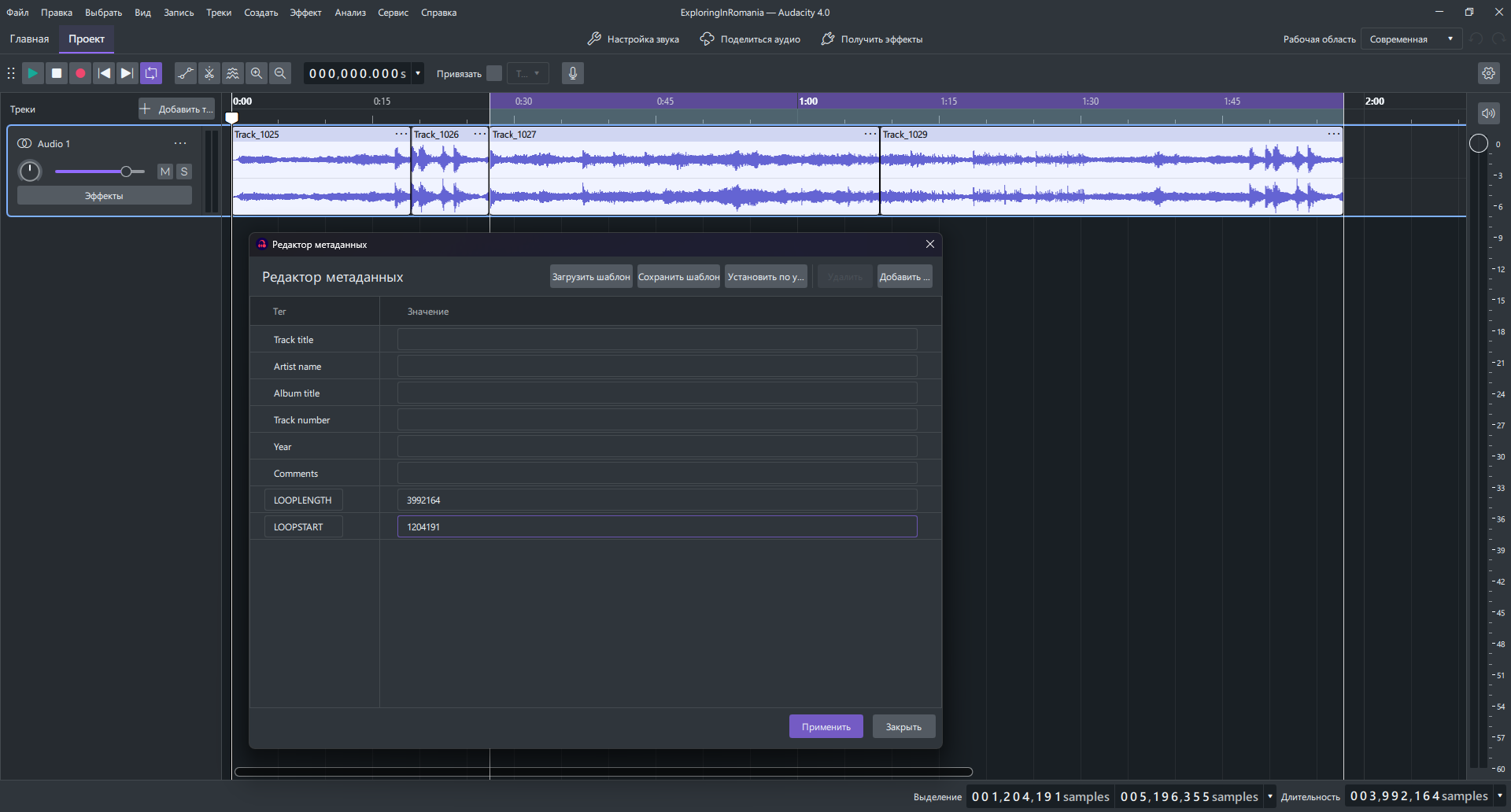
介绍
Implementation of a streaming audio handler in OGG format, separate from the limited vanilla sound engine, to support seamless loops via the LOOPSTART and LOOPLENGTH tags in the file metadata.
Contains the vanilla functionality of the playsound command (except for coordinates in space) and additional arguments and commands for audio control.
Initially, I created this mod for my own map/mode, but it might also help someone else create maps and so on.
List of commands:
/vorbis play <channel> <sound> [<category>] [<valume>] [<pitch>] [<loop>] [<fadeInSec>] [<fadeOutSec>] [<seekSec>]
- <channel> — the name of the channel in which the sound is played;
- <sound> — the sound ID in the game (like a regular playsound), you can find it in the sounds.json file of mods and resource packs;
- [<category>] — the sound category from the game settings;
- …I’m lazy…
- [<loop>] — enables/disables looping for the sound (if metadata with LOOPSTART and LOOPLENGTH tags is present, the sound will loop only within the area defined by these tags);
- …Mmmm, yeah…
- [<seekSec>] — starts playing the sound from the specified time.
/vorbis stop [<channel>] [<fadeOutSec>]
/vorbis pause/resume <channel>
/vorbis valume/pitch <channel> <value> [<fadeSec>]
/vorbis seek <channel> <seconds> [<crossFadeSec>]
/vorbis loop <channel> <loop> [<force>] [<crossFadeSec>]
- [<force>] — forcibly rewind the track to the beginning/end of the loop.
/vorbis fade <channel> <fadeInSec> <fadeOutSec>
/vorbis info [<channel>]
Note:
The commands only work for clients/players (command blocks and server scripts don’t support them)! You must use KubeJS or another script mod and write data exchange between the server and client scripts to pass data for the command that the client will execute.
常见问题
Vorbis Sound Player (VSP) 支持哪些 Minecraft 版本?
Vorbis Sound Player (VSP) 支持 Minecraft Java 版 1.20.1,可用的加载器:Fabric / Forge。下载时注意选择和你游戏版本一致的文件。
Vorbis Sound Player (VSP) 怎么安装?
先用 PCL2 或 HMCL 启动器安装对应版本的 Fabric / Forge,再把下载的 .jar 文件放进游戏目录的 mods 文件夹,重新启动游戏即可。开启了版本隔离的,mods 文件夹在 versions/版本名 下面。
评论
登录后评论和评分