
The Protocol ( Follow the Book)
This 's a Mod Where You Have to Follow Certain Rules that Changes Every 30 Sseconds and you can enable the challenge by doing /start , /stop
截图
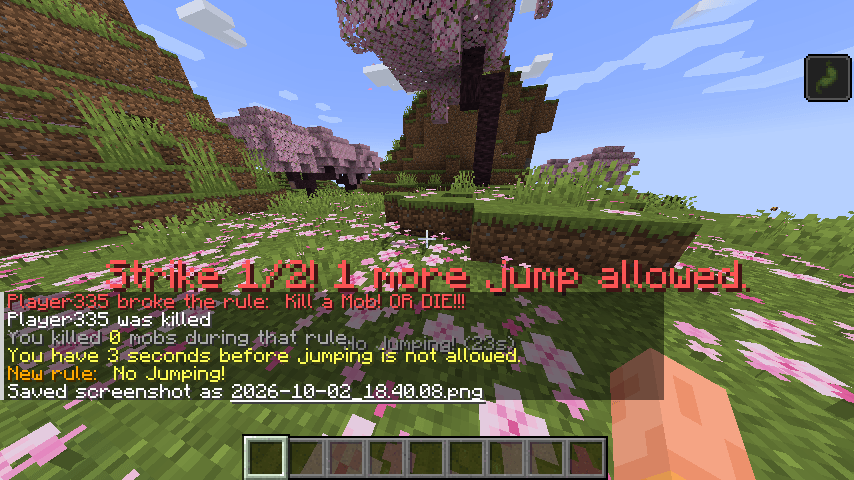
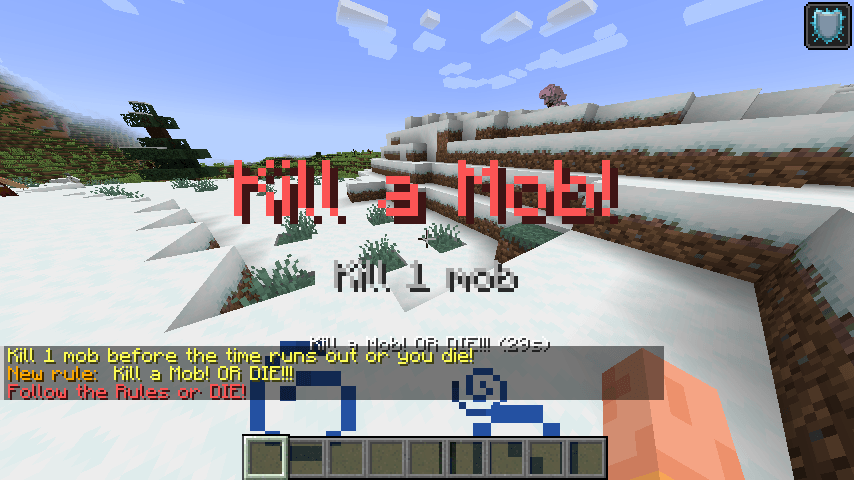
介绍
_ The Protocol
This Mod is all about following the Rules to Live — You follow the rules and You Live.
You Break it and You Die. Follow the Protocol No Matter What.
_ The Start
You can start the challenge by typing the command /start in the chat.
_ The Rules
Once the challenge starts, a random rule is chosen and lasts for 30 seconds. When the time is up, a new random rule takes its place (never the same one twice in a row).
The current rule and the time left are shown on your screen.
| Rule | What you must do |
|---|---|
| No Sprinting! | Don’t sprint. Walk only. |
| No Jumping! | Keep your feet on the ground. |
| No Breaking! | Don’t break blocks. Blocks that break instantly, like grass and flowers, are allowed. |
| Don’t Move Your Head! | Keep your camera still. No looking around. |
| Kill a Mob! | Kill a mob before the time runs out, or you die. |
_ The Strikes
You don’t die right away. You get a few chances:
- Grace Period: The first 3 seconds of a rule are a warning only. Nothing happens to you.
- Strikes: After that, every time you break the rule, you get a strike, a warning on your screen, and a short penalty such as Slowness, Nausea, or Mining Fatigue, depending on the rule.
- Death: You get 2 free strikes. The 3rd time you break the rule, you die.
- Kill a Mob: This rule is different. There are no strikes. If you haven’t killed a mob when the time runs out, you die.
When a rule ends, you’ll see how many times you broke it.
_ The End
You can stop the challenge by typing the command /stop in the chat.
_ Requirements
- Minecraft 1.21.1
- Fabric Loader
- A Minecraft launcher such as Modrinth, CurseForge, or any other launcher
常见问题
The Protocol ( Follow the Book) 支持哪些 Minecraft 版本?
The Protocol ( Follow the Book) 支持 Minecraft Java 版 1.21.1,可用的加载器:Fabric。下载时注意选择和你游戏版本一致的文件。
The Protocol ( Follow the Book) 怎么安装?
先用 PCL2 或 HMCL 启动器安装对应版本的 Fabric,再把下载的 .jar 文件放进游戏目录的 mods 文件夹,重新启动游戏即可。开启了版本隔离的,mods 文件夹在 versions/版本名 下面。
WaelCoder 的其他作品
查看全部 →
Wael ‘s Randomized all
This Mod makes everything Randomized From Block Drops to Recipes to armor slots and chunks

UseFul Explosive
This is My First Minecraft Mod its made to add more Useful Explosive Items to Minecraft while maintining its vanilla based taste.
评论
登录后评论和评分