WebLib
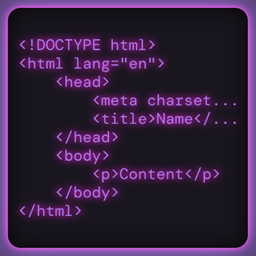
lets you write Minecraft GUI screens using HTML, CSS, and a lightweight JavaScript bridge that calls back into your Java mod code.
介绍
WebLib — HTML/CSS/JS GUIs for Minecraft NeoForge 1.21
WebLib (web_lib) is a lightweight library mod that lets mod developers build fully-featured Minecraft GUI screens using standard HTML and CSS, with a simple JavaScript-to-Java callback bridge — all rendered natively via Minecraft’s own GuiGraphics, with zero external browser dependencies.
Stop wrestling with Minecraft’s widget system. Write your mod’s menus the way web developers write interfaces.
Features
- HTML rendering — Supports a rich set of elements:
div,p,h1–h6,span,button,input,select,img,ul/ol/li,pre,hr,code, and more. - Full CSS engine — Cascade, inheritance, specificity, and a broad property set including:
- Box model (
margin,padding,border,width,height) - Flexbox (
flex-direction,justify-content,align-items,flex-wrap,gap) - Colors (
#RGB,#RRGGBB,#RRGGBBAA,rgb(),rgba(), named colors) - Text styling, overflow, z-index, relative positioning, and more
- Selectors: type, class, ID, attribute, pseudo-classes (
:hover,:active,:focus,:nth-child,:not, etc.), and all combinators
- Box model (
- JavaScript bridge — Fire Java callbacks directly from HTML
onclick/onchangeevents. Pass arguments, access and mutate the DOM from Java. - Built-in JS functions —
alert(),navigate(),reload(),setStyle(),setInnerText(),toggleClass(),setVar(),console.log()— no registration needed. - Multi-page navigation — Build multi-screen UIs with back ◀ / forward ▶ / reload ↺ browser chrome, or go headless.
- External CSS & JS files — Reference stylesheet and script files from your mod’s assets using the standard
namespace:pathResourceLocation convention. - Resource-based pages — Load HTML pages directly from your mod’s resource pack with
WebLibApi.openPageFromResource(...). - Advanced
WebPageAPI — Build, inject CSS, mutate, and layout pages programmatically before opening them.
For Mod Developers
Adding WebLib to your mod is a single dependency declaration:
[[dependencies.yourmod]]
    modId = "web_lib"
    type = "required"
    versionRange = "[1.0,)"
    ordering = "AFTER"
    side = "CLIENT"
Then open any screen with a single call:
WebLibApi.openPage("<html><body><h1>Hello, Minecraft!</h1></body></html>");Register Java functions that HTML can call:
WebLibApi.registerFunction("myMod.openShop", (args, ctx) -> {
    Minecraft.getInstance().tell(() -> Minecraft.getInstance().setScreen(new MyShopScreen()));
    return null;
});
Requirements
- Minecraft: 1.21
- Mod Loader: NeoForge
- Side: Client-only
- License: Apache 2.0





Source Code
Available on GitHub under the Apache 2.0 License. Contributions welcome!

常见问题
WebLib 支持哪些 Minecraft 版本?
WebLib 支持 Minecraft Java 版 1.21,可用的加载器:NeoForge。下载时注意选择和你游戏版本一致的文件。
WebLib 怎么安装?
先用 PCL2 或 HMCL 启动器安装对应版本的 NeoForge,再把下载的 .jar 文件放进游戏目录的 mods 文件夹,重新启动游戏即可。开启了版本隔离的,mods 文件夹在 versions/版本名 下面。
JammingDino 的其他作品
查看全部 →
Acclaimed Origins
这个起源附属模组为游戏新增了 8 种起源:哥布林、老鼠、火裔、绝境者、侍从、逐浪者、夜舞者和黑曜石傀儡。

Remove Base Origins
Remove Base Origins 顾名思义,会移除 Origins 模组添加到游戏中的所有起源。

Enchanted Origins
为每种附魔添加一个起源,需要安装 Origins 模组。
Enchanted Origins
该模组为每个附魔添加一个起源,需要 Origins 模组。
评论
登录后评论和评分