
World Camera
What if you could put an entire piece of your Minecraft world inside a glass cube?
介绍
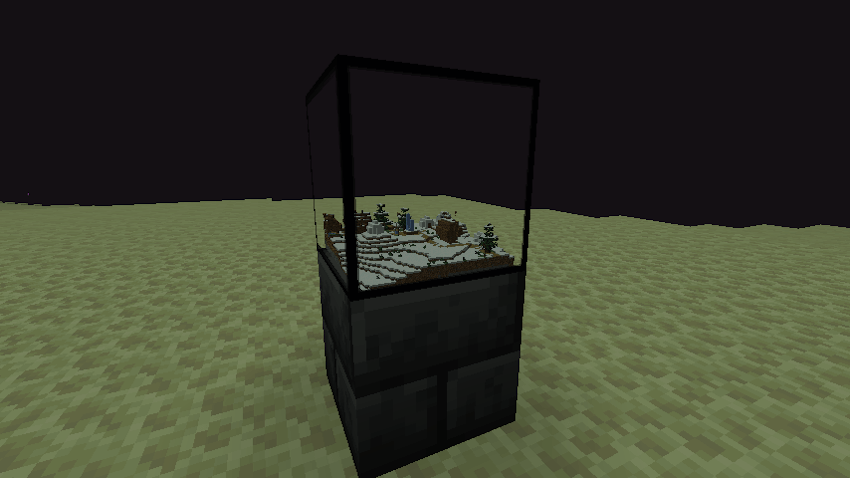
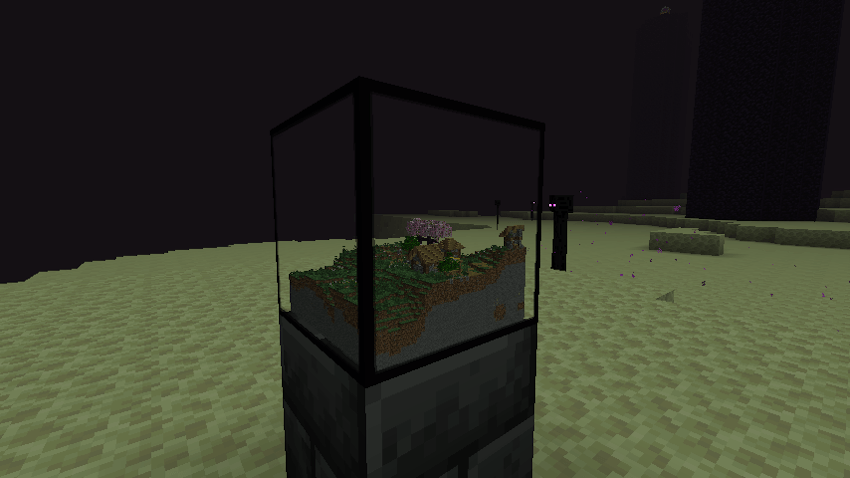
World Camera lets you capture a section of the world and turn it into a miniature 3D diorama. Place a Camera, right-click to open its GUI, choose your capture location, and take a snapshot. Villages, farms, oceans, lava pools, castles, and more are reconstructed as tiny, block-for-block replicas inside a glass cube.
This isn’t a flat map or a screenshot — it’s a real 3D miniature, complete with the original block shapes, orientations, and blockstates. Stairs remain stairs, roofs remain roofs, and even waterlogged blocks retain their details. Capture your favorite build, display a distant village, or start collecting miniature versions of the places you’ve explored.
Small world. Big details.
World Camera is designed to preserve the details that make Minecraft’s worlds unique. Captures retain their original blockstates, while animated textures keep moving inside the miniature. Leaves sway, flames flicker, and other animated details continue to bring your captured world to life. Press Refresh whenever you want to replace the existing snapshot with an updated copy of the source area.
Capture a place. Keep a little piece of it. Build a collection of miniature worlds, showcase your favorite creations, or bring a distant corner of your Minecraft world right to your doorstep.
常见问题
World Camera 支持哪些 Minecraft 版本?
World Camera 支持 Minecraft Java 版 1.21.1,可用的加载器:NeoForge。下载时注意选择和你游戏版本一致的文件。
World Camera 怎么安装?
先用 PCL2 或 HMCL 启动器安装对应版本的 NeoForge,再把下载的 .jar 文件放进游戏目录的 mods 文件夹,重新启动游戏即可。开启了版本隔离的,mods 文件夹在 versions/版本名 下面。
Hardmuscle 的其他作品
查看全部 →
Magic Mushrooms
A chaotic fun mod that lets you craft magical mushrooms to shrink down to microscopic proportions, tower over the world as a giant, or chug an antidote to restore normal size.
My Rotten Flesh
My Rotten Flesh lets you convert Rotten Flesh to Bone in a Furnace, Smoker, or Blast Furnace, use Rotten Flesh in a Composter (30% Chance), and use it as a Low Level Fuel.
Villagers Have Names
Bring your Minecraft world to life! Villagers Have Names gives your villagers distinct identities by automatically assigning them randomly selected, colored names when they enter the world.
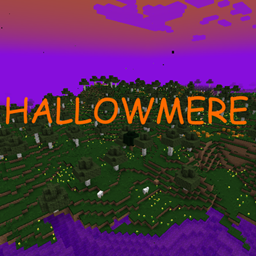
Hallowmere
Hallowmere is a spooky new dimension filled with the eerie atmosphere of Halloween!
评论
登录后评论和评分