
Cardboard Villager Cutouts 📦
Life-size cardboard villager cutouts: cops, firefighters, doctors & more, printed on an animated printer.
截图
介绍
Cardboard Cutouts
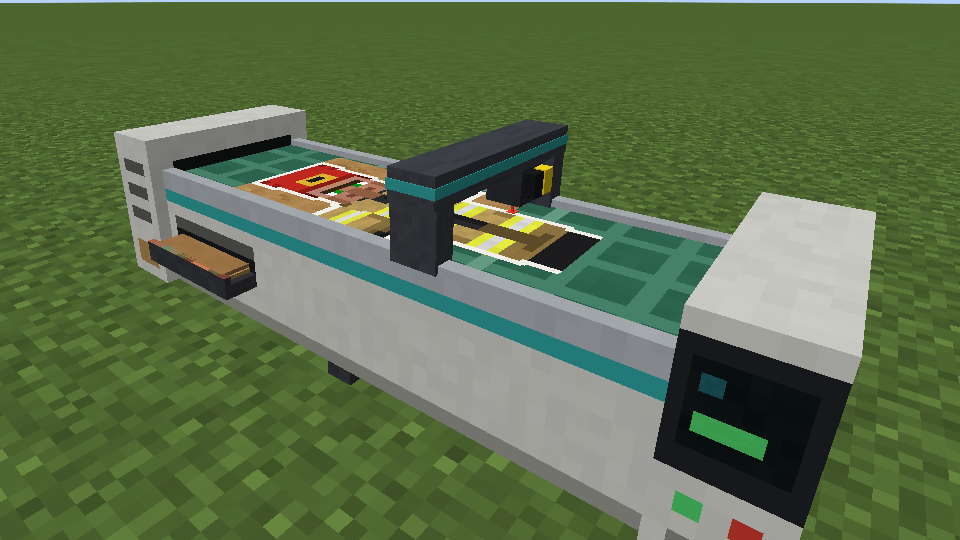
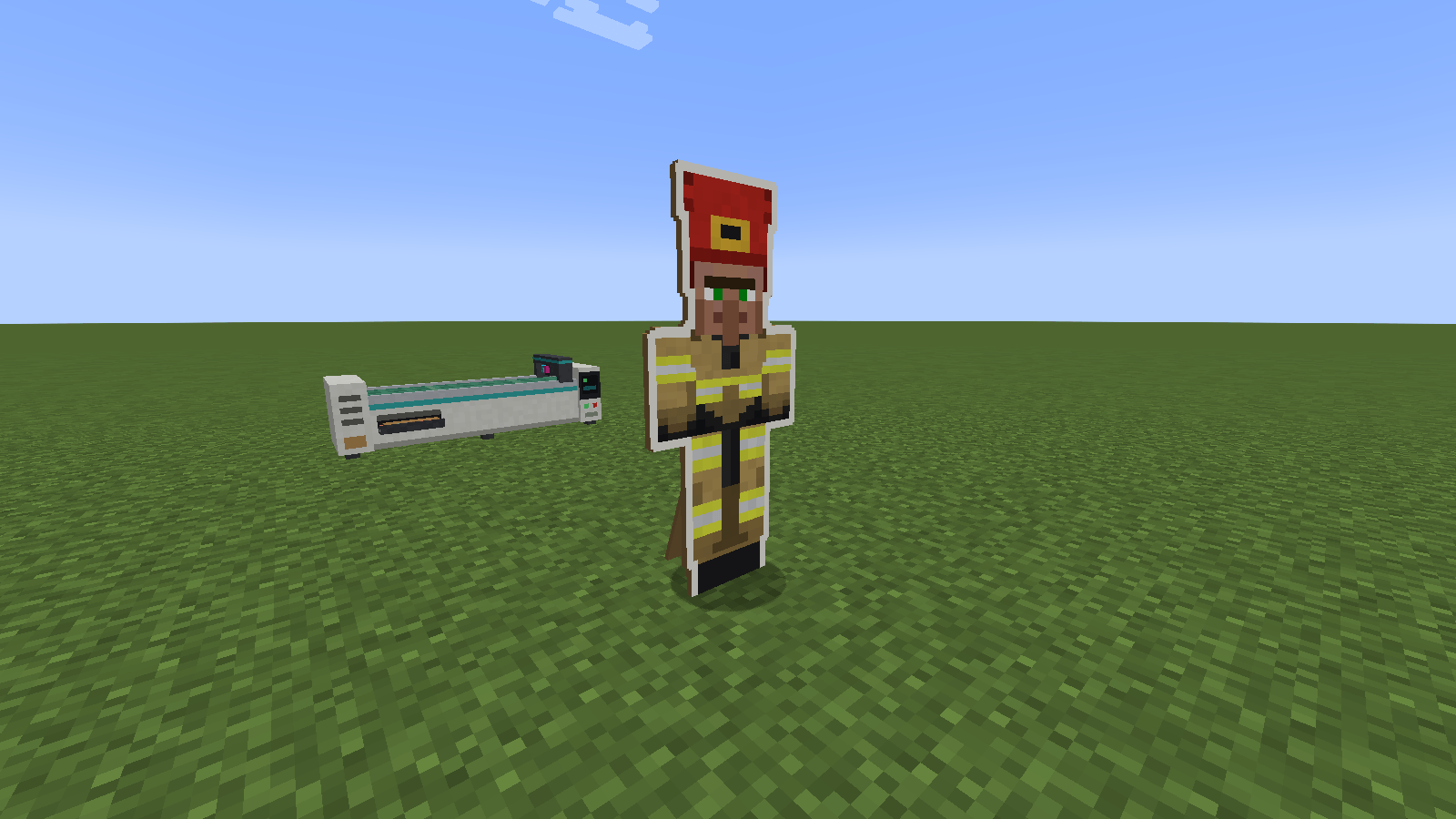
Life-size cardboard cutouts of villagers, printed on a working printer.
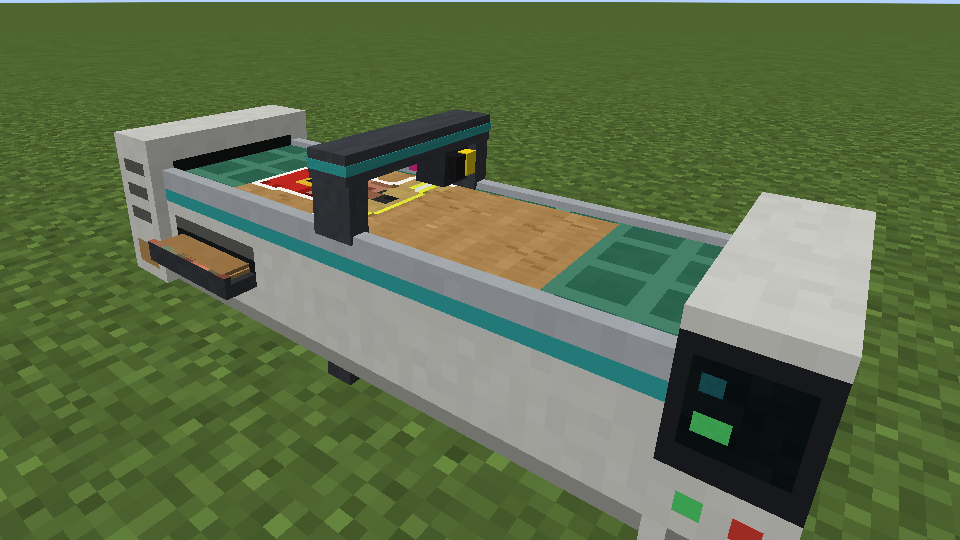
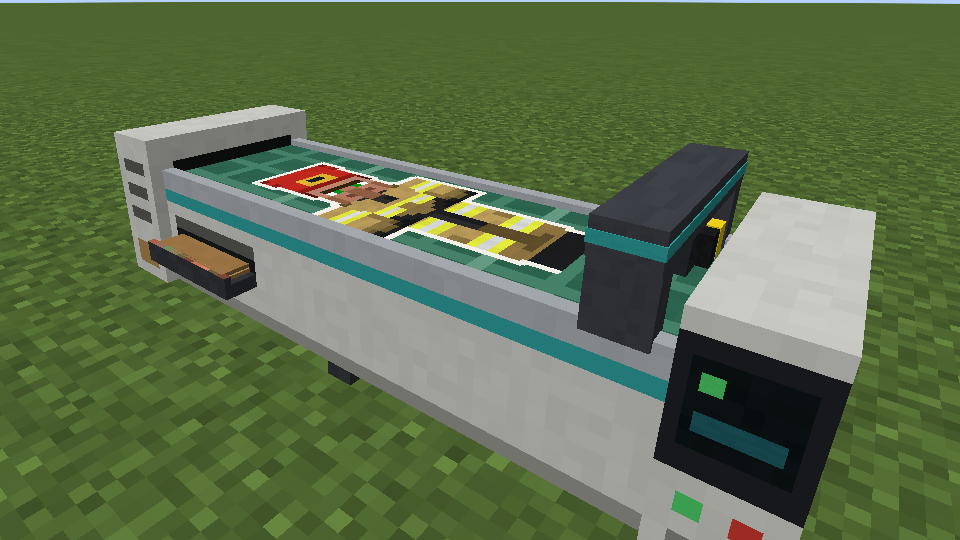
Build a three-block Cutout Printer, load it with cardboard sheets, pick who you want and press Print. A sheet slides out onto the cutting mat, the gantry sweeps along it with the print head zig-zagging across, and the picture appears line by line. Then a laser traces round the figure and cuts away the spare cardboard, leaving a full-size villager standee ready to set up anywhere.
Features
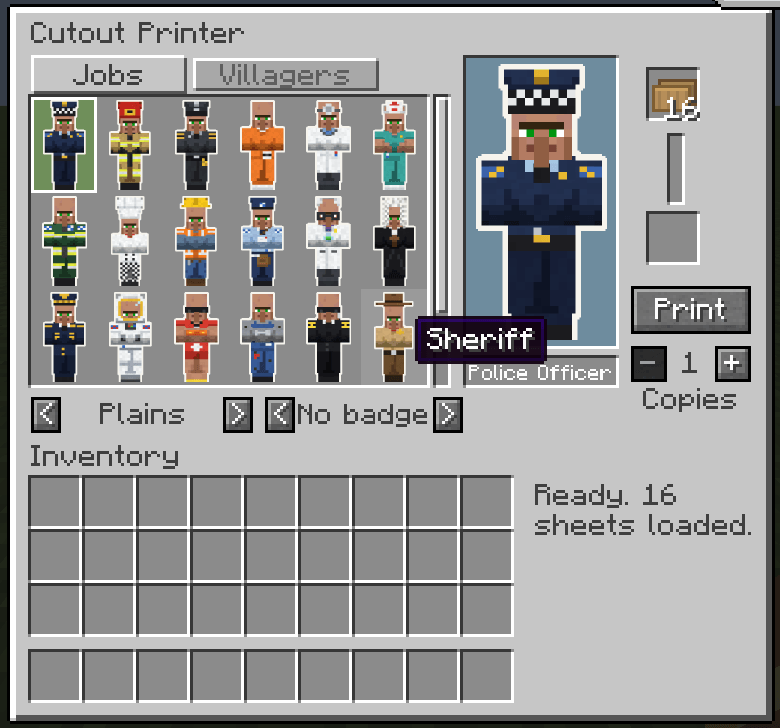
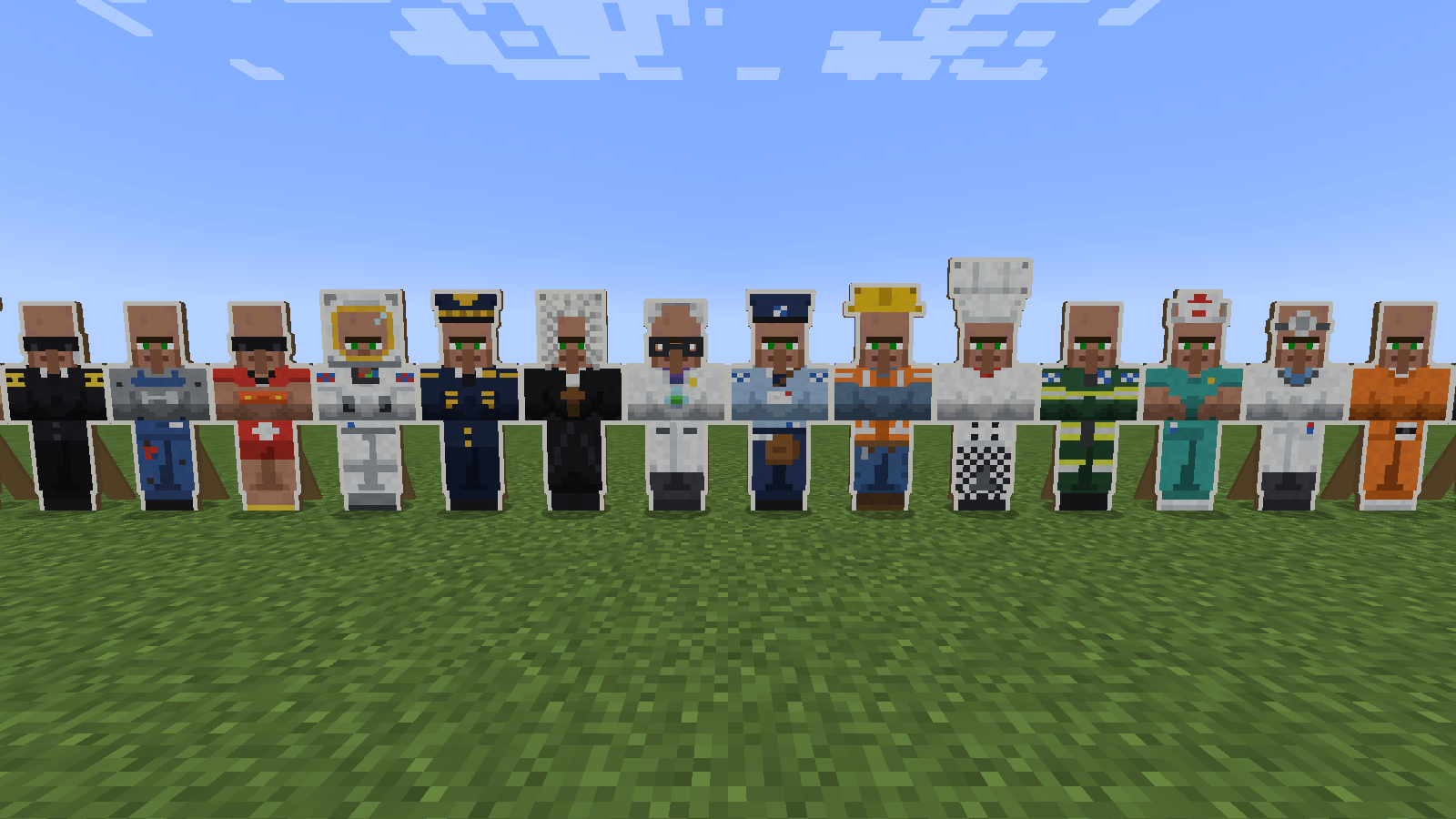
- 20 job outfits in vanilla villager style: Police Officer, Firefighter, Prison Guard, Prisoner, Doctor, Nurse, Paramedic, Chef, Construction Worker, Mail Carrier, Scientist, Judge, Pilot, Astronaut, Lifeguard, Mechanic, Security Guard, Sheriff, Detective and Royal Guard.
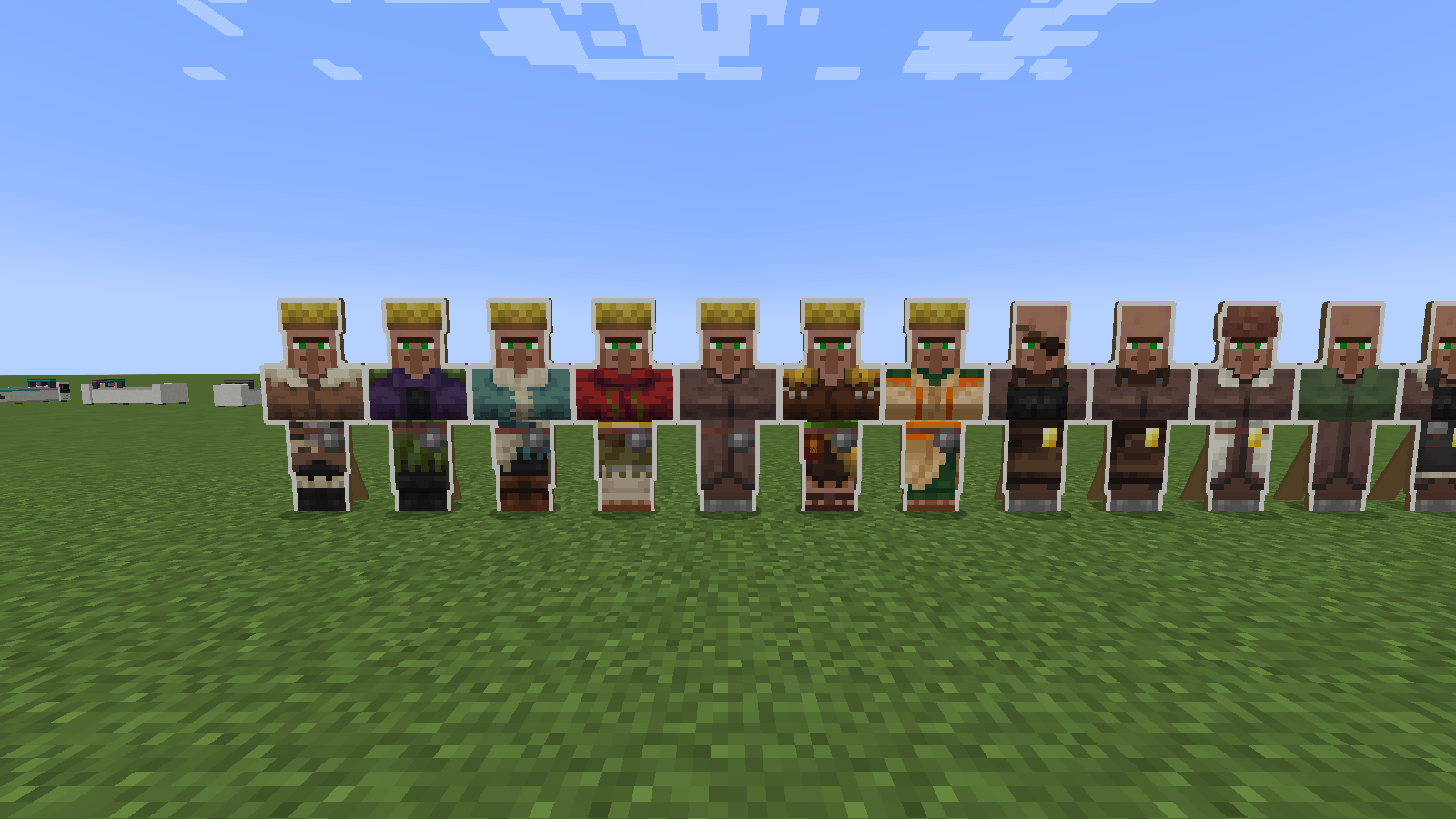
- Every villager profession as well, including professions added by other mods.
- Every biome style (Plains, Desert, Jungle, Savanna, Snowy, Swamp, Taiga and modded ones), plus an optional Stone to Diamond badge on the belt.
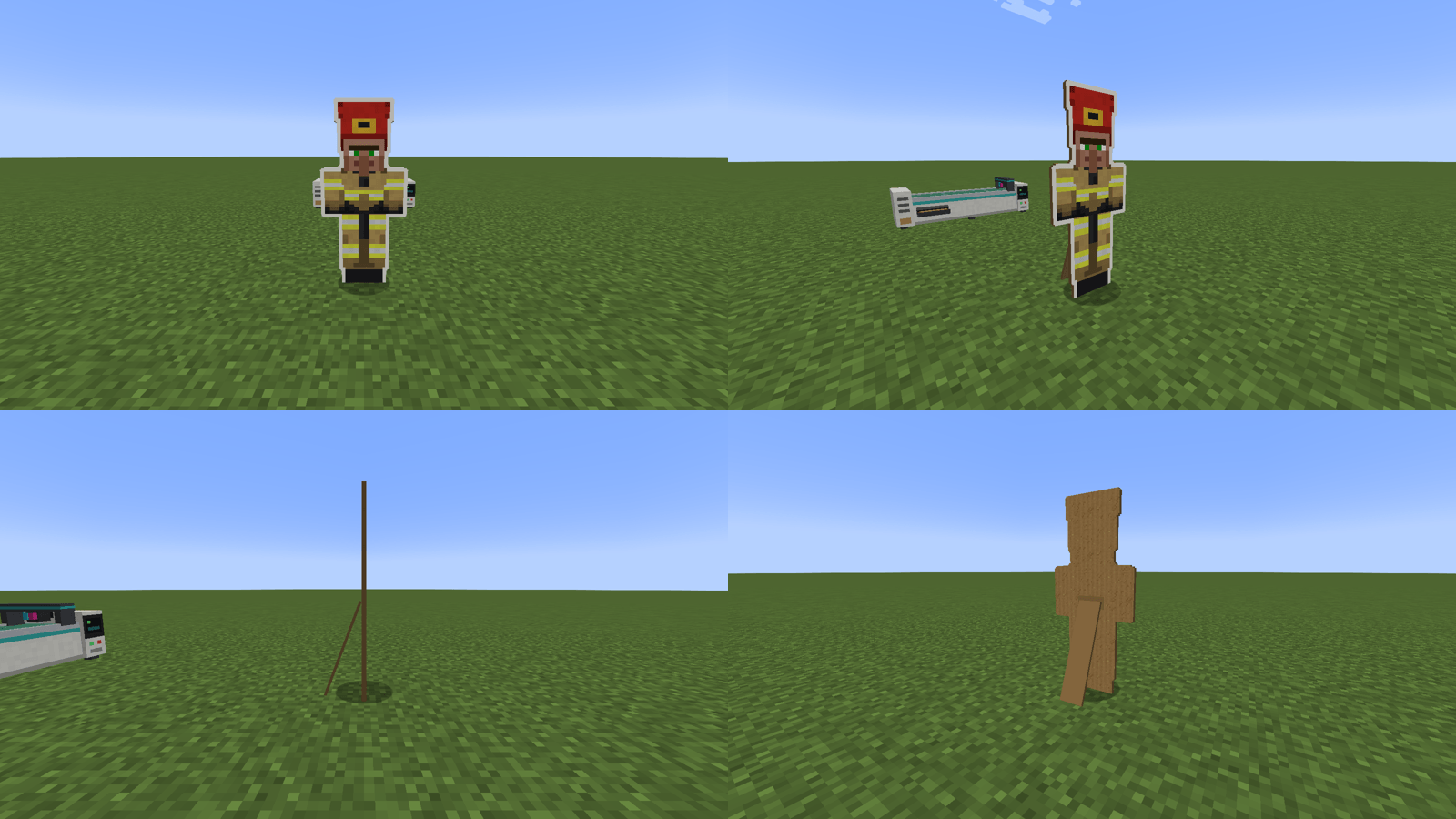
- Life-size and true to vanilla. A cutout is exactly a villager’s size, printed straight on from the game’s own villager textures, with a white border like a real shop standee. Turn it round and it’s plain cardboard with a fold-out stand.
- Resource packs carry over. Cutouts are printed from whatever villager textures are loaded, so a villager resource pack changes your cutouts too.
- A printer worth watching: feed, print, laser cut, progress screen and status lamp, all animated, with sound.
- Batch printing: queue up to 64 copies. Hoppers and pipes can feed it sheets and take the cutouts out, and a comparator reads how many sheets are left.
Getting started
| Item | Recipe |
|---|---|
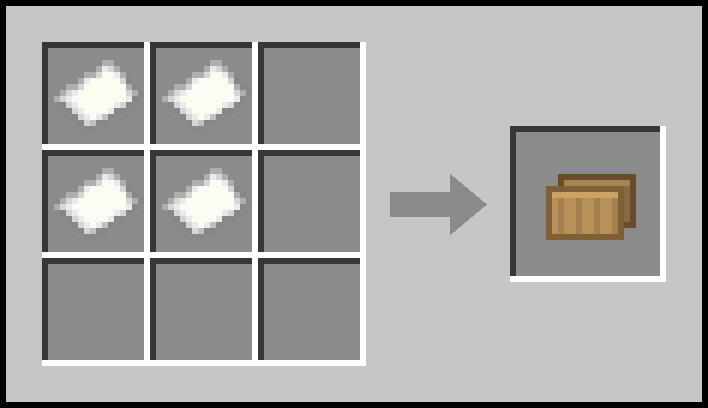
| Cardboard Sheet | 4 paper in a square |
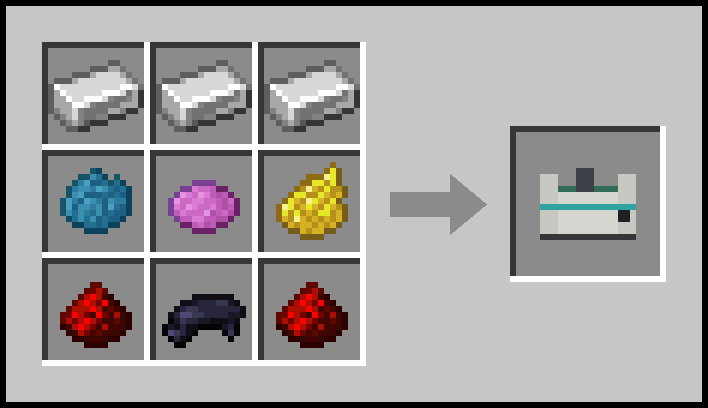
| Cutout Printer | 3 iron ingots across the top; cyan, magenta and yellow dye across the middle; redstone, black dye, redstone across the bottom |
Everything is also in the Cardboard Cutouts creative tab, including a ready-printed cutout of every job and profession.
The Cutout Printer
The printer is 3 blocks wide and 1 deep and faces you when you place it, so it needs a free block on each side. Mine it with a pickaxe; it drops itself and whatever is inside.
Right-click it to open the menu:
- Jobs and Villagers tabs, each showing a live preview of every outfit. Click one to choose it.
- Biome and Badge pickers.
- A large preview of the cutout you’ll get.
- A slot for cardboard sheets, and below it the output slot where finished cutouts appear.
- Copies (hold Shift to change by 10) and Print. While copies are queued the button becomes Stop, which finishes the current sheet and then stops.
Each cutout takes about 11 seconds. The finished one lies on the bed until you take it out of the slot.
Cutouts
- Place one on the ground and it stands up facing you, snapping to 16 directions like a sign. Place it on the side of a block and it stands with its back to that block.
- Right-click with an empty hand to turn it; sneak and right-click to turn it back.
- Hit it twice quickly to knock it down and get the item back (once in creative), just like an armour stand.
- Name tags work on them.
- They’re cardboard: fire and lava burn them up, and explosions knock them over.
- Cutouts of the same style stack up to 16.
Compatibility
- Minecraft 1.21.1 with NeoForge 21.1. No other dependencies.
- Install it on both the server and every client.
- Tested with Sodium and Iris.
- Job outfits are ordinary textures (
assets/cardboardcutouts/textures/entity/job/<job>.png) that resource packs can repaint. The left half is laid out exactly like a vanilla villager profession texture.
FAQ
Do the cutouts do anything?
They’re decorations: they stand where you put them and don’t walk around. Great for police stations, fire stations, prisons, hospitals, shops, or just giving your friends a fright.
Can I use this in a modpack?
Yes. The mod is MIT licensed.
常见问题
Cardboard Villager Cutouts 📦 支持哪些 Minecraft 版本?
Cardboard Villager Cutouts 📦 支持 Minecraft Java 版 1.21.1,可用的加载器:NeoForge。下载时注意选择和你游戏版本一致的文件。
Cardboard Villager Cutouts 📦 怎么安装?
先用 PCL2 或 HMCL 启动器安装对应版本的 NeoForge,再把下载的 .jar 文件放进游戏目录的 mods 文件夹,重新启动游戏即可。开启了版本隔离的,mods 文件夹在 versions/版本名 下面。
FunkyMonkey95 的其他作品
查看全部 →
Pool Table 🎱
一张完整尺寸的 3×5 台球桌,采用真实的球体物理效果和酒吧 8 球规则。在球体视角下瞄准,拉杆击球,再切换到球桌视角观看球局。布面可染色,还配有球杆架和练习模式。

Darts – Multiplayer, Customisable and Fun 🎯
A real 3D dartboard for one or two players. Play 501, 301, Cricket, Around the Clock, High Score, Shanghai or Free Throw, pick your flights, barrel and shaft, fight the sway, and let the chalkboards keep score. Plus displays to show your darts off.
Realtime 3D Chess, Multiplayer or bots and customisable ♟️
A chess table with real 3D pieces. Play a friend or a bot (five levels), point at a piece to see its moves, and pick from seven boards and seven chess sets, including marble, gold, sci-fi and fantasy.
Dancing Villagers – Boogie Time 🕺💃
Villagers that dance. Place one, right-click it and pick from 38 dances, then set its biome type, job, badge, size and speed - and hand it a microphone for the singing ones.
评论
登录后评论和评分