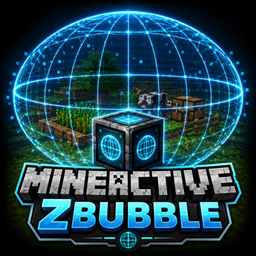
MineActiveZbubble
A block that displays a 3D holographic bubble representing an active area with a configurable ellipsoid shape. Perfect for visually defining farms and AFK zones in your Minecraft world.
介绍
MineActiveZbubble
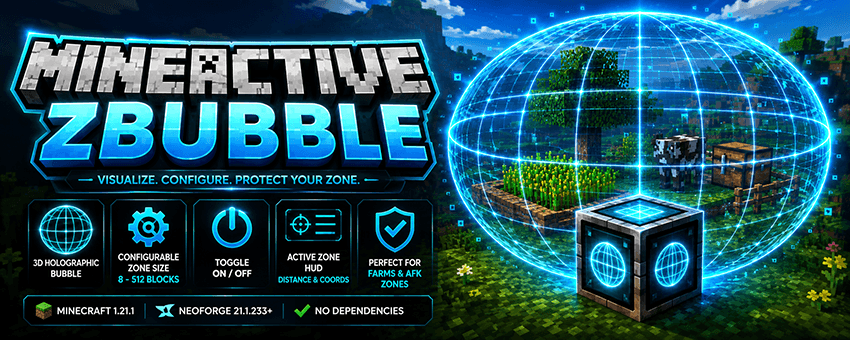
Minecraft 1.21.1 · NeoForge 21.1.233 No Dependencies (NeoForge Only)
Short Description
A block that displays a 3D holographic bubble representing an active area with a configurable ellipsoid shape. Perfect for visually defining farms and AFK zones in your Minecraft world.
Features
- 3D holographic bubble — A wireframe ellipsoid centered on the block and visible to all players.
- Configurable zone size — Set the total X / Y / Z dimensions from 8 to 512 blocks. Default: 64×64×64.
- Per-block ON/OFF toggle — Disable the bubble without breaking the block.
- Active Zone HUD — When entering an active bubble, the HUD displays
ACTIVE ZONE, along with the distance to the center and relative coordinates (X / Y / Z). - Enter/leave notifications — Receive a notification when entering or leaving the active zone.
- Persistent configuration — Dimensions and enabled state are saved using NBT, survive world restarts, and synchronize with all connected clients.
- Dedicated Creative Mode tab containing the block.
How to Use
- Get the block — Craft it or use the command:
- Crafting: 8 Glass + 1 Ender Pearl.
- Command (OP Level 2):
/mineactivezbubble give - Alias:
/mineactivezbubble block
- Place the block wherever you want the active zone to be.
- Right-click the block to open the configuration GUI:
- X / Y / Z fields: Set the total dimensions of the ellipsoid. Default: 64. Minimum: 8. Maximum: 512.
- Example: A value of 64 means a radius of 32 blocks in each direction.
- Bubble ON/OFF button: Enables or disables the bubble rendering and active zone.
- Save button: Applies the settings and synchronizes them with all players.
- Default button: Restores 64×64×64 with the bubble enabled.
- Done! The holographic bubble will appear in the world, and when players enter it, the HUD will guide them toward its center.
Commands
| Command | Permission | Description |
|---|---|---|
/mineactivezbubble give |
OP Level 2 | Gives you the Zbubble Block. Alias: /mineactivezbubble block |
Recipe
G G G
G E G
G G G

G = Glass
E = Ender Pearl
→ 1 × Zbubble Block
Requirements
- Minecraft: 1.21.1
- Mod Loader: NeoForge 21.1.233 or later
- Dependencies: None — standalone mod
常见问题
MineActiveZbubble 支持哪些 Minecraft 版本?
MineActiveZbubble 支持 Minecraft Java 版 1.21.1,可用的加载器:NeoForge。下载时注意选择和你游戏版本一致的文件。
MineActiveZbubble 怎么安装?
先用 PCL2 或 HMCL 启动器安装对应版本的 NeoForge,再把下载的 .jar 文件放进游戏目录的 mods 文件夹,重新启动游戏即可。开启了版本隔离的,mods 文件夹在 versions/版本名 下面。
SoyDeLaRosaPlay 的其他作品
查看全部 →
MineAutoCrafter
使用 AutoCrafter 模组在你的 Minecraft 世界中释放自动合成!这个模组将备受期待的 1.21 风格合成器方块带到你的 Forge 1.20.1 游戏中,实现高效紧凑的物品生产。

Auto Feeder
The Auto Feeder is a block that automatically feeds and breeds animals. Just insert food, and it handles everything for you.

MineParacaidas
A functional parachute with stamina, talents, and achievements. Deploy it mid-air to turn deadly falls into controlled glides, upgrade your gear with talent points, and hunt 7 achievements.
MineVault
mod adds connected chests that share a common name. They spawn naturally once a day and once a night, containing random loot, only on the surface, in both new and previously explored areas. Each chest does not disappear after being opened or picked up.
评论
登录后评论和评分