
VisualEdit
A survival-friendly editing brush with 3D flame particles grid, inventory scanning, and 200 block limits for NeoForge 1.21.
截图
介绍
# 🌟 Visual Edit (Survival-Friendly Editing Brush)
**Visual Edit** is a lightweight, high-tech building utility mod for Minecraft 1.21+ built on **NeoForge**. It brings the massive comfort of professional world-editing tools directly into vanilla survival gameplay, balancing powerful creation magic with fair survival mechanics.
No more complex commands—just pure visual creation!
—
## 🔮 Core Features & Mechanics
### 1. The Holographic 3D Flame Grid
* Grab your custom **Editing Brush** in your main hand.
* **Left-Click** any block to set **Point A**.
* **Right-Click** another block to set **Point B**.
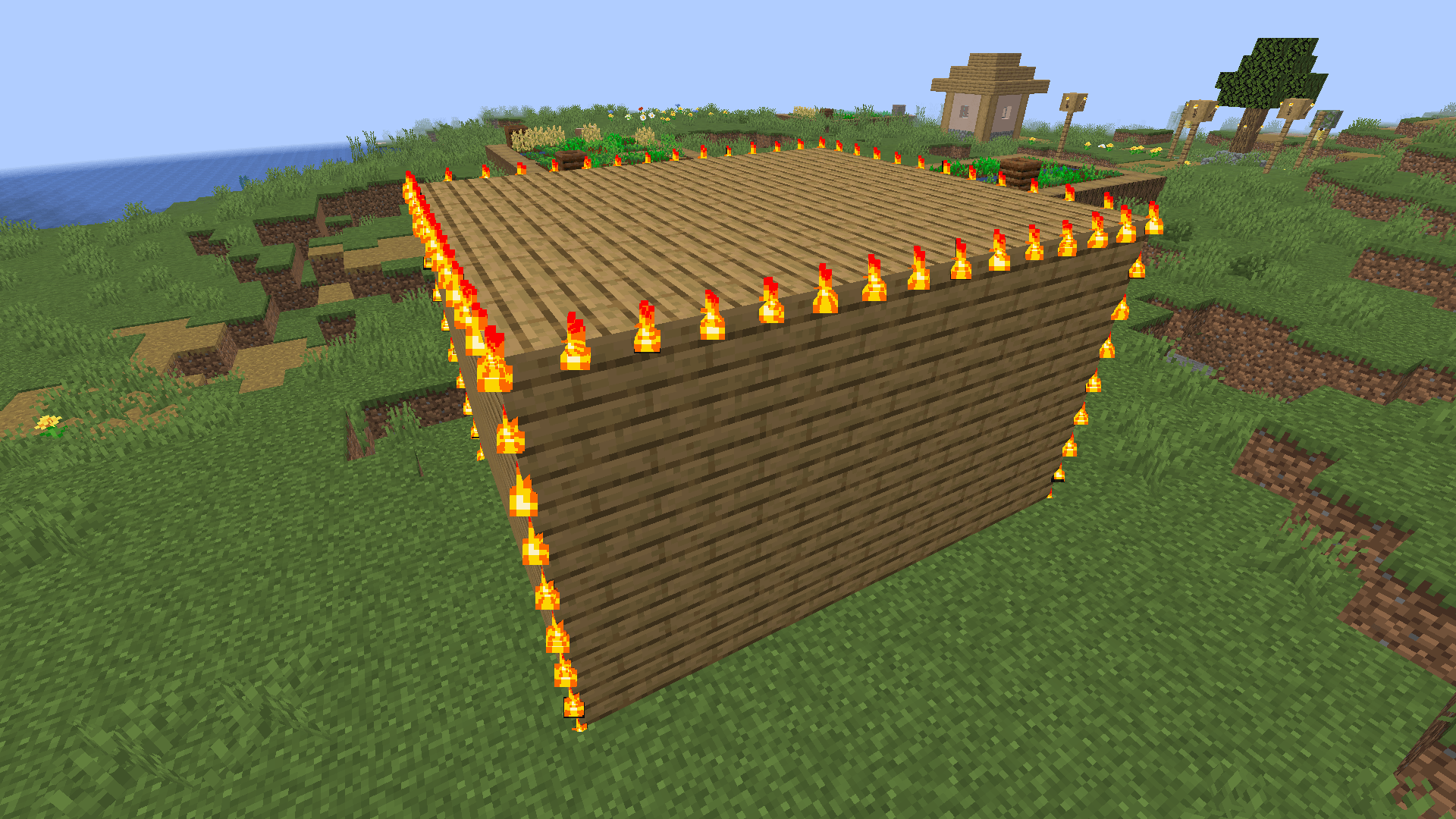
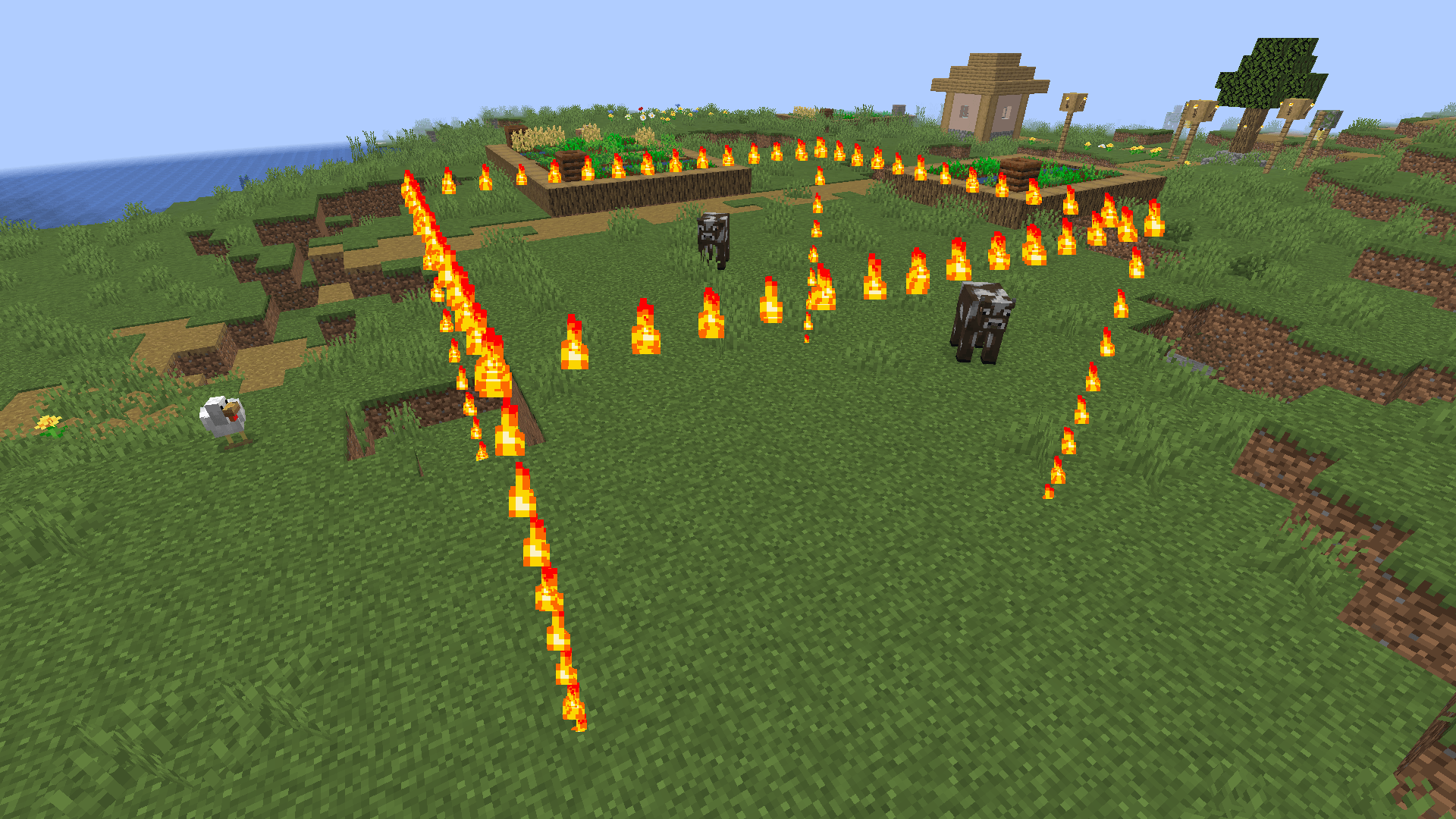
* Watch a stunning, bright **3D parallellepiped grid of flame particles** ignite instantly in the air, perfectly mapping out your selected building zone!
* The particles automatically turn off when you switch to another item, keeping your screen clean.
### 2. Smart Structural Building (Shift + Right-Click)
* Put **one sample block** (e.g., Diamond Block, Oak Planks) into your **off-hand slot** (shield slot).
* Sneak (**Hold Shift**) and **Right-Click** with your Brush in the air or on any block.
* The entire highlighted 3D flame zone will instantly fill with that block!
### 3. Smart Eraser / Clearing Areas
* Leave your **off-hand completely empty**.
* Sneak (**Hold Shift**) and **Right-Click** with your Brush.
* The Brush acts as a powerful laser eraser, instantly filling the highlighted zone with **Air**.
—
## ⚖️ Survival Mode Balance & Restrictions
Unlike classic creative cheats, Visual Edit is strictly optimized for fair survival gameplay:
* 📏 **Building Limit:** You can place or clear up to **200 blocks** per single click.
* 🍗 **Hunger System:** Every placed or cleared block costs **0.1 hunger points** (half an item of food scales per 10 blocks). You cannot build if you are starving!
* 📦 **Inventory Scan:** The mod scans your entire inventory. Blocks are honestly consumed from your inventory slots during construction.
* 🛑 **Bedrock Protection:** You cannot break **Bedrock** or **Reinforced Deepslate** in survival mode. The magic blocks itself and prints an error, preventing world-breaking exploits.
—
—
## 🌍 Native Multilingual Support
The mod features professional automatic localization and changes text according to your in-game language settings. Currently supported languages:
* 🇷🇺 **Russian**
* 🇺🇸 **English** (Universal global support)
* 🇩🇪 **German**
* 🇪🇸 **Spanish**
*Created entirely with MCreator. Enjoy instant, visual architecture without breaking the vanilla survival spirit!*
常见问题
VisualEdit 支持哪些 Minecraft 版本?
VisualEdit 支持 Minecraft Java 版 1.21.8,可用的加载器:NeoForge。下载时注意选择和你游戏版本一致的文件。
VisualEdit 怎么安装?
先用 PCL2 或 HMCL 启动器安装对应版本的 NeoForge,再把下载的 .jar 文件放进游戏目录的 mods 文件夹,重新启动游戏即可。开启了版本隔离的,mods 文件夹在 versions/版本名 下面。
评论
登录后评论和评分