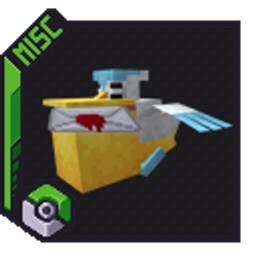
Pelipper Post
Send letters and items through craftable, customizable mailboxes, delivered by a real Pelipper! A Pokémon-inspired mail system for Cobblemon 1.7.3.
介绍
Pelipper Post
Bring Pokémon-style mail delivery to your Cobblemon world!
Pelipper Post adds personal, craftable mailboxes where players can send letters and item packages to each other—with a real Pelipper flying in to deliver them.
Craft your own mailbox
Craft a mailbox using 3 apricorns, 5 wood planks, and 1 iron ingot
Your ingredients determine its appearance:
– **Apricorns** choose the mailbox color: black, blue, green, pink, red, white, or yellow.
– **Planks** choose the wood texture of its post and base.
– Supports all 11 vanilla wood types, plus compatible modded planks.
Use matching apricorn colors and matching wood types in each recipe. Breaking and replacing your mailbox preserves its appearance!
Send mail with a right-click
1. Place your own mailbox to register your delivery address.
2. Hold a written book, book and quill, or item stack in your main hand.
3. Right-click your mailbox and choose a recipient.
4. Click Send to confirm!
Letters retain their book contents, and packages send the entire held stack. Closing or cancelling the menu keeps your items.
Right-click your mailbox empty-handed to collect a delivery.
Delivered by Pelipper
Place your mailbox outdoors with clear sky above it. When a recipient is online and within **48 blocks** of their loaded mailbox, Pelipper flies in, delivers their mail, and departs!
– Send to offline players with registered mailboxes.
– Mail waits until the recipient’s delivery conditions are met.
– Full inventories leave uncollected items safely in the mailbox.
– Breaking a mailbox preserves its mail.
– Delivery Pelipper cannot be caught or battled.
Each player has one active mailbox address. Placing a new mailbox moves that address.
Commands
text
/pelippermail letter <player> <message>
/pelippermail parcel <player> <message>
/pelippermail status
The parcel command sends your entire main-hand stack. The letter command creates a readable written book.
Server configuration
Right-click sending is enabled by default. Change it in `config/pelipperpost.json`:
`json
{
“rightClickSending”: true
}
“`
Set it to `false` to disable right-click sending. Operators can apply changes with `/pelippermail reload`, or restart the server.
Sending has a 5-second cooldown, and each inbox holds up to 100 deliveries.
Requirements
– Minecraft Java 1.21.1
– Fabric Loader 0.17.2 or newer
– Fabric API 0.116.6+1.21.1 or newer
– Cobblemon 1.7.3+1.21.1
– Java 21
Install on both the server and every player’s client.
Pokémon transfers are not supported
常见问题
Pelipper Post 支持哪些 Minecraft 版本?
Pelipper Post 支持 Minecraft Java 版 1.21.11,可用的加载器:Fabric。下载时注意选择和你游戏版本一致的文件。
Pelipper Post 怎么安装?
先用 PCL2 或 HMCL 启动器安装对应版本的 Fabric,再把下载的 .jar 文件放进游戏目录的 mods 文件夹,重新启动游戏即可。开启了版本隔离的,mods 文件夹在 versions/版本名 下面。
SUISLVT 的其他作品
查看全部 →
StarBytes
A causal, Vanilla+ focused modpack with a built in, public, SMP!

Cottagecore GUI + Music Pack
This resourcepack makes the Minecraft logo, menu, and GUI/HUD overlays cuter and pink!

CobbleBytes
A dynamic adventure for anyone looking to hardcore farm or catch Pokemon!

Bloomstone Isles Official Modpack
The official modpack for the Bloomstone Isles! IP: cozymonisles.shockbyte.app
评论
登录后评论和评分