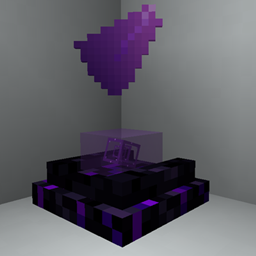
Mirage Projector
Bring holograms to your builds: project images, GIFs, items, banners, creatures and players with customizable upgradeable projectors
截图
介绍
Mirage Projector
Want holograms in your Minecraft builds?
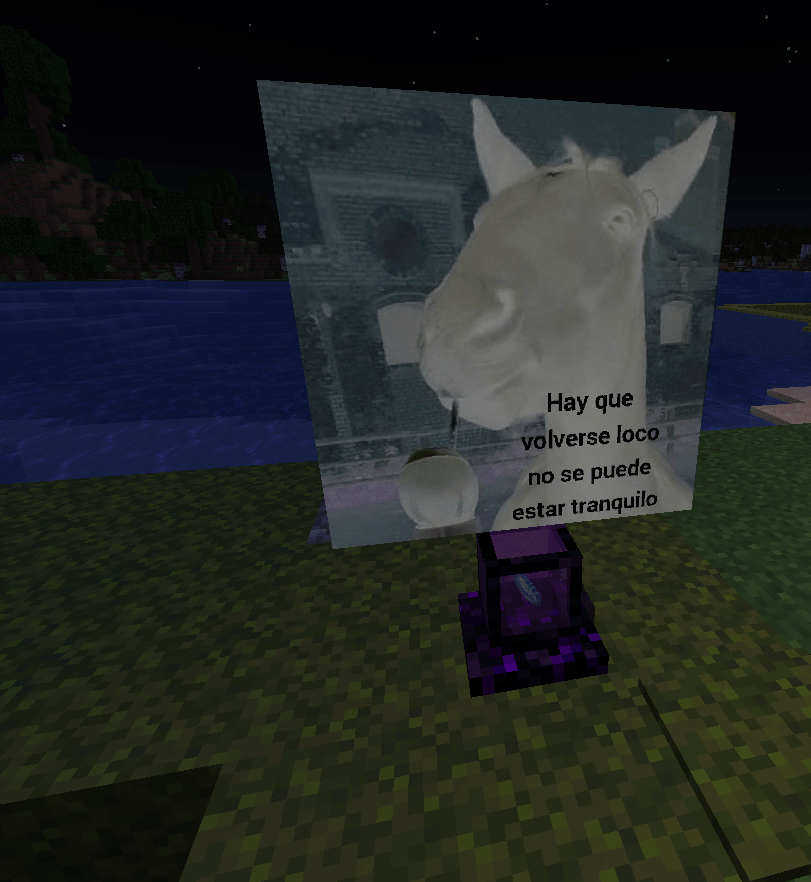
Mirage Projector lets you turn images, GIFs, items, banners, creatures and players into customizable projections.
Build animated displays, floating exhibits, signs, creature showcases, giant screens or holograms integrated directly into your builds. Start small, customize the projection to fit the space, and upgrade your projector when you want something bigger or more specialized.
Project almost anything
A projector can display:
- Images
- Animated GIFs
- Items
- Banners
- Creatures
- Players
Projections can be resized, repositioned, rotated and visually adjusted to fit everything from a tiny desk display to a massive build.
For creature and player projections, craft an Empty Scan Template with Paper in the center and 8 Iron Nuggets around it.
Sneak-right-click the creature or player you want to capture, then place the completed scan inside a projector.
Different projectors for different builds
Mirage Projector includes six projector designs with different shapes and presentation styles.
Start with the compact Mirage Projector and upgrade your setup into displays made for wider images, taller images, multiple directions or much larger projection areas.
Upgrading a projector keeps its existing setup, so expanding a finished build does not mean starting over.
Power your projections
Projectors use Projection Cores.
Different compatible materials provide different amounts of power. More demanding projections need stronger cores, while Core Boosters can push a setup even further.
The idea is simple: if you want a larger or more demanding hologram, give the projector more power.
Crying Obsidian has a purpose now
Mirage Projector also expands Crying Obsidian with shards, growing crystal buds and clusters.
Place a lava source above Crying Obsidian and crystals can gradually grow underneath it.
Harvest them with Silk Touch to keep the crystal, or break them normally to obtain Crying Obsidian Shards.
These materials are used throughout the mod and can also create the purple Mirage Light system, including special interactions with Beacons and Core Boosters.
Built for actual worlds
Mirage Projector includes:
- Six upgradeable projector designs
- Images and animated GIF support
- Item and banner projections
- Creature and player scans
- Custom projection size and positioning
- Rotation, opacity, tint and visual controls
- Projection Cores and Core Boosters
- Renewable Crying Obsidian crystal growth
- Mirage Light
- Multiplayer image synchronization
- Optional EMI integration
- Optional JEI integration
- English, Spanish and Chilean Spanish
EMI and JEI are fully optional, but both can be used to explore the mod’s recipes. EMI also includes a visual guide for the Crying Obsidian growth mechanic.
Minecraft 1.21.1 · NeoForge · Java 21
常见问题
Mirage Projector 支持哪些 Minecraft 版本?
Mirage Projector 支持 Minecraft Java 版 1.21.1,可用的加载器:NeoForge。下载时注意选择和你游戏版本一致的文件。
Mirage Projector 怎么安装?
先用 PCL2 或 HMCL 启动器安装对应版本的 NeoForge,再把下载的 .jar 文件放进游戏目录的 mods 文件夹,重新启动游戏即可。开启了版本隔离的,mods 文件夹在 versions/版本名 下面。
Celerbi 的其他作品
查看全部 →
Easy Farmer’s Delight
扩展 Easy Villagers,加入农夫乐事作物自动化、新的农夫变种、收割工具、自动切割机、游戏内指南和便利性功能。

Polymorphic Delight
为农夫乐事的烹饪方块加入 Polymorph 配方选择功能

Pick Climber
Climb walls, brake dangerous falls, traverse unstable surfaces, and swing beneath ceilings using enchanted pickaxes.

Stonecutter Sifting
Give the Stonecutter a second purpose: sift common blocks into renewable paths to RNG-locked resources in OneBlock, SkyBlock, and other limited worlds.
评论
登录后评论和评分