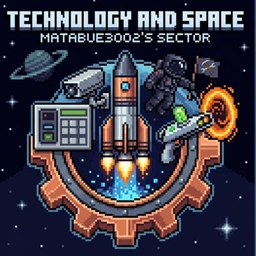
Technology and Space – Matabue3002’s Server.
Official package to join my World Host world with Create, Ad Astra, and SecurityCraft
介绍
Welcome to the official modpack for Matabue3002’s multiplayer world!
This pack is specially designed to play together using the World Host mod, allowing players to join directly without needing an external server setup.
Features and main mods included in this pack:
– Technology and Automation: Build incredible machinery and factories with the Create mod.
– Space Exploration: Travel to other planets, build rockets, and discover the universe with Ad Astra.
– Security and Defense: Protect your base and belongings from others using SecurityCraft and SecretRooms.
– Fun Gadgets: Teleport around with Rick’s Portal Gun and defend your territory with the Orbital Railgun.
– Quality of Life: Includes Simple Voice Chat for in-game proximity voice audio, and optimization mods like Embeddium and Oculus for smooth performance.
How to join:
1. Install this modpack through the CurseForge Launcher.
2. Launch the game using version 1.20.1.
3. Ask the host for the active World Host connection link/code and paste it into your Direct Connect Multiplayer menu!
常见问题
Technology and Space – Matabue3002’s Server. 支持哪些 Minecraft 版本?
Technology and Space – Matabue3002’s Server. 基于 Minecraft Java 版 1.20.1,使用 Forge 加载器。
Technology and Space – Matabue3002’s Server. 怎么安装?
点本页「前往下载」拿到整合包文件(Modrinth 的是 .mrpack,CurseForge 的是 .zip),在 PCL2 或 HMCL 启动器里选择「导入整合包」,启动器会自动装好 Minecraft、加载器和全部模组。建议在启动器里给游戏分配 4–6 GB 内存。
Technology and Space – Matabue3002’s Server. 开服需要多大内存?
推荐服务器内存 12 GB。在线人数多、或者建了大量机器和区块加载器时,可以再加 2–4 GB。
怎么和朋友一起玩 Technology and Space – Matabue3002’s Server.?
点本页的「一键开服」,选好配置后会自动安装 Technology and Space – Matabue3002’s Server. 的服务端,几分钟就能开好。把服务器地址发给朋友,大家用同一个版本的整合包连进去就行。
评论
登录后评论和评分