Dyed Resin
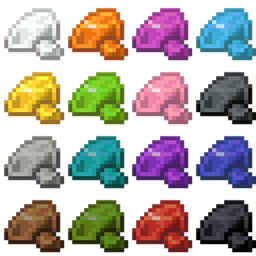
Resin clumps in all sixteen dye colours: dye them in the crafting grid, place them like plain ones, wash the colour out again.
介绍
Dyed Resin
Resin clumps in all sixteen dye colours for Minecraft 26.2 (Fabric). A resin clump and a dye in the crafting grid make
a Dyed Resin Clump, and eight clumps around a dye make eight at once. Dyed clumps are placed, broken and dropped
just like plain ones, take any other dye to change colour, and turn plain again when you put one into the crafting
grid on its own. Everything is in its own creative tab, Dyed Resin.
Download
Get dyedresin-<version>.jar from CurseForge or the
GitHub releases and put it into mods/ on the client and the server, next to Fabric API. Requires Minecraft 26.2, Fabric Loader 0.19.3+ and Java 25.
The guide book
The Dyed Resin Guide is a book with the recipes and an overview of the colours, in English and German. Craft it
from a book and a resin clump, or take it from the creative tab. Right-click opens it, E or Escape closes it; the
clump’s tab is on the left, the topics’ on the right.
This page follows the book chapter by chapter and adds the details that do not fit on its pages.
Getting Started
Resin clumps in all sixteen dye colours. Dye a clump in the crafting grid, place it like a plain one, and wash the
colour out again whenever you like.
- Put a resin clump and a dye into the crafting grid: you get a dyed clump.
- Place it on any side of a block, like a plain clump.
- Put a dyed clump into the grid on its own: it turns plain again.
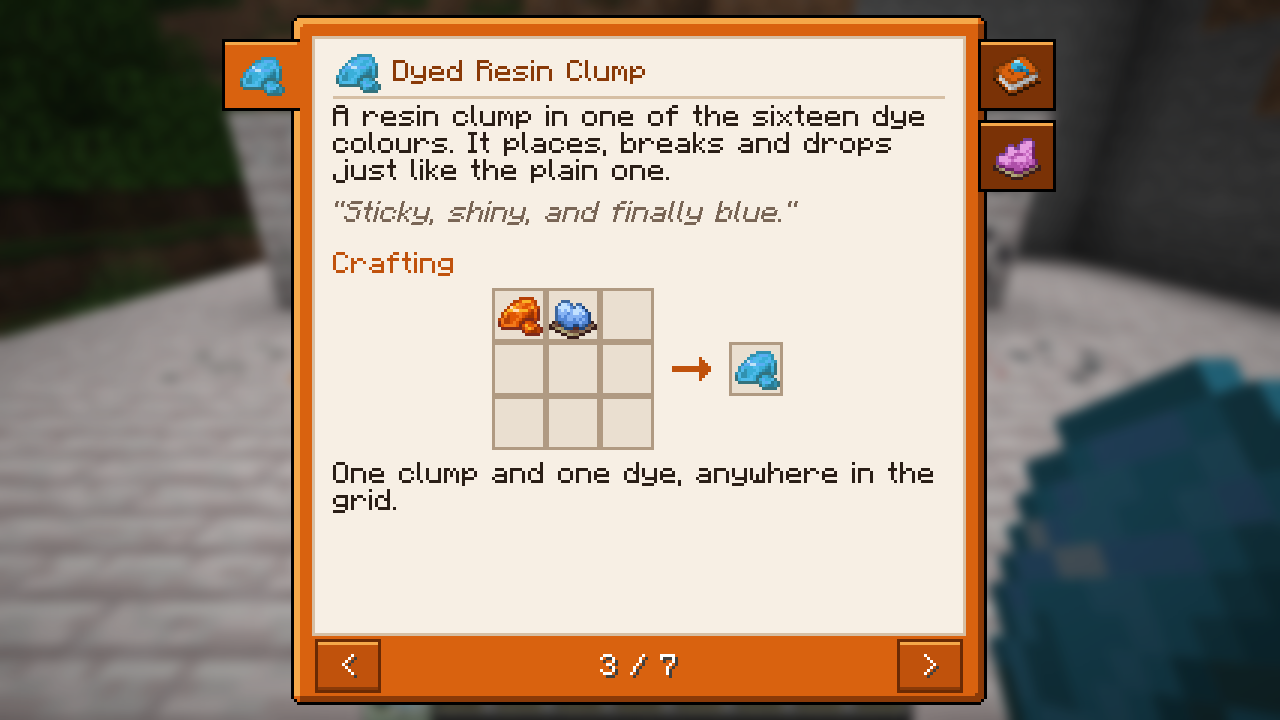
Dyed Resin Clump
A resin clump in one of the sixteen dye colours. It places, breaks and drops just like the plain one.
"Sticky, shiny, and finally blue."
Crafting – one resin clump and one dye, shapeless:
R D R = resin clump (plain or dyed), D = any dye
Or eight clumps around a dye for eight dyed clumps:
R R R
R D R      R = resin clump (plain or dyed, mixed is fine), D = any dye
R R R
Use
- Right-click a block to stick the clump to that side. More clumps go onto the other sides of the same spot; breaking
it drops every clump on it. No tool is needed. - A dyed clump takes any other dye, so you can change its colour without washing it first.
Washing out – a dyed clump alone in the crafting grid gives a plain resin clump back. The dye is used up.
Only plain clumps make resin blocks and resin bricks and serve as an armour trim material: wash a dyed clump out
first.
Colours
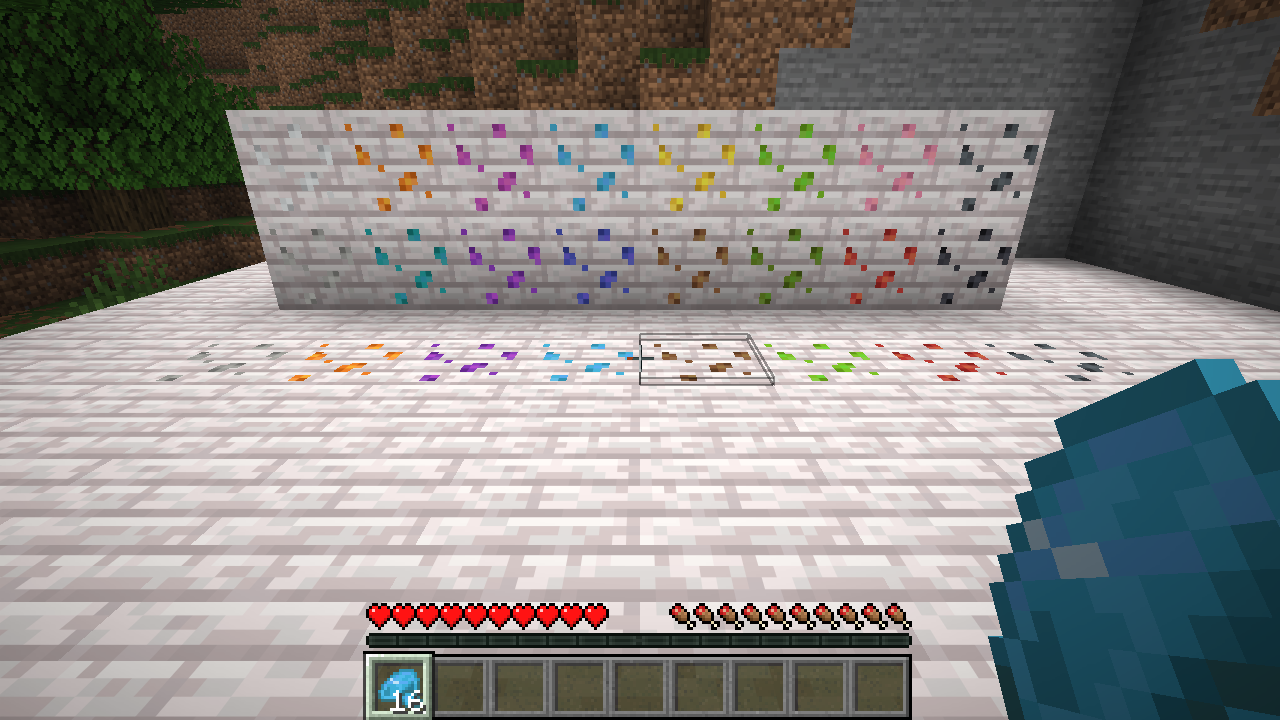
Every dye of the game has its clump: white, orange, magenta, light blue, yellow, lime, pink, gray, light gray, cyan,
purple, blue, brown, green, red and black. On maps each clump shows in its dye’s colour.
Source
Source and issues: https://github.com/david-stefan-hermann/dyed-resin
License
MIT, see LICENSE. By BaconCakeFactory.
常见问题
Dyed Resin 支持哪些 Minecraft 版本?
Dyed Resin 支持 Minecraft Java 版 26.2–26.3,共 2 个版本,可用的加载器:Fabric。下载时注意选择和你游戏版本一致的文件。
Dyed Resin 怎么安装?
先用 PCL2 或 HMCL 启动器安装对应版本的 Fabric,再把下载的 .jar 文件放进游戏目录的 mods 文件夹,重新启动游戏即可。开启了版本隔离的,mods 文件夹在 versions/版本名 下面。
BaconCakeFactory 的其他作品
查看全部 →
Greek Trees
Mediterranean trees grown from their own saplings and built from vanilla blocks: cypress, olive, fig, strawberry tree, date palm, mulberry, weeping willow and the giant Aries oak. Every growth is different, and fruit hangs on the trees.
World Radio
Internet radio that works like real radio: transmitters send MP3 streams as a signal, amplifiers and antennas carry it further, radio blocks and a portable radio play the station you pick. Radio-Browser catalogue, search, any stream URL, favorites.

Capture Eggs
Throw a capture egg at a mob and it becomes its spawn egg, with its name, health and owner. Ultra capture eggs catch bosses.

bc-quarry-extras
BuildCraft Refabricated add-on: the quarry pumps fluids into a multi-fluid tank, gets a 3x3 inventory, a GUI and Refined Storage fortune / silk touch upgrade slots.
评论
登录后评论和评分