
ConfigGuard
Automatic snapshots of your config folder with a line-by-line diff and one-click restore. Undo any config change, on the client or on a server.
截图
介绍
ConfigGuard
Broke your configs? Roll them back in two clicks.
ConfigGuard keeps automatic snapshots of your config files and shows exactly what changed between them. Any file, or the whole folder, can be restored from a snapshot. It is made for players who tweak modpacks, pack makers who test updates and server owners who edit configs by hand.
Features
- Automatic snapshots when the game starts (on Fabric, before other mods load and rewrite their files) and when it closes. You can also take a snapshot by hand and give it a label.
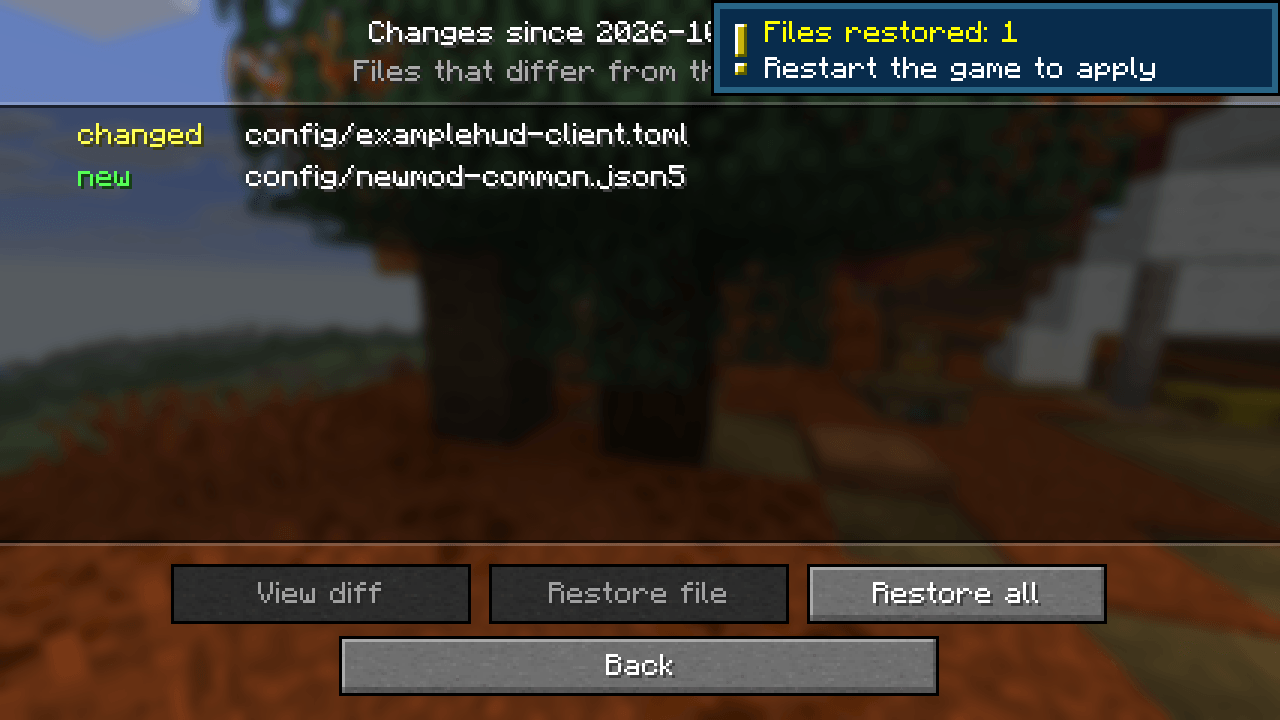
- Change detection: if config files changed while the game was closed (a modpack update, manual editing, another launcher), a notification tells you how many files changed.
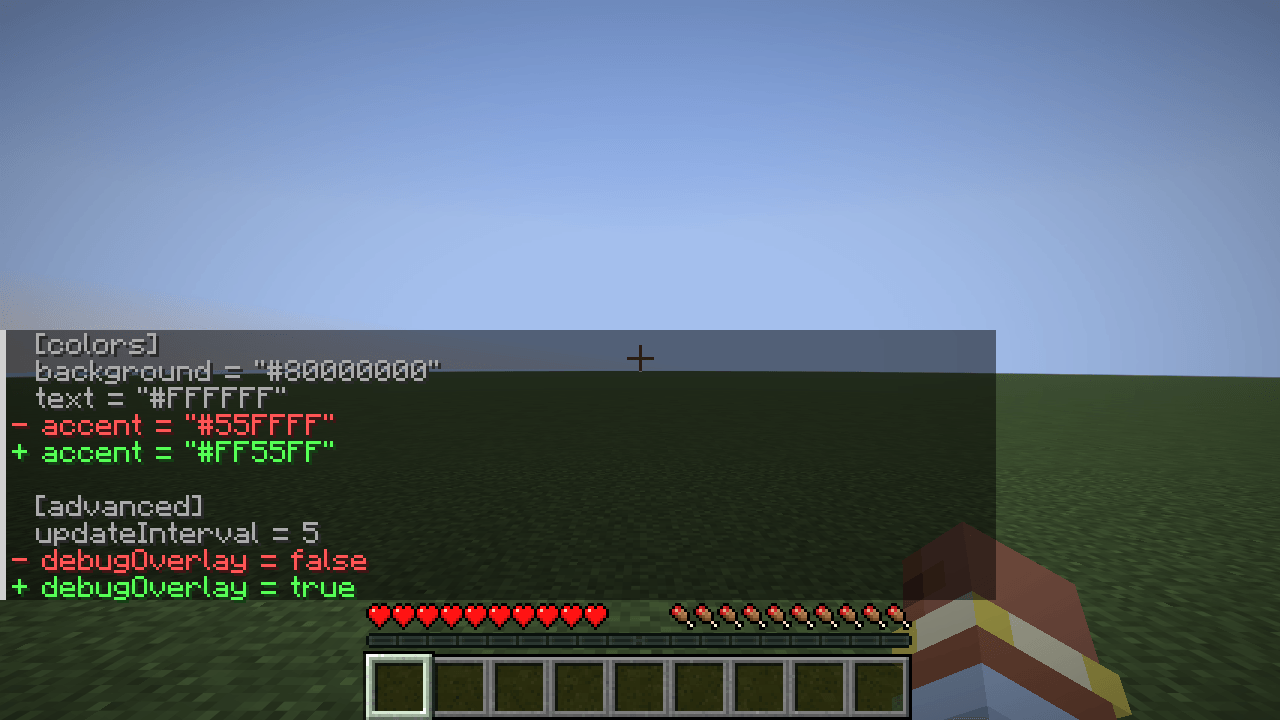
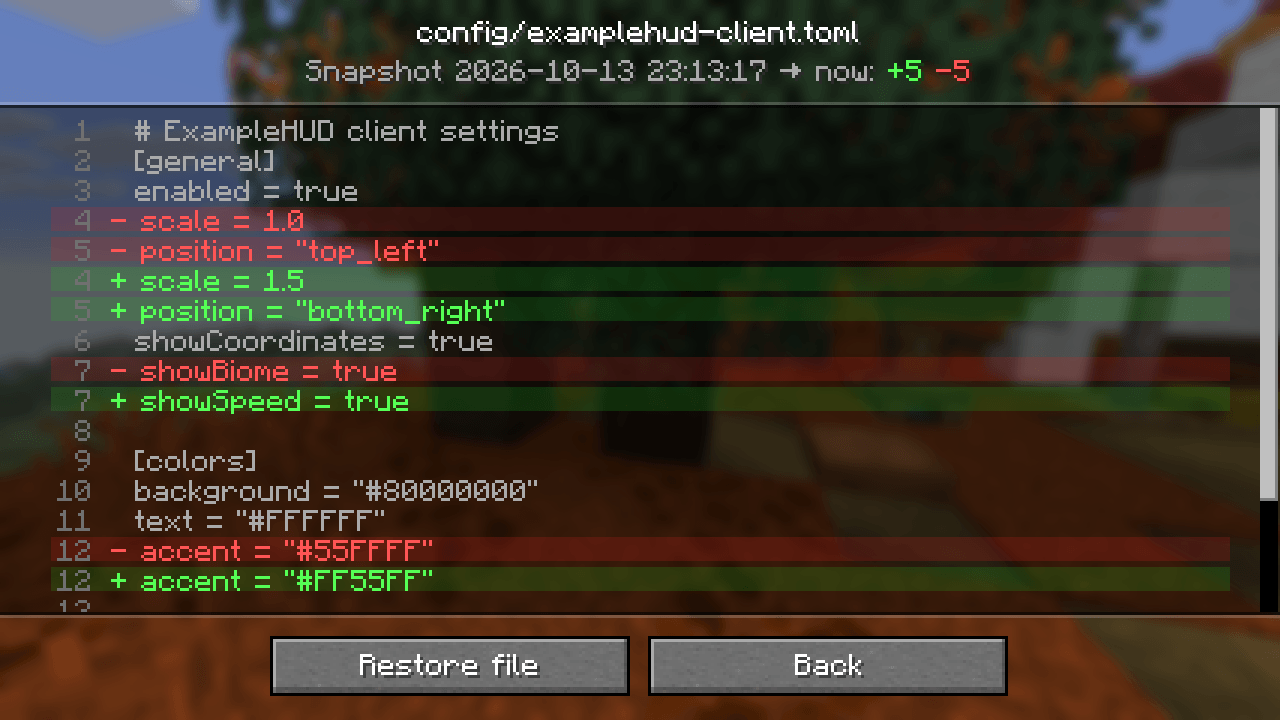
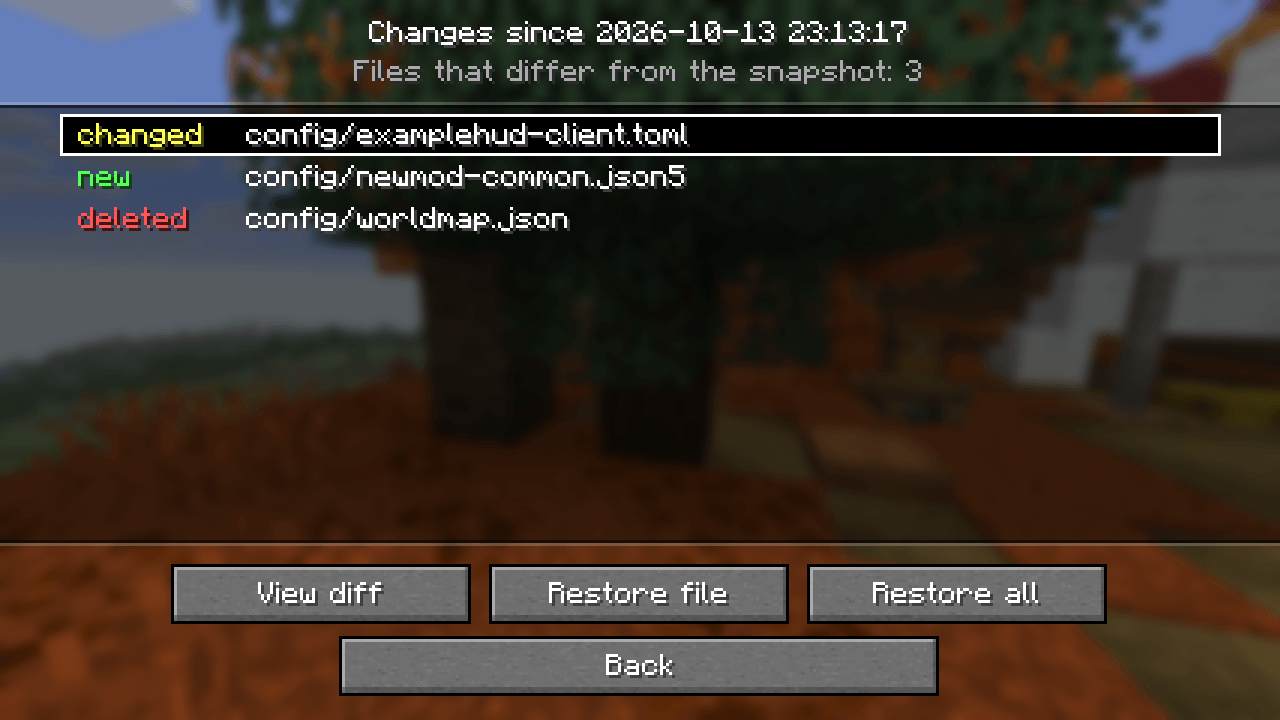
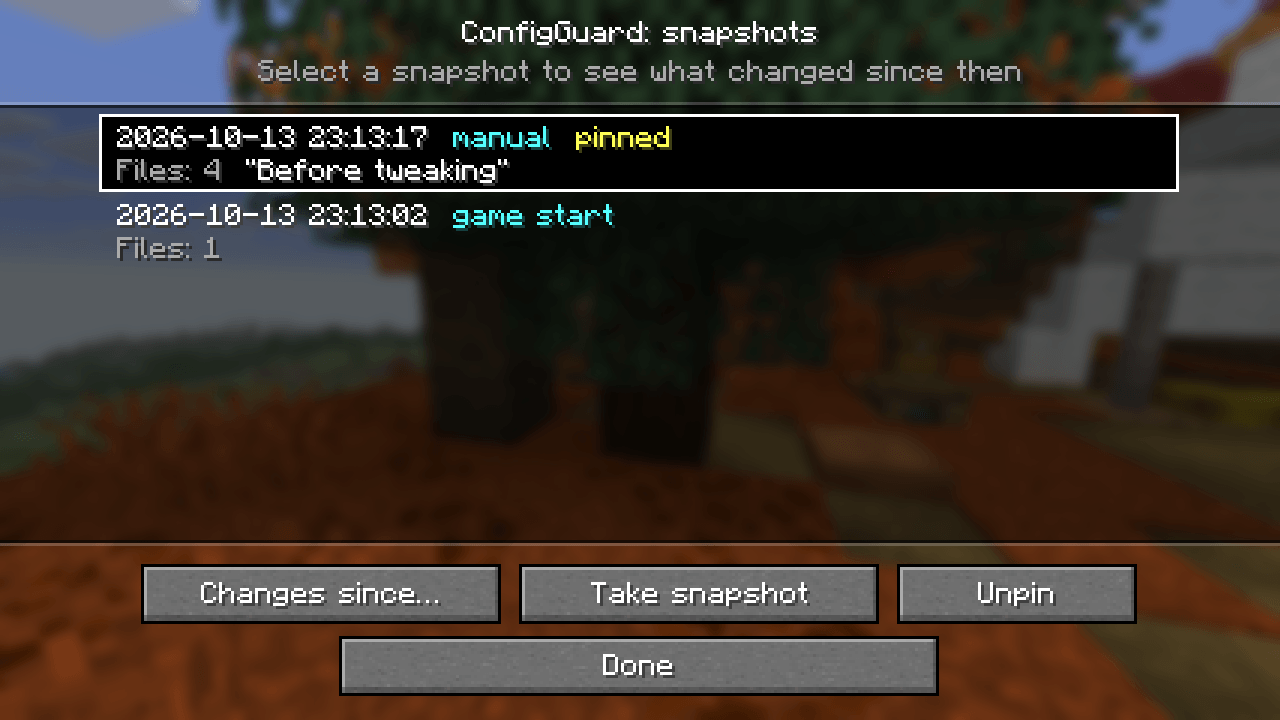
- Visual diff: a snapshot list → the files that changed since then (new, changed, deleted) → a line-by-line diff with removed lines in red and added lines in green.
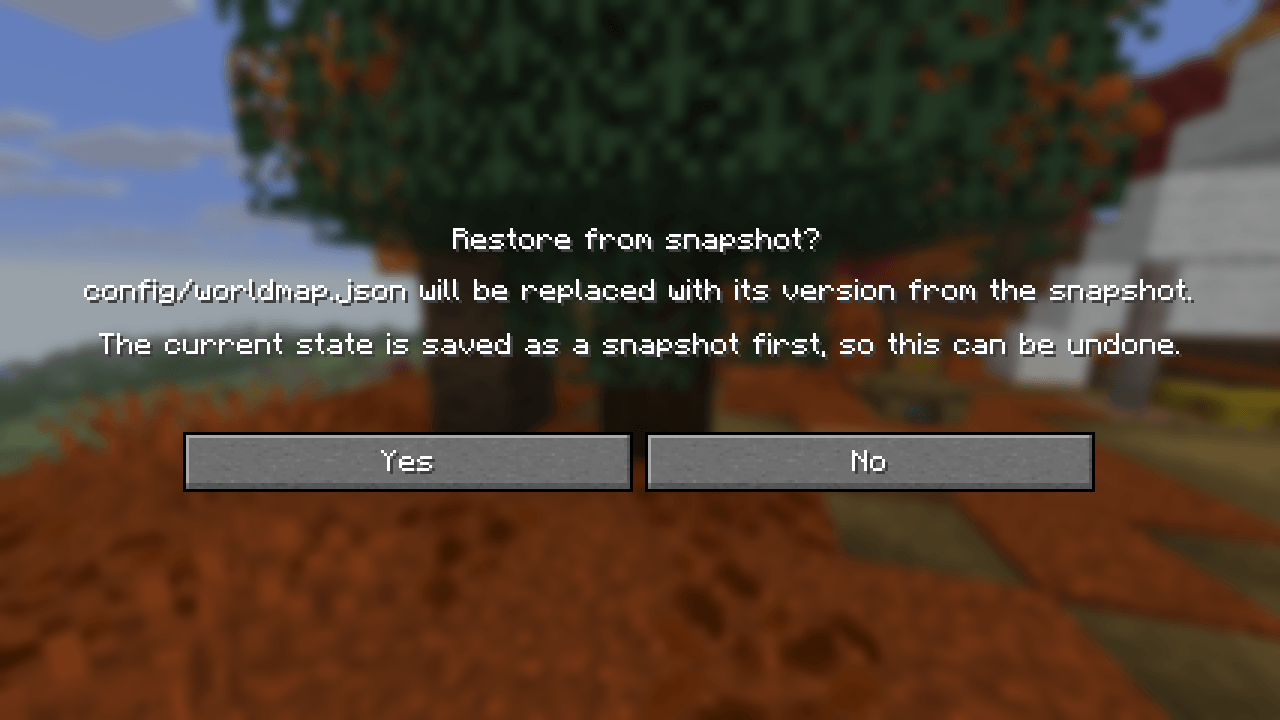
- Restore one file or everything. Before restoring, ConfigGuard saves the current state as another snapshot, so every restore can be undone.
- Pinned snapshots are never removed automatically. Old unpinned snapshots are cleaned up once the limit is reached.
- Compact storage: files are stored by their SHA-256 hash in the
configguard/folder, so a file that did not change is never stored twice.
Opening the screen
- Fabric: Mod Menu → ConfigGuard → config button (Mod Menu is optional).
- NeoForge: Mods → ConfigGuard → Config.
- Any loader: set a key for Open ConfigGuard snapshots in Controls → Key Binds (unbound by default).
Server commands
For operators (permission level 4), on dedicated servers and in single player with cheats enabled:
| Command | What it does |
|---|---|
/configguard snapshot [label] |
Take a snapshot now |
/configguard list |
List snapshots, newest first (click an id to see its changes) |
/configguard changes <id> |
Files that changed since the snapshot |
/configguard diff <id> <path> |
Line diff of one file in chat |
/configguard restore <id> [path] |
Restore one file or all changed files |
/configguard pin <id> / unpin <id> |
Keep a snapshot forever, or release it |
Snapshot ids and file paths are suggested with Tab. Restart the game or server after a restore so mods read the restored files.
Settings
config/configguard.json (created on first launch):
| Key | Default | What it does |
|---|---|---|
trackedPaths |
config, defaultconfigs, options.txt, server.properties |
Files and folders in the game folder that are captured |
excludedGlobs |
**.log, **.tmp, **.bak, **.lock, **.old |
Files that are skipped |
maxFileSizeKb |
1024 |
Larger files are skipped |
maxSnapshots |
40 |
How many unpinned snapshots are kept |
snapshotOnStartup |
true |
Snapshot when the game starts |
snapshotOnShutdown |
true |
Snapshot when the game closes |
notifyExternalChanges |
true |
Notify about changes made while the game was closed |
Compatibility
- Works on the client, on a dedicated server, or on both. It does not need to be installed on the other side.
- Fabric: requires Fabric API; Mod Menu is optional. NeoForge: no dependencies.
- Works with any mod that keeps its settings in the config folder: TOML, JSON, JSON5, properties and other text formats get a line diff; binary files are listed with their size.
License
MIT. You are welcome to include ConfigGuard in modpacks.
常见问题
ConfigGuard 支持哪些 Minecraft 版本?
ConfigGuard 支持 Minecraft Java 版 26.3,可用的加载器:Fabric / NeoForge。下载时注意选择和你游戏版本一致的文件。
ConfigGuard 怎么安装?
先用 PCL2 或 HMCL 启动器安装对应版本的 Fabric / NeoForge,再把下载的 .jar 文件放进游戏目录的 mods 文件夹,重新启动游戏即可。开启了版本隔离的,mods 文件夹在 versions/版本名 下面。
FNT_ 的其他作品
查看全部 →
Hearthwood
Timber beams, palisades, braces, timber frames and log piles for all 12 wood types, plus braziers, chandeliers, wall sconces and candelabras. Vanilla textures.

GearDiff
Compare armor, weapons and tools with your equipped gear right in the tooltip: stat changes, damage per second, durability and enchantments.
评论
登录后评论和评分