
THE LIMITLESS
Minecraft is Creativity. Minecraft is Adventure. Minecraft is LIMITLESS
介绍

Important tips and FAQs:
– F5 won’t work anymore. Press X to change the perspective. Hold Left ALT to rotate.
– F2 now opens the Camera Mode. Press “enter” to take a screenshot while in Camera Mode. Press Shift+5 to reset camera settings.
– Hold C to Crawl.
– Press Z to toggle Sit.
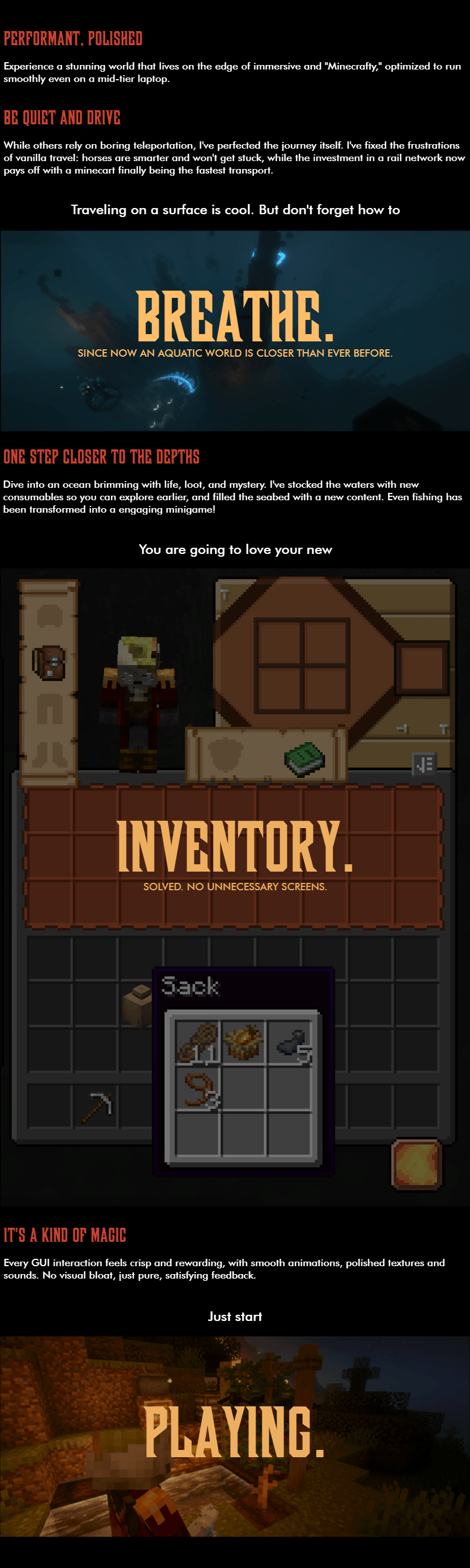
– Press Ctrl+D to delete an item from inventory.
Interface:
– Press T if the trash slot isn’t shown for your screen.
– To show EMI (JEI successor) screen, press recipe book or V button.
– To configure EMI (JEI successor), go to Pause Menu (ESC) – Mods – Find “EMI” – Config
– With EMI opened, press button to the left side of “Pages” to switch between all items, craftables and favorites.
Gameplay:
– To decrease villager’s prices, build a house.
– Try moving your enchantment table around.
– Look into the Advancements to get familiar with some of the new features.
Graphics:
– To turn Distant Horizons OFF (if you’re experiencing issues), go to Options – Press button to the left side of FOV settings – Set “Enable Rendering” to “False”. Do not forget to increase your rendering distance after.
– Press Ctrl+K to configure shaders.
常见问题
THE LIMITLESS 支持哪些 Minecraft 版本?
THE LIMITLESS 基于 Minecraft Java 版 1.20.1,使用 Forge 加载器。
THE LIMITLESS 怎么安装?
点本页「前往下载」拿到整合包文件(Modrinth 的是 .mrpack,CurseForge 的是 .zip),在 PCL2 或 HMCL 启动器里选择「导入整合包」,启动器会自动装好 Minecraft、加载器和全部模组。建议在启动器里给游戏分配 4–6 GB 内存。
THE LIMITLESS 开服需要多大内存?
推荐服务器内存 12 GB。在线人数多、或者建了大量机器和区块加载器时,可以再加 2–4 GB。
怎么和朋友一起玩 THE LIMITLESS?
点本页的「一键开服」,选好配置后会自动安装 THE LIMITLESS 的服务端,几分钟就能开好。把服务器地址发给朋友,大家用同一个版本的整合包连进去就行。

评论
登录后评论和评分