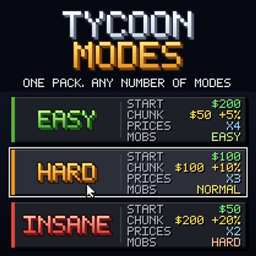
Tycoon Modes
Game modes for modpacks - Easy, Hard, Insane or your own - picked once per world. A mode changes config values of any mod, recipes, loot and the difficulty, all from one pack.
介绍
Tycoon Modes
Easy, Hard, Insane – one pack, any number of modes.
Tycoon Modes lets a modpack offer game modes that are picked once, when a world is created. A mode can
change everything: the config values of any mod in the pack, recipes, loot and every other data file, and
the difficulty. Cheaper land and more starting money in Easy, dearer recipes in Insane – without a second
pack and without touching a single config file.
This is a framework for pack makers. On its own the mod does nothing: it brings no modes. The modes
come from the pack, one folder each.
For players
- "Create New World" asks for the mode first – one button per mode, with a short description. The world
keeps its mode for good. /modeshows which mode the world plays in.- Operators can switch with
/mode set <mode> confirm: settings, recipes and difficulty change at once,
money and land stay. Without cheats the choice made at creation is final.
A mode is a folder
config/tycoonmodes/modes/
  easy/
    mode.json         name, description, order, difficulty
    settings.json     config values of any mod
    pack.mcmeta       optional: the folder is a data pack too ...
    data/...          ... with this mode's recipes, loot, tags and data files
  hard/
  insane/
The folder name is the mode’s id. mode.json – names and descriptions per language (en_us is the
fallback, a plain string works too), the position on the screen and a vanilla difficulty (peaceful,
easy, normal, hard):
{
  "order": 1,
  "difficulty": "easy",
  "name": { "en_us": "Easy", "de_de": "Easy" },
  "description": { "en_us": "To relax: cheap chunks, good prices, $200 to start." }
}
settings.json – config values of any mod, by config file name and the value’s path in it (sections
joined with a dot):
{
  "chunkmarket-common.toml": { "basePrice": 50.0, "priceIncreasePercent": 5.0 },
  "tycoonmarket-common.toml": { "prices.multiplier": 4.0, "starter.giveTerminal": true },
  "money-common.toml": { "startingBalanceDollars": 200 }
}
How it works
- Config values are set in memory only. Before the world loads, the mode’s values go into the loaded
configs and each mod is told, as if its file had been edited – so even the starting money on the first
login follows the mode. The files on disk are never written, and the old values come back when the world
closes. This works for every mod that uses NeoForge’s config system, without that mod knowing about
modes. Numbers, true/false, text, choices and lists are all fine; a value that does not fit, or a file or
path that does not exist, is skipped with a line in the log. - One data pack per world. Every mode folder with a
pack.mcmetabecomes the data pack
tycoonmodes/<id>; a world switches on its own mode’s pack and leaves the others off. Use it to replace
recipes, loot tables, tags, or the data files of other mods – a skill tree or a price list per mode. - The difficulty of the mode is set every time the world starts, also on a dedicated server, whose
server.propertieswould otherwise put its own back.
For servers
The config tycoonmodes-common.toml has newWorldMode – the mode a dedicated server’s new world
starts in – and askOnCreate to switch the question in singleplayer off. The world’s mode is kept in
tycoonmodes.json next to level.dat.
For mod developers
ModesAPI.mode() tells which mode the running world plays in, ModesAPI.modes() lists the modes of the
pack. Numbers belong in settings.json; the API is for mods that have to behave differently.
Requirements
- Minecraft 1.21.1, NeoForge
- Nothing else – it works with any mod that has a config.
Works in singleplayer and multiplayer; the mode belongs to the world.
A note on how this was made
This mod was built with substantial help from AI. The design decisions, the playtesting and the
direction are mine; a large share of the code, the textures and this text was written with an AI
assistant. I would rather say that plainly than have you wonder.
Discord
Questions, bug reports, ideas, or just want to show what you built? Join the Discord –
that is where I answer fastest, and where the next version gets shaped.
常见问题
Tycoon Modes 支持哪些 Minecraft 版本?
Tycoon Modes 支持 Minecraft Java 版 1.21.1,可用的加载器:NeoForge。下载时注意选择和你游戏版本一致的文件。
Tycoon Modes 怎么安装?
先用 PCL2 或 HMCL 启动器安装对应版本的 NeoForge,再把下载的 .jar 文件放进游戏目录的 mods 文件夹,重新启动游戏即可。开启了版本隔离的,mods 文件夹在 versions/版本名 下面。
Reinay97 的其他作品
查看全部 →
Money – Cash, ATM & Accounts
硬币、纸币、钱包、ATM和货币API

Tycoon Calendar
A shared in-game calendar: your world gets a real date that every mod can use for prices, rents and birthdays.
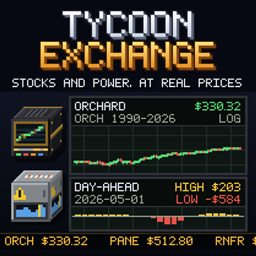
Tycoon Exchange
A stock exchange and a power market for Minecraft: trade 32 stocks at the Broker Terminal and sell your machines' power through the Grid Connection at the day-ahead price of the hour.
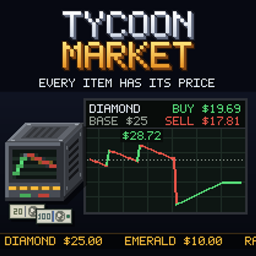
Tycoon Market
Every item has a price that moves with trade. Buy and sell at the Market Terminal, sell farm output through the Market Depot, fulfil daily contracts, and let auto-buy feed the Litematica printer.
评论
登录后评论和评分