
Shared Waypoints
Waypoints with names, notes and colors that you can share with everyone on the server. Visible through terrain with live distance, plus an automatic marker where you last died.
介绍
常见问题
Shared Waypoints 支持哪些 Minecraft 版本?
Shared Waypoints 支持 Minecraft Java 版 1.20.1,可用的加载器:Forge。下载时注意选择和你游戏版本一致的文件。
Shared Waypoints 怎么安装?
先用 PCL2 或 HMCL 启动器安装对应版本的 Forge,再把下载的 .jar 文件放进游戏目录的 mods 文件夹,重新启动游戏即可。开启了版本隔离的,mods 文件夹在 versions/版本名 下面。
mr_star1 的其他作品
查看全部 →
Tidy Chests
One-click sorting for chests, barrels, shulker boxes and your inventory, plus quick-stack into every nearby chest that already holds the same items.
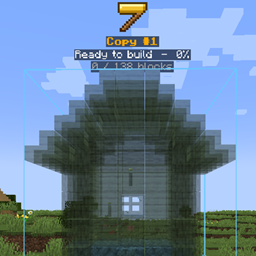
Builder Holograms
Copy any structure, place it as a hologram, edit it, and build it — by yourself or with your workers.

Smart Economy
A complete server economy with one currency: bank accounts with full history, transfers, salaries, interest, daily rewards, 7 jobs with levels, an admin shop, player shops and an auction house, all in one modern menu.

Workers & Warriors
Hire villagers as warriors, miners, builders and farmers — with names, levels, wages, food and beds.
评论
登录后评论和评分