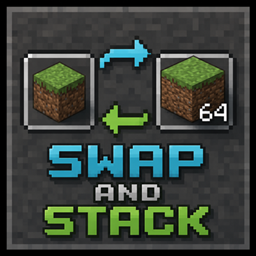
Swap and Stack
Now you can move items from your main hand to your off-hand by pressing [F] instead of swapping them.
介绍
Swap and Stack
In vanilla Minecraft, pressing F always swaps the items in your main hand and off-hand — even when both hands hold the exact same item. If you’re holding 20 torches in one hand and 30 in the other, hitting F just flips which hand has which stack instead of combining them into one.
Swap and Stack fixes this.
When both hands hold the same item (same enchantments, same NBT/components), pressing F now merges the stacks together, up to the item’s max stack size — just like dragging one stack onto another in your inventory. If the items are different, F still works exactly like vanilla: a normal swap.
Want the old behavior back for a moment? Hold Shift while pressing F to force a normal vanilla swap, even if both hands hold the same item.
How it works
- Same item, fits in one stack → both stacks combine into the off-hand.
- Same item, doesn’t fully fit → off-hand fills up to max stack size, the rest stays in the main hand.
- Off-hand already full, nothing to merge → falls back to a normal swap, so pressing F never feels like it did nothing.
- Different items, or an empty hand → works exactly like vanilla Minecraft, no changes.
- Holding Shift → always does a normal vanilla swap, regardless of what’s in your hands.
No new items are created — this only rearranges what you’re already holding.
Notes
- No config needed, no new keybinds. Uses the same F key you already use.
- Doesn’t affect items that can’t stack (tools, weapons, armor) — those still swap normally.
Compatibility
Doesn’t touch inventory GUIs, item registries, or other mods’ items — it only changes what happens when the vanilla hand-swap action fires. Should be compatible with virtually everything.
常见问题
Swap and Stack 支持哪些 Minecraft 版本?
Swap and Stack 支持 Minecraft Java 版 1.21.1,可用的加载器:NeoForge。下载时注意选择和你游戏版本一致的文件。
Swap and Stack 怎么安装?
先用 PCL2 或 HMCL 启动器安装对应版本的 NeoForge,再把下载的 .jar 文件放进游戏目录的 mods 文件夹,重新启动游戏即可。开启了版本隔离的,mods 文件夹在 versions/版本名 下面。
BlackHole888YT 的其他作品
查看全部 →
ApothEnchantmentMenu.java – Apotheosis + EnigmaticLegacy (ENCHANTER_PEARL) FIX
修复 Enigmatic Legacy 的 Enchanter's Pearl 与 Apotheosis 配合时无法正常工作的问题。

AutoCycling [for EasyVillagers]
这个附属模组可自动刷新村民交易:按下交易重置按钮后,它会替你重新抽取交易,适用于 Easy Villagers 交易方块和普通村民。

AME BugFix
Bug FIx for Astral Mekanism & Energistics

Apotheosis DescHelper
This mod speeds up progression in Apotheosis by adding descriptions for some items
评论
登录后评论和评分