介绍
中文介绍正在准备中,下面暂时显示原文。
OBQoL – Advancement & HUD Quality of Life Mod
OBQoL is a modern, fully modular Minecraft (Fabric 1.21) mod designed to enhance your gameplay comfort, especially on the OneBlock server. It brings a customizable HUD, advanced level/session tracking, and a sleek, ergonomic configuration menu.
Modern Level HUD
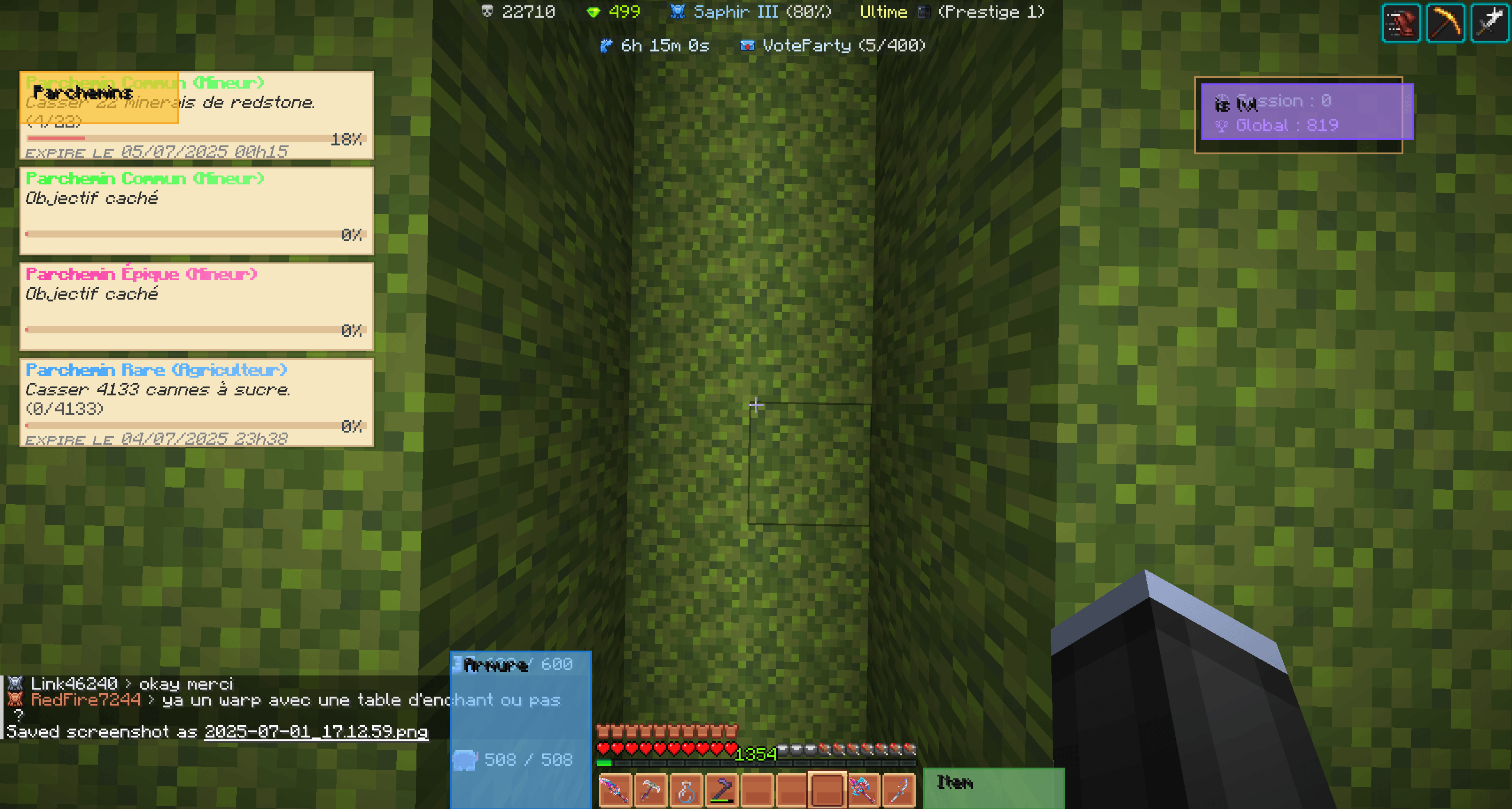
- Session & Global Counters:
Track your XP/level gains with two clear counters: “Session” (with timer) and “Global” (persistent).
See exactly how long your session has been running, with a live timer (mm:ss or hh:mm:ss).
Move all HUD elements (counters, armor, scrolls) anywhere on your screen. Positions are saved as a percentage for perfect GUI scale compatibility.
Keybinds to show/hide the HUD and to start/stop your session instantly.
Large numbers are automatically abbreviated (1k, 1m, etc.).
The “Session” label turns cyan when active for maximum visibility.
Clear, modern icons for each counter (🕒 for Session, 🏆 for Global).
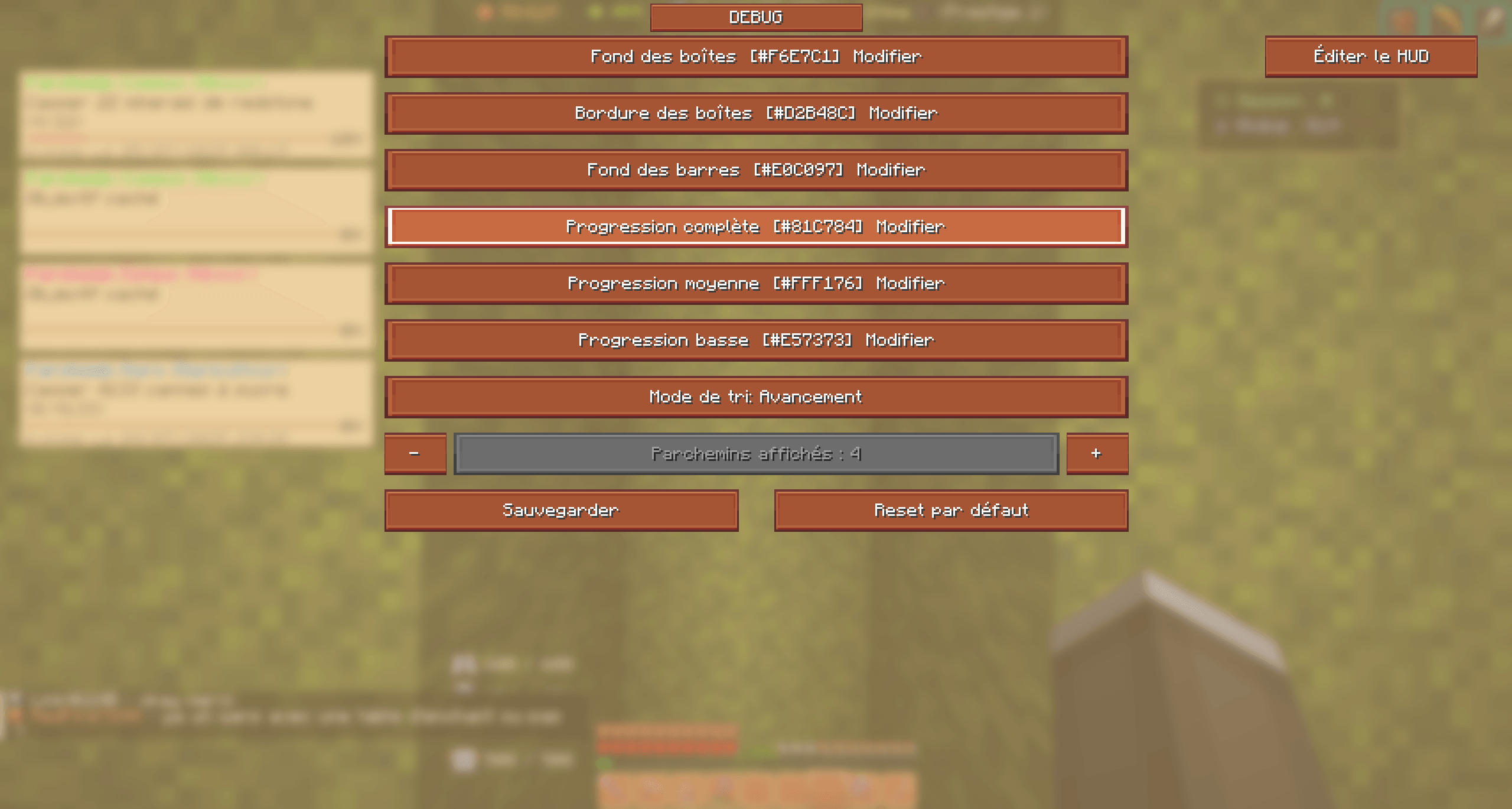
Advanced Configuration Menu (F7)
The config menu is clean, with only interactive buttons and no static text or blur.
Always-visible, dynamically sized scroll bar for easy navigation.
All buttons and spacings scale proportionally to your screen size and GUI scale.
Instantly preview and reposition every HUD element with drag & drop, no blur, and 100% visible game background.
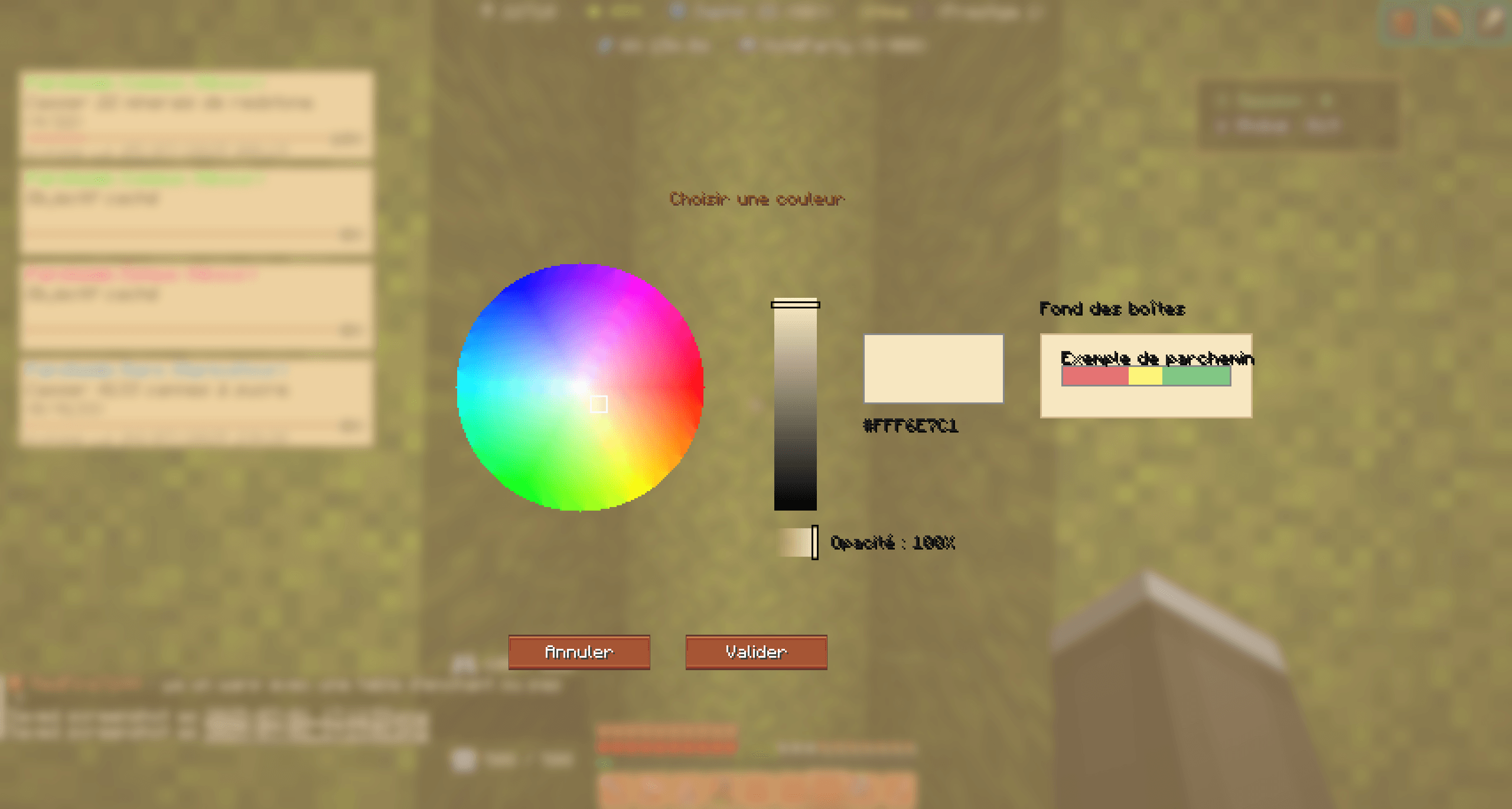
Choose any color (with alpha/opacity), drag on the color wheel or sliders, see a live preview (including a parchment mockup), and enter hex codes directly.
Old pixel-based configs are automatically converted to the new percentage system for seamless upgrades.
See the durability of your held item and armor pieces directly on the HUD.
Reads custom durability from item lore if present.
Track and display your rituals with rarity color coding and progress bars.
Move and resize the ritual/scroll HUD elements as you like.
OBQoL brings a clean, modern, and fully customizable HUD to Minecraft, with advanced tracking and a user-friendly config menu.
This mod is specifically designed to improve comfort and quality of life for players on the OneBlock server, but can be enjoyed on any server or in singleplayer.
常见问题
OBQoLV0.3 支持哪些 Minecraft 版本?
OBQoLV0.3 支持 Minecraft Java 版 1.21.3,可用的加载器:Fabric。下载时注意选择和你游戏版本一致的文件。
OBQoLV0.3 怎么安装?
先用 PCL2 或 HMCL 启动器安装对应版本的 Fabric,再把下载的 .jar 文件放进游戏目录的 mods 文件夹,重新启动游戏即可。开启了版本隔离的,mods 文件夹在 versions/版本名 下面。

评论
登录后评论和评分