
截图
介绍
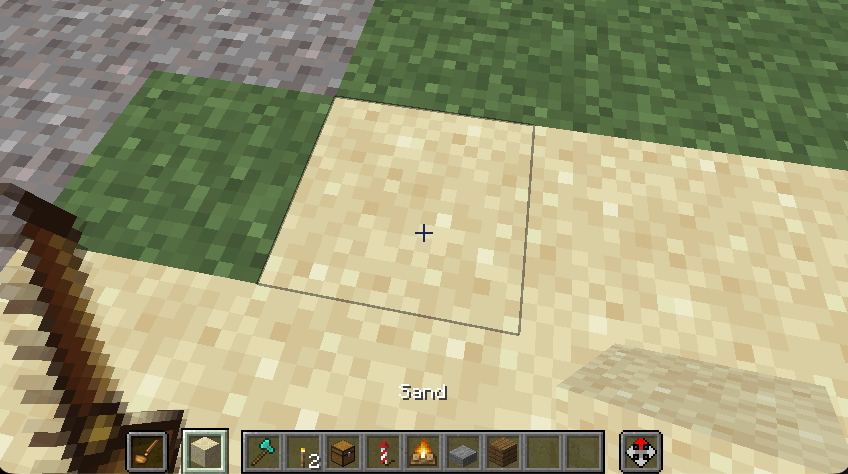
Press Tab to grab the block under your crosshair.
If that block is already in hotbar slots 1–9, Tab switches to that slot. If it
isn’t, a single ghost item is placed in an extra § slot between the hotbar and
your offhand. The next Tab replaces that ghost item and never dumps it into
your inventory.
In Survival, Tab only selects a block you already have. The § slot is Creative-only.
Default keys: Tab to pick, § (the key left of 1) to select the extra slot.
Both can be rebound in Controls.
常见问题
Peterwolf’s TAB pick 支持哪些 Minecraft 版本?
Peterwolf’s TAB pick 支持 Minecraft Java 版 26.2–26.3,共 2 个版本,可用的加载器:Fabric。下载时注意选择和你游戏版本一致的文件。
Peterwolf’s TAB pick 怎么安装?
先用 PCL2 或 HMCL 启动器安装对应版本的 Fabric,再把下载的 .jar 文件放进游戏目录的 mods 文件夹,重新启动游戏即可。开启了版本隔离的,mods 文件夹在 versions/版本名 下面。
peterwolf_pl 的其他作品
查看全部 →
Minecart_Chain_Train
Minecart Chain 可用铁链连接矿车,打造简易的原版风格列车。熔炉矿车可作为车头;连接其他矿车后,其上方还会出现自动刹车和油门拉杆。

PeterWolf’s Groundworks
PeterWolf's Groundworks is a core mod that provides terrain deformation, granular materials, and ground interaction systems for construction machinery mods.

PeterWolf’s Groundworks Excavator
PeterWolf's Groundworks Excavator adds a functional tracked excavator designed to work with the terrain deformation system from PeterWolf's Groundworks.
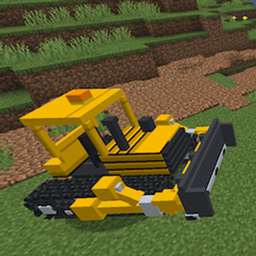
PeterWolf’s Groundworks Bulldozer
A fully controllable bulldozer designed for pushing, spreading and leveling granular terrain. Move large amounts of material using an adjustable front blade.
评论
登录后评论和评分