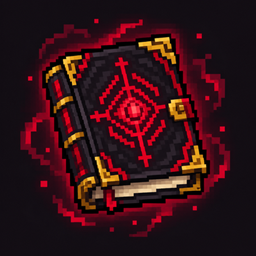
Shadow Companion
A persistent companion that fights, learns, gathers resources and helps your colony.
介绍
Shadow Companion
Summon a companion that fights, learns, gathers resources and survives alongside you.
Shadow Companion adds one persistent, player-owned companion to Minecraft Java Edition. Give it equipment, develop its skills and choose how it helps you: adventuring, collecting items, mining, chopping wood or guarding an area.
Your companion
- A persistent 27-slot backpack with configurable automatic item pickup.
- Equipment slots for weapons, armor and an offhand. Armor protects the companion without covering its skin.
- Sword combat, dual swords, shields and Totems of Undying. Bows provide support when approaching an enemy is difficult or dangerous.
- Defensive, Offensive and Aggressive combat styles.
- Food consumption, hunger, saturation, natural regeneration and retreat when badly injured.
- Real equipment durability, an option to preserve nearly broken equipment, and Mending support for damaged equipped gear.
- Slow progression across 20 character levels and four skills: Gathering, Patrol, Combat and Vitality. Skills have ten levels.
- Separate display-name and player-skin settings.
- English and Spanish interface translations.
Give it a job
Ask your companion to follow, wait, stay, patrol around a bed or area, or guard a selected point. It walks while patrolling and may sprint during combat. It can open authorized wooden doors and fence gates along its routes.
Mining and woodcutting require suitable tools, unlocked materials, accessible natural resources and backpack space. Work protects blocks recorded as player-placed and avoids autonomous destruction inside MineColonies territory.
Select a storage container to receive surplus materials. Deliveries preserve personal equipment, tools, food and arrows. The companion walks to the destination and keeps items that do not fit.
Its surroundings stay loaded while its owner is connected, including while waiting or recovering. Additional work chunks are bounded. Chunk loading is released when the owner disconnects. It uses normal paths rather than teleporting to its owner.
Summoning and the Link Book
Craft the Black Book with a Totem of Undying above a normal book and a Nether Star below it in a crafting grid. Hold the Black Book in your offhand and a sword in your main hand, then right-click the air or a block.
The ritual leaves you at half a heart. After a successful summoning, the Black Book becomes your owner-bound Link Book. Only one companion can be bound to each player.
Right-click the air with the Link Book to open the companion interface. If you lose it, right-click your companion with a normal book to create a replacement. Remote contact requires the companion to be loaded in the same dimension; moving backpack items requires being within eight blocks.
Use the interface to assign its recovery bed. When a bound companion falls, it keeps its items, recovers from its wounds and wakes at the next dawn. Immediate revival is reserved for commands requiring cheats or administrator permissions.
Optional integrations
The mod works without either integration installed.
Epic Fight 21.17.3.1: humanoid movement, supported player-style weapon combos, dual-sword combat, native attack collisions and stun behavior.
MineColonies 1.1.1403 for Minecraft 1.21.1: claimed-territory protection, citizen safety, authorized warehouse deliveries, continuous material-request assistance with builder priority, citizen escort and colony patrols. Colony actions require the owner’s permissions. Missing raw resources can be gathered through permitted mining or woodcutting outside colony territory. The companion does not automatically craft or smelt requested materials.
These integrations currently declare the exact versions above. Do not assume compatibility with other releases. Install each optional mod’s own required dependencies if you use it.
Installation
- Install Minecraft Java 1.21.1, Java 21 and NeoForge 21.1.264 or newer within the 1.21.1 line. Version 21.1.264 is the tested development version.
- Put the Shadow Companion
.jarin your instance’smodsfolder. - For multiplayer, install the mod on both the client and server.
- Optionally add the supported Epic Fight or MineColonies versions and their dependencies.
This build targets NeoForge. Forge and Fabric are not supported by this file.
Feedback
For a bug report, include your Minecraft, NeoForge and mod versions, whether either optional integration is installed, the steps to reproduce the issue, and a relevant error log with private information removed.
Current development: custom patrol routes with several player-selected points and a broader interface redesign remain planned features.
常见问题
Shadow Companion 支持哪些 Minecraft 版本?
Shadow Companion 支持 Minecraft Java 版 1.21.1,可用的加载器:NeoForge。下载时注意选择和你游戏版本一致的文件。
Shadow Companion 怎么安装?
先用 PCL2 或 HMCL 启动器安装对应版本的 NeoForge,再把下载的 .jar 文件放进游戏目录的 mods 文件夹,重新启动游戏即可。开启了版本隔离的,mods 文件夹在 versions/版本名 下面。
评论
登录后评论和评分