
Cloud camera
This is a module that can customise all kinds of mirrors. You can set keyframes to create the mirror effect you want anytime and anywhere. It can also bind to the entity for mirroring.
截图
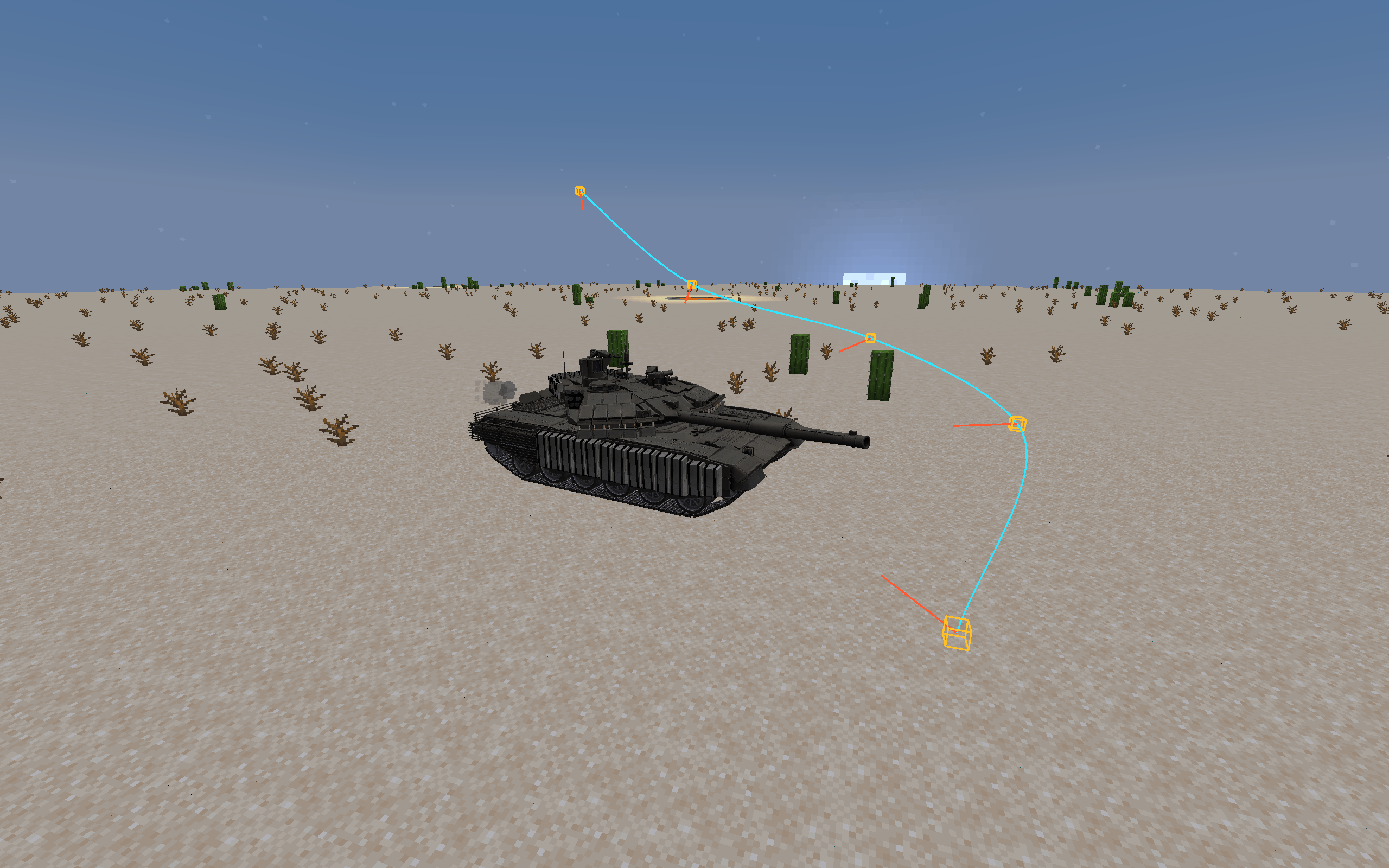
介绍
G: Place the keyframe
K: Binding entity
O: Start the city centre mode
H: Delete the last keyframe
N: Clear all keyframes in the current mode
M: Switch between the two modes of free and binding entity mirror
Long press R/F to adjust the angle zoom V: reset the zoom
Long press Z/X to adjust the left and right tilt of the viewing angle C: Reset scrolling
Press U to place the idol in the fixed position. ( The shooting function used when beating the binding entity)
Y: Switch to customise the fixed camera angle
P: Switch the “Entity Fixed Perspective”
/Camera speed * Can control the mirror speed in the current mode
I hope everyone likes it.
G:放置关键帧
K:绑定实体
O:启动市中心模式
H:删除最后一个关键帧
N:清空当前模式下全部关键帧
M:切换自由与绑定实体运镜两种模式
长按 R/F 调整视角缩放 V:重置缩放
长按Z/X 调整视角左右倾斜 C:重置滚动
按 U 放置偶像固定机位。(用于殴打绑定实体时的拍摄功能)
Y :切换自定义固定机位视角
P:切换“实体固定视角”
/camera speed * 可以控制现模式下的运镜速度
希望大家喜欢
常见问题
Cloud camera 支持哪些 Minecraft 版本?
Cloud camera 支持 Minecraft Java 版 1.20.1,可用的加载器:Forge。下载时注意选择和你游戏版本一致的文件。
Cloud camera 怎么安装?
先用 PCL2 或 HMCL 启动器安装对应版本的 Forge,再把下载的 .jar 文件放进游戏目录的 mods 文件夹,重新启动游戏即可。开启了版本隔离的,mods 文件夹在 versions/版本名 下面。
评论
登录后评论和评分