截图
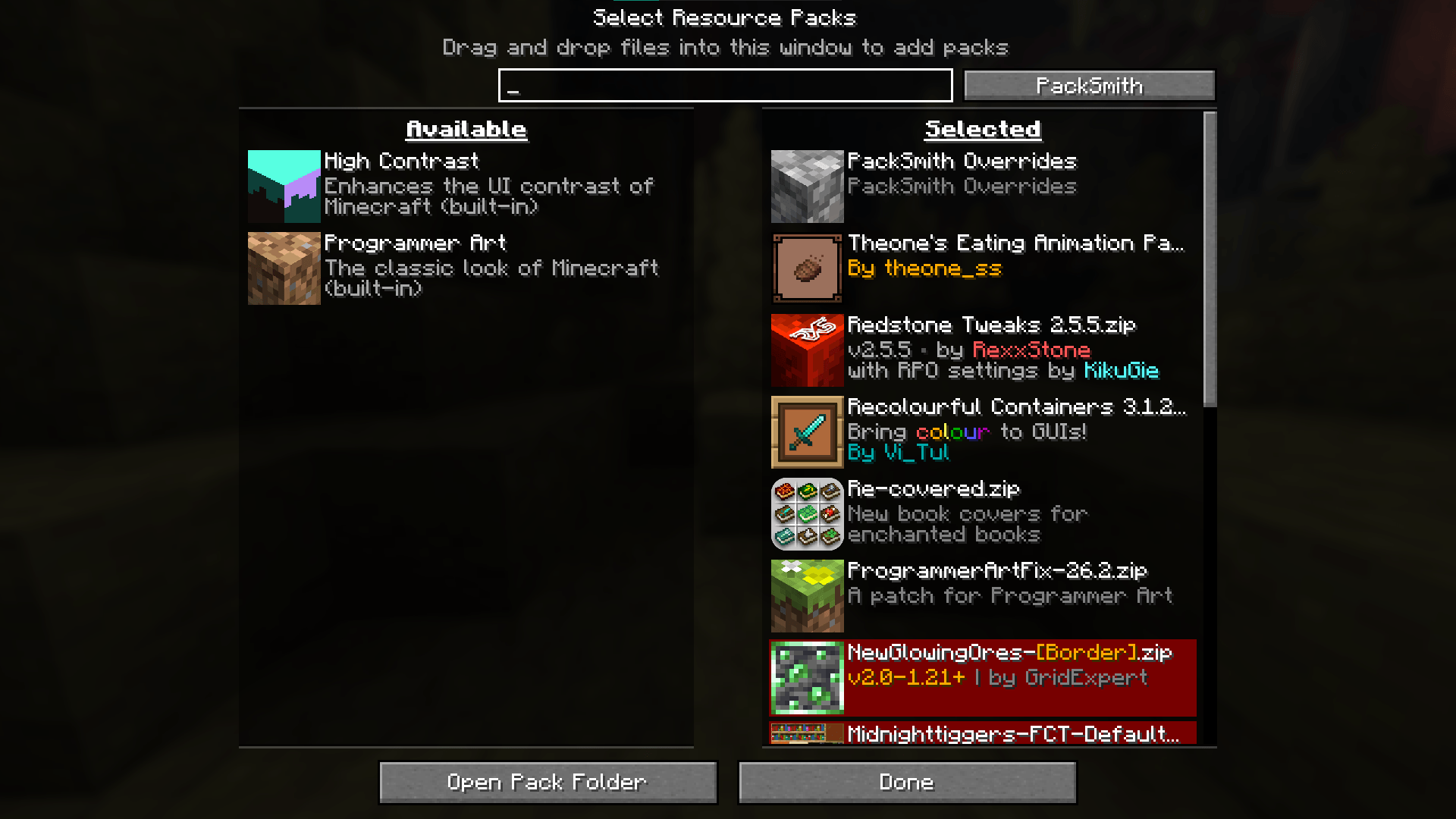
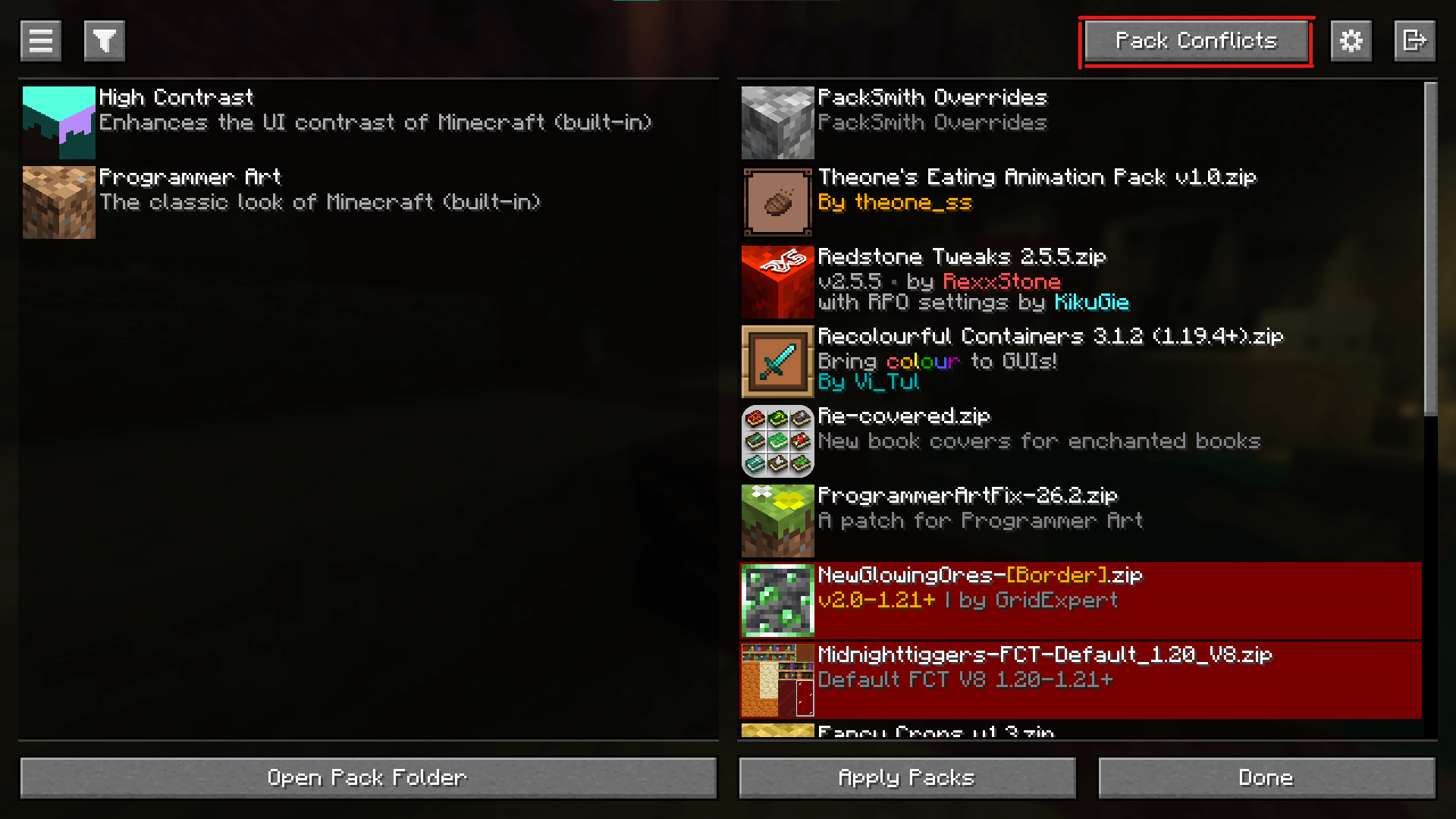
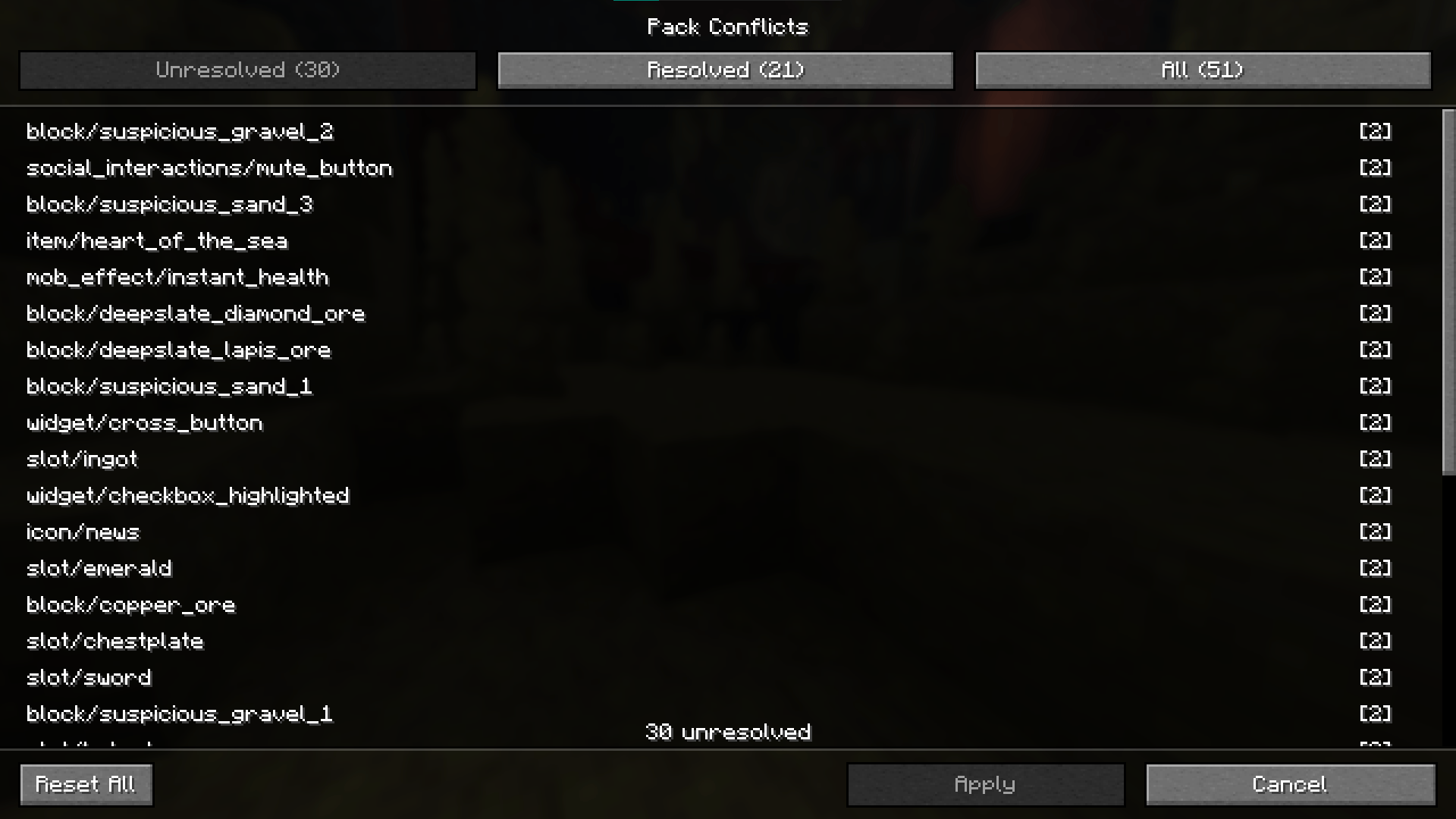
介绍
PackSmith lets you take control of resource pack conflicts.
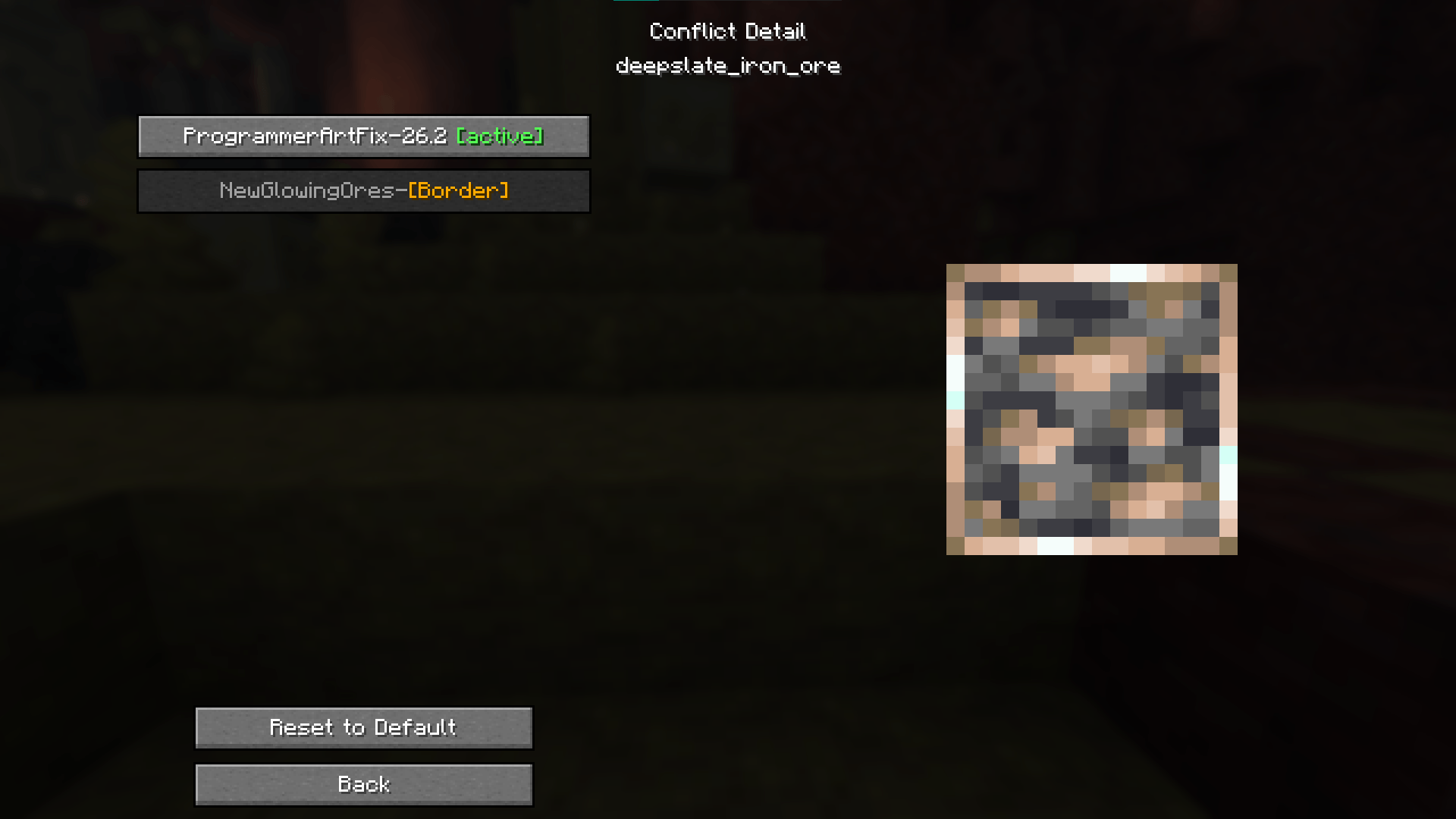
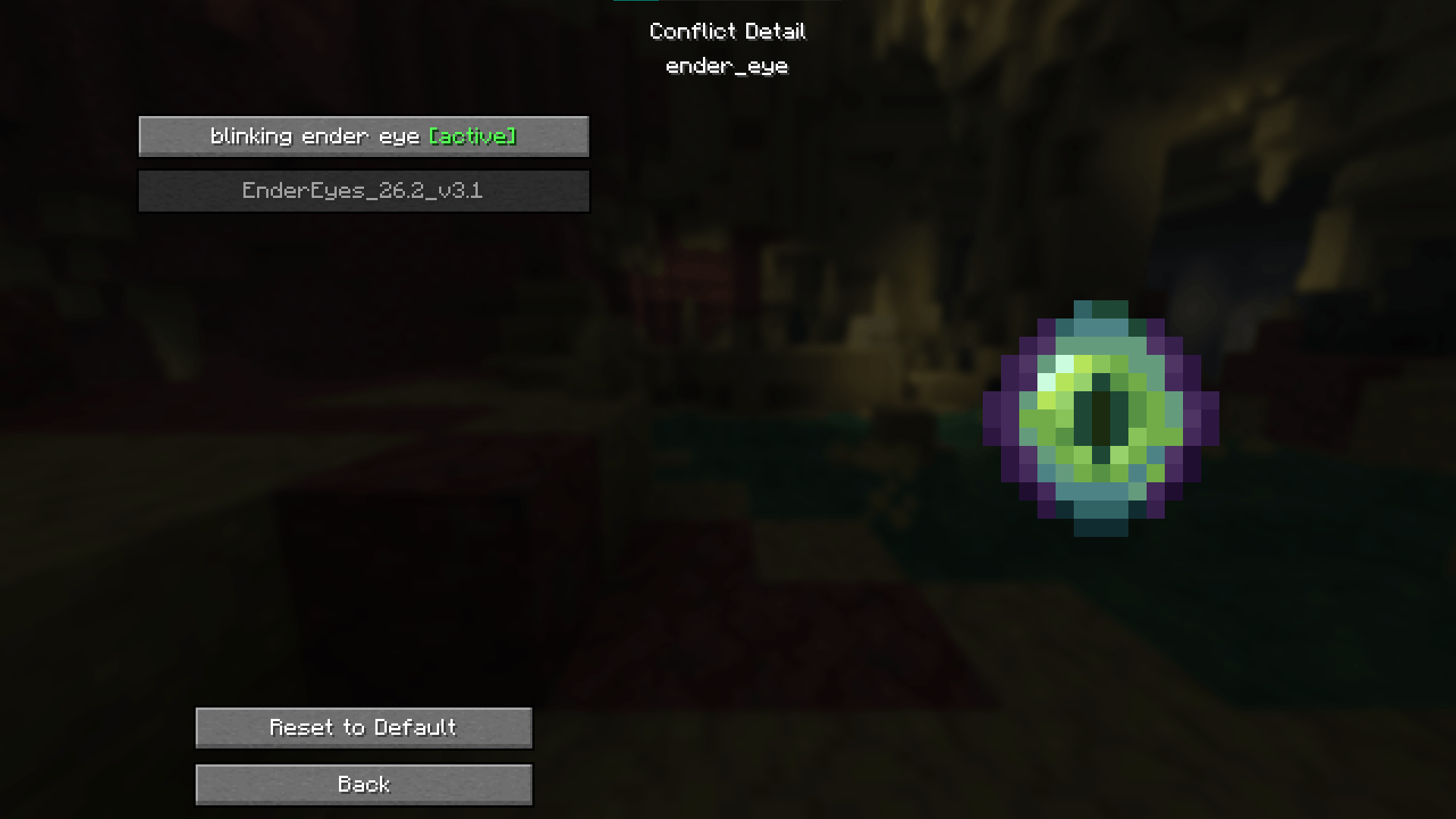
When multiple resource packs override the same file, Minecraft silently picks the highest-priority one. PackSmith shows you every conflict, lets you see exactly which packs are clashing, preview the texture from each one, and choose which pack wins — per file.
## Features
– Scans all active resource packs for texture conflicts
– Browse conflicts by status: Unresolved, Resolved, or All
– Live texture preview with animation support for each pack option
– Apply overrides per file — your choices persist across restarts
– Reset individual overrides or all at once
– Integrates with the vanilla resource pack screen (button in the header)
– Optional integration with Packed Packs mod
## How to use
1. Open the resource pack screen and click the PackSmith button, or press K in-game
2. Browse the conflict list and click any entry to open the detail screen
3. Select which pack’s version you want for that file
4. Click Apply — PackSmith writes your choices and reloads resource packs automatically
## Notes
– Client-side only — safe to add to any instance
– Overrides are saved to `packsmith-overrides/` in your game directory
– A harmless log warning (“Error reading pack metadata, attempting fallback type”) may appear on reload — this is expected and does not affect functionality
常见问题
PackSmith 支持哪些 Minecraft 版本?
PackSmith 支持 Minecraft Java 版 26.2,可用的加载器:Fabric。下载时注意选择和你游戏版本一致的文件。
PackSmith 怎么安装?
先用 PCL2 或 HMCL 启动器安装对应版本的 Fabric,再把下载的 .jar 文件放进游戏目录的 mods 文件夹,重新启动游戏即可。开启了版本隔离的,mods 文件夹在 versions/版本名 下面。
评论
登录后评论和评分