介绍



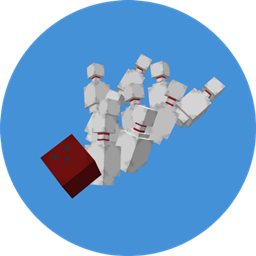
Build a working bowling alley in Minecraft and play real, full 10-frame games with your friends.
Throw a ball with a power bar, watch the pins scatter with real physics, and see your score appear on big scoreboard screens. Strikes, spares, and splits get their own animated celebrations.
✨ Features
Real bowling
- Throw with a power bar. Hold right-click to wind up; release to roll the ball in the direction you’re facing.
- Hook your shot. Strafe left or right as you release and the ball curves down the lane.
- Physics pins. Pins fly, slide, and knock each other over. They’re real entities set in a true 10-pin triangle, not blocks.
- Full scoring. Strikes, spares, and the 10th-frame bonus balls are scored the way real bowling does it.
- Automatic pin setter. The pins sweep and reset between turns, so nobody has to reset the lane by hand.
Multiplayer-ready games
- Bowling Terminal. Players click Join Game, then Start Game. Play Again keeps the same players, and End Session clears the list.
- Turn order. The game follows a real bowling game: first ball, second ball, then it’s the next player’s turn.
- Scoreboard screens. Marks and running totals appear for each frame, with the score at the end of the row and the current bowler highlighted. Place as many screens as you like, and they join together into one big connected display with seamless borders.
- High score board. Each terminal remembers its best score.
Celebrations and animations
- Animations for every kind of roll. There are different animations for 1 to 9 pins, strikes, spares, splits, gutter balls, a turkey (3 strikes in a row), and a 300 perfect game, each with sound and sparkles.
Build the whole alley
- Waxed Bowling Lane Planks. Balls roll freely on these, and creep to a stop on anything else.
- Pin Camera. It hangs over the pin deck, sets the pins, and scores each roll.
- Gutters. Stair-shaped channels that keep the ball rolling.
- Gutter Barriers. Bumper rails that rise or lower from the terminal at any time, even mid-game.
- Ball Return and Ball Return Chute. The chute catches the ball and sends it back to the ball return.
- 16 colors of bowling balls, all sharing one model. Recolor any ball with a dye.
- Bowling Shoes. Cosmetic boots. There’s an optional config setting to require them.
Everything is craftable in survival.
🚀 Quick start
- Lay Waxed Bowling Lane Planks for the approach, the lane (suggestion of 22 blocks long for best curvability), and the pin deck.
- Place a Bowling Terminal.
- Right-click the terminal with a Pin Camera in hand to link it, then place the camera 2 blocks above the lane and 2 blocks away from your back wall at the end of the lane. It sets the pins itself.
- Link and place Bowling Screens the same way (right-click the terminal first).
- Optional: add Gutters along the sides, and a Ball Return with a linked Chute at the end of the lane.
- Open the terminal, join the game, and start. Stand on the lane planks and hold right-click with a ball to throw.
🔧 Crafting
All recipes show up in the recipe book. Highlights:
| Item | Ingredients |
|---|---|
| Waxed Bowling Lane Planks (x4) | 4 birch planks + 1 honeycomb |
| Bowling Ball | 4 iron ingots + 1 dye |
| Recolor a ball | any ball + a dye |
| Gutter (x4) | 6 smooth stone, in a stair shape |
| Bowling Shoes | 2 red dye + 2 leather |
The terminal, screens, pin camera, ball return, chute, and gutter barrier use iron, redstone, glass panes, and a piston, hopper, or observer. Check the recipe book for the exact layouts.
⚙️ Config
- Max players per terminal
- Ball speed at 0% and 100% power
- Hook strength (set to 0 to turn hooking off)
- Roll announcements on the action bar
- Require Bowling Shoes to bowl
- Animation test mode, for people making their own animations
📋 Requirements
- Minecraft 1.21.1 with NeoForge 21.1.252 (or higher)
- GeckoLib (required)
Install it on both the server and the clients for multiplayer. It has been tested on single-player, a LAN world, and a dedicated server, and the scoreboards and pins sync between players.
❓ FAQ
Do I need the Pin Camera? Yes. It sets up the pins and scores every roll. It needs to be linked to a terminal before it does anything.
The ball stops right away. Why? Balls only keep their speed on Waxed Bowling Lane Planks (and gutters). Stand on them to throw, and build the whole lane out of them.
Does it work with shaders? It has been tested with a shader pack, and the scoreboards render fine.
Can I use it in a modpack? Please do. Just please properly credit me!
I found a bug. Please report it in the comments tab, with “Bug Found” at the top, so I can see it clearly among the other comments.
📜 Credits
- Created by [Henderson590]
- Built with GeckoLib for models
常见问题
Immersive Bowling 支持哪些 Minecraft 版本?
Immersive Bowling 支持 Minecraft Java 版 1.21.1,可用的加载器:NeoForge。下载时注意选择和你游戏版本一致的文件。
Immersive Bowling 怎么安装?
先用 PCL2 或 HMCL 启动器安装对应版本的 NeoForge,再把下载的 .jar 文件放进游戏目录的 mods 文件夹,重新启动游戏即可。开启了版本隔离的,mods 文件夹在 versions/版本名 下面。
henderson_590 的其他作品
查看全部 →
Henderson’s Hats & Accessories
This mod adds Henderson's custom hats and accessories to your Minecraft game.

Valkyrien Skies + Mekanism Compat
Compatibility bridge between Valkyrien Skies 2.0 [UNOFFICIAL] and Mekanism 10.7.x.
Create: Food Displays
Adds different blocks that allow you to show off your food in the create mod!
CogBound SMP
⚙ CogBound SMP is a heavily modded Minecraft server where you can build, automate, explore, customize vehicles, and create your own adventure in a world of organized chaos!
评论
登录后评论和评分