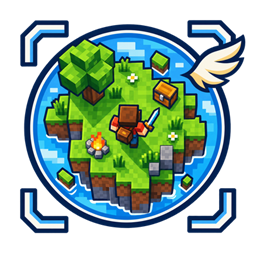
Birds Eye View
Play Minecraft from above with screen-relative movement, mouse-controlled mining and combat, and crouch-wheel zoom.
介绍
Bird’s Eye View
Bird’s Eye View transforms Minecraft into a top-down adventure while preserving the familiar survival experience.
The new perspective is built directly into the normal F5 camera cycle. Movement becomes screen-relative, so pressing W, A, S, or D moves your entire character in that direction. Your body and head turn toward movement and interaction targets, making exploration and combat much easier to read from above.
Features
- A fully playable bird’s-eye camera added to the F5 perspective cycle
- Screen-relative movement with natural body and head rotation
- Terraria-inspired mouse targeting for mining, building, combat, and interaction
- Green and red cursor feedback for valid, blocked, or unreachable targets
- Hold left click for continuous mining
- Attack mobs with left click and interact with them using right click
- Crouch and use the mouse wheel to zoom between 6 and 24 blocks
- A clean, one-pixel crosshair without a dark outline
- Improved character facing during mining, placing, interacting, and combat
- Normal Minecraft reach and line-of-sight rules remain enforced
Controls
- F5: Cycle through first-person, third-person, front-facing, and bird’s-eye perspectives
- W/A/S/D: Move relative to the screen
- Mouse: Aim the bird’s-eye cursor
- Left click: Mine blocks or attack mobs
- Right click: Place blocks, use items, or interact
- Crouch + mouse wheel: Zoom in and out
The F5 and crouch controls use Minecraft’s normal keybinds and can be changed in the Controls menu.
Compatibility
- Minecraft Java Edition 1.21.1
- NeoForge 21.1
- Client-side only
- No server installation required
Bird’s Eye View is ideal for exploration, building, survival, adventure maps, and anyone who wants Minecraft to feel more like a top-down action RPG.
常见问题
Birds Eye View 支持哪些 Minecraft 版本?
Birds Eye View 支持 Minecraft Java 版 1.21.1,可用的加载器:NeoForge。下载时注意选择和你游戏版本一致的文件。
Birds Eye View 怎么安装?
先用 PCL2 或 HMCL 启动器安装对应版本的 NeoForge,再把下载的 .jar 文件放进游戏目录的 mods 文件夹,重新启动游戏即可。开启了版本隔离的,mods 文件夹在 versions/版本名 下面。
Scyvix 的其他作品
查看全部 →
Tensura Horizons
一个《Tensura: Reincarnated》附属模组,拓展种族进化路线,新增技能和自定义种族。

Shinobi-Craft
一个以火影忍者为主题的整合包

Universal Quest Icons
A Lightweight Icon Library that adds a Wide Variety of Custom Icons for use in Quest Mods.

Tensura Horizons Modpack
Tensura Horizons is a Tensura-inspired Minecraft modpack where you gain powerful skills, evolve, defeat bosses, and build your own monster nation.
评论
登录后评论和评分